
Trend City RP — Picking your role at the start
About
OverviewTrend City RP is a roleplay game built around dance, music, and creative expression in a neon-lit city. You pick a role, explore distinct areas, and put on performances — alone or with up to 39 other players in a single server. This guide covers how to get started, where to go, how to play with friends, and what the gamepasses actually add.
What is on this page
Contents
Picking your role at the start
Table
When you first load in, you choose one of three roles. No area is locked behind your choice — the whole city is open no matter what you pick. Think of the role as a personal direction rather than a restriction.
| Kpop Idol | built for stage performances and the spotlight, best paired with the nightclub |
| Performer | focused on dancing and movement across any location in the city |
| Social Creator | oriented toward capturing moments and producing content at places like the Green Screen Set |
Areas of Trend City and what to do in each
Tips
The city is split into several distinct spots. Spending a few minutes walking through all of them at the start of a session helps you decide where to settle. Some are louder and performance-driven; others are quieter and better for hanging out.
- The Dance Studio is where you practice and run dance animations.
- The Nightclub has a stage — the natural home for performances in front of an audience.
- The Beach is the low-key option, good for sitting around and chatting.
- The Green Screen Set lets you set up screenshots and video recordings with a composited background.
- The hidden cave is a secret spot tucked into the city, worth tracking down just to find it.
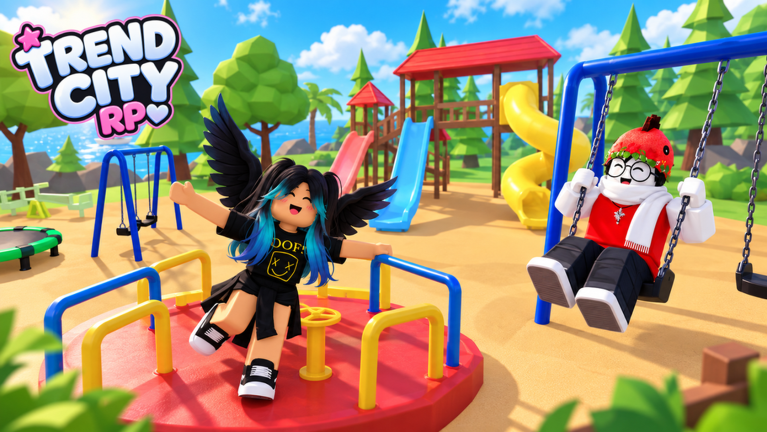
- The Playground is another hangout area alongside the beach if you want something more casual.
Playing with a group
Step
A server holds up to 40 players, so you can bring a sizeable group. The game is built for this — roleplay and performance get more interesting with more people involved.
- Split roles some players take the stage as performers while others watch from the floor of the Nightclub.
- Use the Dance Studio synchronize dance animations with your group for a rehearsal feel before hitting the stage.
- Move to the Green Screen Set take group screenshots together, then share them outside the game.
- Wind down at the Beach after a performance session, head to the Beach to sit and hang out at a slower pace.
What gamepasses add — and what you can do without them
CheckAll locations in the city — the beach, the studio, the nightclub, the Green Screen Set — are open to every player without spending anything. Gamepasses are optional purchases that add specific tools or bonuses on top of the base game. Each one also awards a badge when you buy it.
- The full city, all roleplay, and all dance animations are available at no cost.
- VIP grants a VIP-player status with its own badge.
- 3x Stats multiplies your stats by three.
- Boombox + expands the Boombox feature.
- AutoPlay + adds an autoplay function.
- Piano lets you play a piano in the city.
- Jeep gives you access to a drivable Jeep.
- Dancer Bot adds a bot that dances alongside you.
Glossary
Glossary- Kpop Idol
- One of the three starting roles, focused on stage performance and the spotlight.
- Performer
- A starting role built around dance and movement anywhere in the city.
- Social Creator
- A starting role geared toward taking screenshots and making content, especially at the Green Screen Set.
- Green Screen Set
- A filming area where you can compose screenshots and video recordings against a replaceable background.
- Dancer Bot
- A gamepass item that adds a bot to dance alongside your character.
- Gamepass
- An optional purchase made with Robux that unlocks an extra item or ability and awards a badge.
Common questions
FAQCan you play Trend City RP solo?
Yes. You can explore the hidden cave, practice in the Dance Studio, relax at the Beach, or set up shots at the Green Screen Set entirely on your own.
How many players fit in one server?
A single server holds up to 40 players.
Do you need to buy gamepasses to enjoy the game?
No. All locations and the core roleplay experience — dancing, performing, exploring, hanging out — are free. Gamepasses like the Jeep or the Piano add extras on top of what is already there.
What is the Green Screen Set actually for?
It is a dedicated recording area designed so your screenshots and clips have a clean, compositable background. Social Creator players get the most out of it, but any role can use it.
Game updates can change what is on this page. If you spot something, get in touch and let us know.
