
Movie Maker 4 — Getting started on your first movie
About
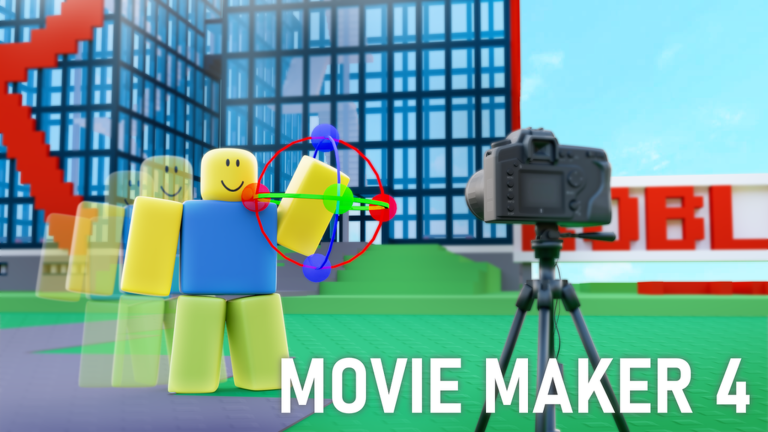
OverviewMovie Maker 4 is a Roblox game where you build and animate your own original films using a library of characters, props, sceneries, effects, and sounds. Once your movie is finished, you can publish it for other players to watch, rate, and review. This guide walks you through getting started, putting a movie together, and getting your work noticed.
What is on this page
Contents
Getting started on your first movie
Step
When you first load in, browse the available characters, backgrounds, and props so you have a feel for what the game offers. Then place a few items on a blank scene and move them around to get comfortable with the controls. A short, single-scene test film is a way to learn how animations and effects attach to objects.
- Browse the library open each category and scroll through characters, backgrounds, props, effects, and sounds.
- Place and move items drag things onto the scene, reposition them, and delete them so the basic controls become familiar.
- Build a short test scene finish one complete, single scene before starting your actual movie.
No cost to any feature
CheckMovie Maker 4 has no paid upgrades or premium tiers. Every creative tool and every item in the asset library is unlocked for all players from the start.
- All characters are available immediately with no purchase required.
- All backgrounds, props, effects, and sounds are fully unlocked from the start.
- Publishing and sharing your films costs nothing.
- The library grows through free updates.
Building a complete movie from start to finish
StepDecide what your story is and roughly how many scenes it needs, then build each scene in order. Once characters and props are in place, set up their animations, and add sound and visual effects. Multiple scenes can be arranged in sequence to produce a full-length film.
- Plan your plot write down the story and list every scene you need before opening the editor.
- Choose your scenery pick a background for each scene.
- Place characters and props position every character and object that appears in the scene.
- Set animations define how characters move, rotate, or change expression over time.
- Add audio and effects layer in background music, dialogue sounds, and visual effects.
- Arrange scenes in order line up all finished scenes in sequence to form one complete movie.
Keeping the asset library fresh
Tips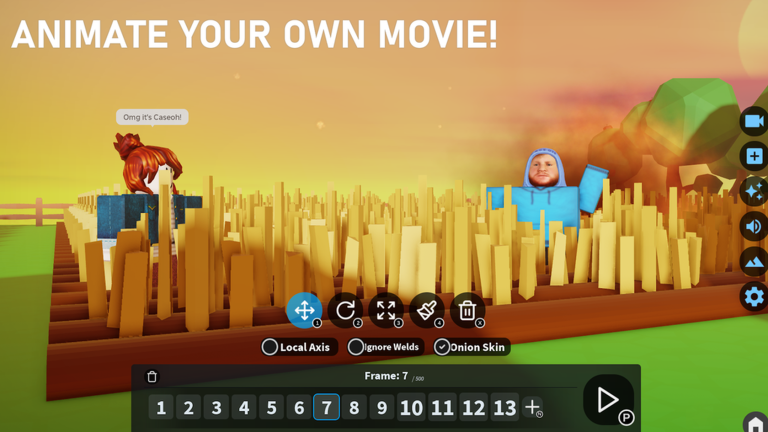
The library of characters, backgrounds, props, effects, and sounds is not fixed — the development team keeps adding to it through regular updates.
- New characters, sceneries, effects, and sounds are added through regular updates.
- Use the search function inside each category to find items faster as the library grows.
Getting your film seen
Step
Finished movies are published through the game's built-in search engine, where other players can find, watch, rate, and leave comments. Including ShortsEntry in the description gives your movie a shot at being featured on the developers' channel.
- Write the title keep it short and make sure it tells a viewer what kind of movie to expect.
- Write the description summarize the story or mood clearly.
- Add ShortsEntry type ShortsEntry somewhere in the description to enter the movie for a chance at an official channel feature.
- Watch other films browse what other creators have made using the built-in search engine.
- Rate and comment leave feedback on films you enjoy.
Reporting bugs and sharing suggestions
WarnMovie Maker 4 is a new game and the development team is actively working to improve it. If something breaks or a feature behaves unexpectedly, passing that information to the developers helps them fix it. Suggestions for new features are also welcome.
Glossary
Glossary- Prop
- Any object in a scene that is not a character — furniture, tools, vehicles, and similar items placed to dress a set.
- Scene
- A single location and time period within your movie, containing its own set of characters, props, and animations.
- Animation
- A defined sequence of movement, rotation, or expression change applied to a character or object so it acts out its role over time.
- Effect
- A visual addition — such as an explosion, light burst, or smoke — or an audio addition such as a sound effect or background track.
- Library
- The in-game collection of all available characters, backgrounds, props, effects, and sounds you can use when building a movie.
- ShortsEntry
- A tag you add to your movie's description to enter it for a chance at being featured on the developers' official channel.
Common questions
FAQDo I need any filmmaking experience to make a good movie?
No special knowledge is required. You combine characters, backgrounds, props, effects, and sounds from the library to create your film.
Can I make a movie with more than one scene?
Yes. You can build multiple individual scenes and arrange them in sequence to form a single longer film.
Will the library ever run out of new assets?
The development team continuously adds new characters, backgrounds, effects, and sounds through updates, so the library keeps growing.
What does adding ShortsEntry to my description actually do?
It signals to the developers that you want your movie considered for a feature on their channel. Only movies with ShortsEntry in the description are eligible.
Game updates can change what is on this page. If you spot something, get in touch and let us know.
