
Guess the character color Guide: Getting into your first match
About
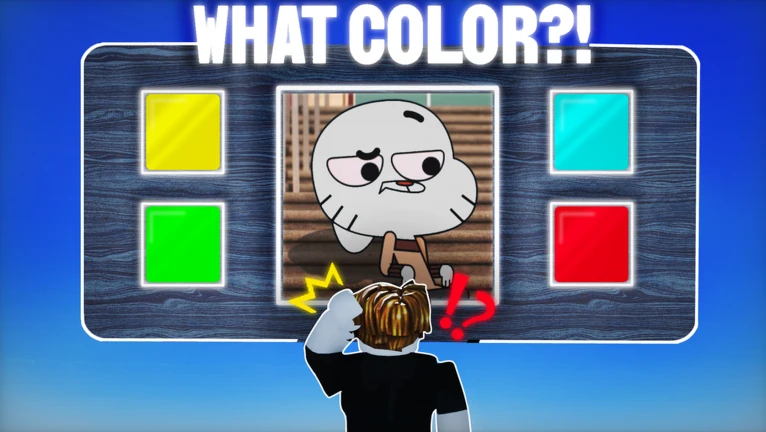
OverviewGuess the Character Color is a 1v1 Roblox minigame where you and an opponent both try to pick the correct color for a shown character — first to get it right wins the round. Characters include well-known faces like Gumball and Peppa Pig.
What is on this page
Contents
Getting into your first match
Step
When you load the game you land in a lobby screen. From there, hit the button to start matchmaking and wait for the game to find you an opponent. Once a match is found it begins immediately, so be ready.
- Open the game you arrive at the lobby screen automatically.
- Start matchmaking press the button shown to search for an opponent.
- Wait for a match the game pairs you with another player on its own.
- Watch for the character the round starts as soon as matchmaking finishes.
MetaNew Player Survey

The next survey is being prepared.
How a round works
SummaryEvery round puts a character illustration on screen alongside several color choices. You pick the one you think matches the character. Pick correctly and you win that round; pick wrong and you lose it. A full match runs across multiple rounds, so you will face this same choice several times per game.
- Format 1v1, both players see the same character at the same time.
- Goal select the correct color from the options shown.
- Wrong answer you lose the round.
- Match length multiple rounds make up a single match.
Picking the right color
Tips
The color options sometimes include shades that look very similar to each other. Characters from shows you already know are easier because you can picture their actual colors. The more you play, the more you notice which characters come up again and again.
- Study the options before tapping — similar shades appear together.
- If you know the character from its show, picture how it really looks.
- Repeated characters are a free advantage — after you see one, remember its color for next time.
- Staying calm after a wrong answer helps you observe the next character more carefully.
Troubleshooting mid-match
CheckIf you keep missing rounds, slow down and look harder at the illustration. Bright or neon colors can be easy to confuse with standard ones if you do not compare them directly.
- Getting the color wrong repeatedly pause and study the illustration details.
- Two options look nearly the same compare brightness and whether one is neon or a softer shade.
- A character keeps coming up and you always miss it make a point of learning that one color so it stops costing you rounds.
Cost and access
SummaryThe game is completely free to play. Every character that appears as a question is available to all players without payment, matches have no limit, and matchmaking costs nothing. You can also play with friends at no charge.
- Characters all appear as questions for free.
- Matches no cap on how many you can play.
- Matchmaking free to use every time.
- Friend play no payment required.
Community strategy ideas
CommunityThese ideas and tips come from people playing the game. Share your discoveries too!
No strategy ideas yet. Share a tip you discovered.
Share a strategy idea
Guess the character color
Glossary
Glossary- 1v1
- A match format where exactly two players compete against each other.
- Round
- A single color question within a match, where one character is shown and you pick its color.
- Matchmaking
- The automatic system that finds you an opponent so a match can begin.
- Color options
- The set of color choices shown on screen each round, one of which is correct.
Common questions
FAQWhat happens if I pick the wrong color?
You lose that round. Because a match has multiple rounds, one wrong answer does not end the match.
How do I get better at picking the right color?
Play repeatedly so you learn which characters come up often and can recall their colors quickly. Knowing a character from its original show also gives you a head start, since you can picture its real look.
Can I play for free?
Yes, the entire game is free. All characters, all matches, and matchmaking itself cost nothing.
What if the color options look almost identical?
Look at whether one option is a neon or bright version of the other, and compare the depth of each shade directly.
Game updates can change what is on this page. If you spot something, get in touch and let us know.
