Games listed 42,291
Game guide

Mukbang Game [Testing] Guide: Getting started in the apartment

Mukbang Game [Testing] 🍔!
sorynn22, Playing 14.7K, Rating 92.7%
Creator sorynn22
Playing 14.7K
Rating 92.7%
Is this game fun?4 votes
Fun 100%4Average 0%0Not fun 0%0

About

Overview

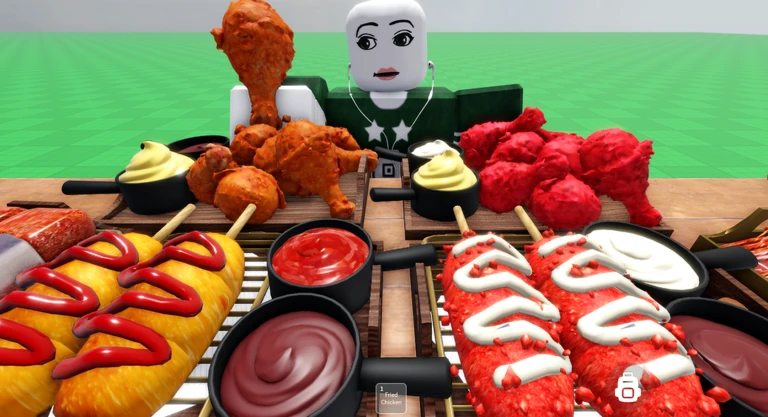
Mukbang Game [Testing] is a Roblox roleplay where you eat virtual food, run your own mukbang or ASMR recording session, and hang out with friends in a shared apartment space. This guide walks you through getting started, using the camera and chair tools, filming with friends, and knowing what to expect from a game that is still in active development.

What is on this page

Contents
01

Getting started in the apartment

Step
In short Head to the apartment first, pick a seat, and get comfortable with the basics before exploring anything else.

The apartment is the main hub of the game, so that is where you want to go when you first load in. Once you are inside, find a seat that appeals to you — there are many seating areas available. Sitting down and eating food is the core loop, and it takes only a moment to understand.

  1. Enter the apartment this is your main base for everything in the game
  2. Walk up to a seating area pick any spot that looks good to you
  3. Sit down and eat enjoy the mukbang and ASMR atmosphere at your own pace
  4. Open the camera controller start exploring angles
  5. Try the chair adjustment tool get your character positioned the way you want
Ask on the board
02

Camera and chair controls

Tips
In short Mastering the camera controller and chair adjustments is what separates a basic session from one that actually looks good.

The camera controller lets you move the viewpoint freely, so you can frame your character from any angle you like. Chair adjustments let you change your character's position and orientation, which affects how the food and background look in the shot. Between the two tools, you have a lot of creative control without needing anything extra.

Tips worth knowing
  • Rotate and zoom the camera to find the angle where your character looks best
  • Adjust the chair so the food lines up with your preferred frame
  • Try several seating areas because each one has a different background and feel
03 Live and upcoming events Events

Events running now or coming soon. They have fixed dates, so check them first.

Live now –

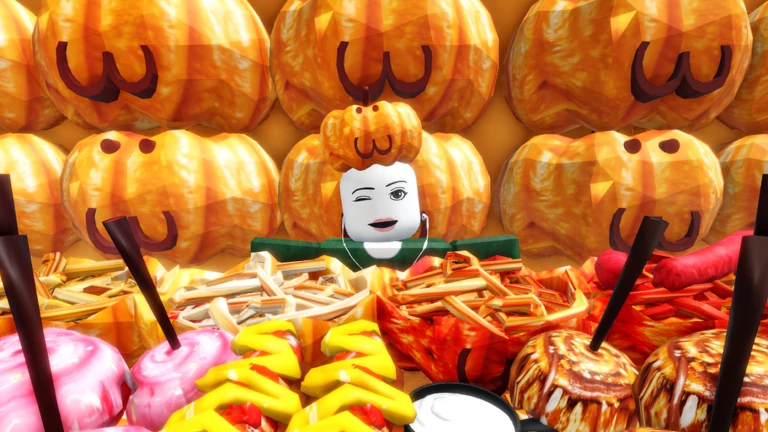
Spaghetti & Candy Apples

Heya again munchers :D Mini update New foods have been added to the menu 🍝🍎🌭 We got spaghetti in pumpkin bowls 🎃…

Live now –

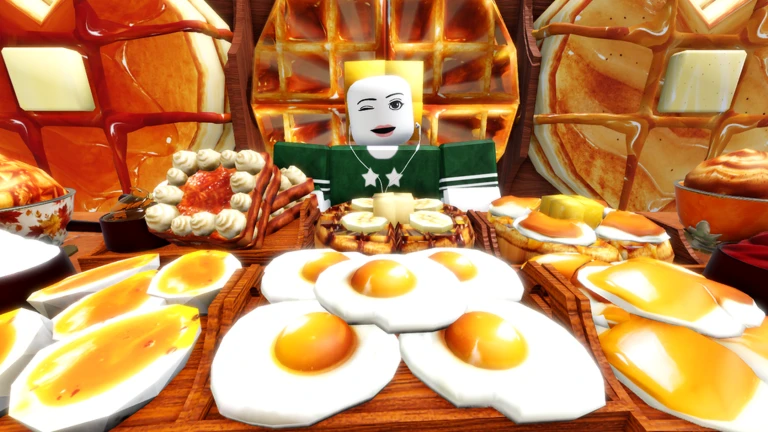
Breakfast and Autumn 🍁🍳

🍁 THE BREAKFAST UPDATE IS HERE! 🥞🧇 The cherry blossoms have now turned orange, and the days feel warmer and cozier.…

See the whole schedule
04

Seating areas compared

Table
In short Each seating area has its own atmosphere, so matching the spot to what you want to film saves you time.

The game offers multiple seating areas inside the apartment. Picking the right one for your goal makes the session feel more intentional, whether you are going solo or filming with a group.

Bright open areassuited for upbeat mukbang sessions and lively screenshots
Cosy quieter spotssuited for ASMR-style recordings
Multi-person seatingsuited for collab mukbangs where everyone needs to fit in frame
Cat areasavailable for a relaxed atmosphere
05

Filming a collab mukbang with friends

Step
In short A collab mukbang just takes a bit of coordination before you start — agree on a spot and sort the camera angle together.

Collab mukbang is one of the featured parts of the game. The multi-person seating areas are designed for this. Sort out the chair positions before you start so nobody is awkwardly out of frame.

  1. Get everyone into the same server
  2. Meet at a multi-person seating area pick your spot together before anyone sits down
  3. Adjust your chairs line up positions so all characters are visible from a single angle
  4. Set the camera so everyone fits comfortably in view
  5. Start eating together
06

What to expect from a game in testing

Warn
In short Bugs are part of the deal right now, and the game is going to keep changing as the developer adds new ideas.

The game is labelled as being under Testing or Beta, so unexpected behaviour is normal. When something goes wrong, it is worth reporting it. The core features — camera controls, chair adjustments, seating areas, collab mukbang, cats, and ASMR — are all already in place. The developer has more upcoming ideas planned.

Worth watching out for
Bugs can happen at any time that is expected and part of the testing phase
Use the report feature if you hit a consistent problem, since developer feedback helps the game improve
Features and layouts may change as updates roll out
Never share your Roblox password or account details with anyone

Glossary

Glossary
Mukbang
A format where someone eats a large amount of food on camera — this game lets you roleplay that experience in Roblox.
ASMR
Content built around soothing sounds, often eating sounds, designed to help the viewer relax.
Camera controller
An in-game tool that lets you freely move and zoom the camera to frame your character from any angle.
Chair adjustment
A tool that lets you change your character's seated position and orientation within a seating area.
Collab mukbang
A session where multiple players eat together in the same seating area, filmed as a group.
Apartment
The main location in the game, containing all the seating areas where mukbang and ASMR sessions take place.

Common questions

FAQ

What should I do first when I load into the game?

Go to the apartment and choose a seating area. Sit down, then use the camera controller and chair adjustment tool to get familiar with how both work.

Do I need to spend Robux to enjoy the game?

All the core features — camera controls, chair adjustments, every seating area, collab mukbang, and ASMR — are available without spending anything.

Something broke or acted strangely — what should I do?

The game is still in Testing or Beta, so bugs are expected. Use the in-game report feature to let the developer know what happened, since that information helps get things fixed.

How do I get a good screenshot for sharing?

Pick a seating area whose background fits the mood you are going for, use the chair adjustment to position your character, then use the camera controller to find an angle where the food and background both look their best.

Updated Sep 6, 2026
Game updates can change what is on this page. If you spot something, get in touch and let us know.
Mukbang Game [Testing] 🍔! sorynn22, Playing 14.7K, Rating 92.7%
See the game pageAsk on the board
Add it to your home screen and it works like an app. One tap to open, and it loads faster after that.