
Kit PVP FFA Guide: Picking your kit

About
OverviewKit PVP FFA drops you into a free-for-all arena with up to 20 players and lets you fight using Minecraft 1.21-style combat — attack cooldowns, crits, sweeping, shields, knockback, and armor are all in play. Before each fight you pick one of eight kits, which sets your weapons and special abilities for that life.
What is on this page
Contents
Player notes and tips
Found a useful trick? Share it with everyone! Notes with screenshots are welcome!
Write a guide note
[⚔️] Kit PVP FFA
Picking your kit
Step
When you join a match, a kit selection screen opens before you enter the arena. Each of the eight kits gives you a different weapon loadout and a different set of special moves.
- Sword
classic close-range sword combat
- Mace
close-range attacks with a mace weapon
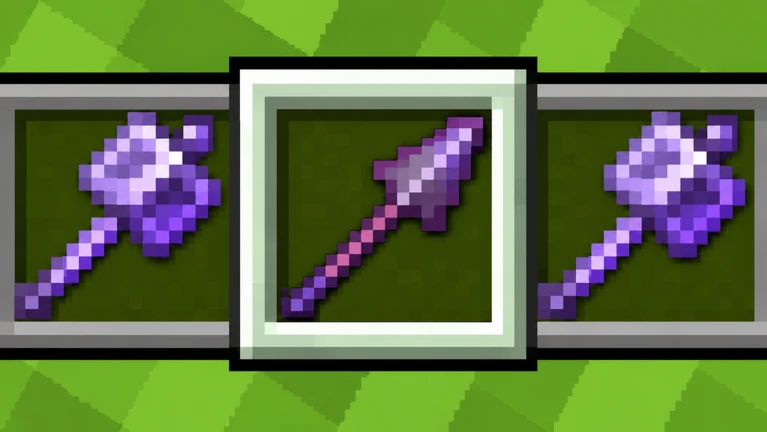
- Mace and Spear
combines a mace and a spear for multiple attack options in one kit
- Elytra and Rockets
fly across the arena and attack from the air with rockets
- TNT
deal area damage using explosions
- End Crystals
fight with End Crystal blasts
- Archer
stay at a distance and pick off enemies with a bow
- Orbital Strike
a special ability that attacks by dropping down from above
MetaNew Player Survey

The next survey is being prepared.
Combat tools available in the arena
CheckOn top of your kit's core weapons, several items can be used during a fight.
- Wind charges use the wind force for movement or as an attack
- Spear lunge close the gap or escape with a high-speed spear charge
- Elytra mace combo chain flight and a mace strike into one attack
- Ender pearl teleport instantly to reposition or flee
- Totem blocks one death, giving you a second chance
- Golden apple restore health and gain a temporary protection effect
How the map works
WarnThe arena has placeable blocks, meaning you can build bridges, raise walls, or create cover on the fly. You can also blow up structures with TNT or End Crystals, destroying enemy cover or opening new paths. Because the entire map resets on a five-minute cycle.
Killstreaks, bounties, and Super Mode
Summary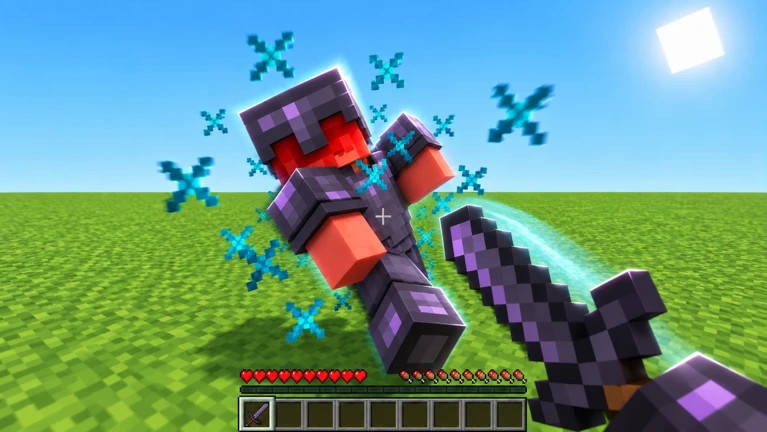
Every kill you get pushes your killstreak higher and earns you perks. Bounties attach to specific players — take one down and you collect an extra reward on top of your normal kill. Super Mode is a temporary power-up state.
- Killstreak
a rising chain of kills that unlocks perks as it grows
- Bounty
a reward attached to a specific enemy; killing them pays out a bonus
- Super Mode
a short burst of extra power
Leveling up and Prestige
StepEvery kill earns experience, and experience pushes your level up. The level cap is 200. Once you hit it, you can Prestige, which resets your level back to one so you can climb again.
- Reach level 200
this is the ceiling before Prestige becomes available
- Prestige
reset your level to one and start the climb again
Crates, skins, and free rewards
TipsRewards earned in matches can be spent on crates. Each crate can drop character skins, sword skins, capes, or auras. Rarity goes all the way up to Divine, which sits at a 0.1% drop rate. Two easy sources of extra rewards cost you nothing: logging in each day collects a daily reward, and joining the official group gives you a free reward.
- Open crates to get character skins, sword skins, capes, and auras
- Divine is the top rarity tier at 0.1%
- Log in daily to pick up the daily reward
- Join the official group for a free reward
Controls and view options
TipsThe game runs on PC, phone, and controller, and all three let you remap the controls. On PC, pressing F5 toggles third-person view.
- PC, phone, and controller are all supported
- Rebind any control
the game allows full remapping
- Press F5 on PC to switch to third-person view
Glossary
Glossary- Kit
- The weapon and ability loadout you choose before entering the arena; eight options are available.
- FFA (Free-for-All)
- A match format where every player is an enemy — up to 20 people fight in the same arena at once.
- Killstreak
- A running count of consecutive kills that unlocks bonus perks as it rises.
- Bounty
- A reward marker placed on a specific player; killing that player pays out an extra bonus.
- Super Mode
- A temporary powered-up state that makes you stronger.
- Prestige
- An option that opens once you reach level 200, resetting your level to one so progression continues.
- Divine
- The highest rarity tier for crate drops, with a 0.1% chance of appearing.
- Totem
- A consumable item that prevents one death, letting you survive a hit that would otherwise finish you.
Common questions
FAQHow many players can fight in one arena?
Up to 20 players share a single arena at the same time. Everyone fights everyone — there are no teams in the standard free-for-all format.
Do my buildings stay up after the map resets?
No. The entire map resets every five minutes, wiping every structure back to the default layout.
Do skins or auras give me an advantage in fights?
No. Character skins, sword skins, capes, and auras are cosmetic only and have no effect on damage, health, or any other combat stat. They change how you look, nothing else.
What happens to my level when I Prestige?
Prestiging resets your level back to one. You then work your way back up to level 200 all over again.
Game updates can change what is on this page. If you spot something, get in touch and let us know.
