
Fruit Zombie Survival Guide: Your first five minutes in the lobby
About
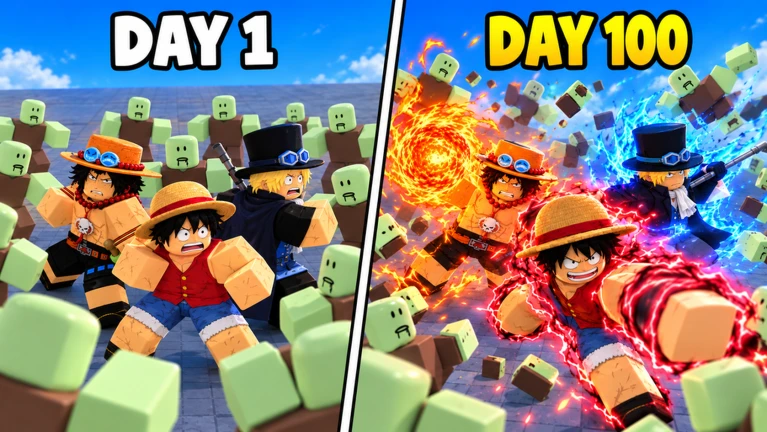
OverviewFruit Zombie Survival is a wave-based survival game where you eat a Devil Fruit, pick a One Piece character class, and fight off endless zombie hordes for as long as you can. You can go it alone or team up with up to four friends and push for a spot on the global leaderboards. This guide covers getting started, fighting smart, spending Berries wisely, and taking down the first major boss.
What is on this page
Contents
Your first five minutes in the lobby
Step
The lobby has screens for Fruits, Classes, and the Shop, but there is no need to buy anything right away. Glance at what Fruit and Class are currently selected, then walk to the map selection board near the port. From there, choose Corrida Colosseum on Normal difficulty in Dressrosa. Set your party size to one so you can play at your own pace without waiting for others.
- Check your Fruit and Class just confirm what is already selected before leaving the lobby
- Head to the map board find it near the port side of the lobby
- Pick Corrida Colosseum choose Dressrosa, Normal difficulty
- Set party size to one lets you start immediately and learn without pressure
- Leave Auto-Skip off for the first two or three waves use that time to read the upgrade screen before spending anything
MetaNew Player Survey
The next survey is being prepared.
How to fight without getting surrounded
Tips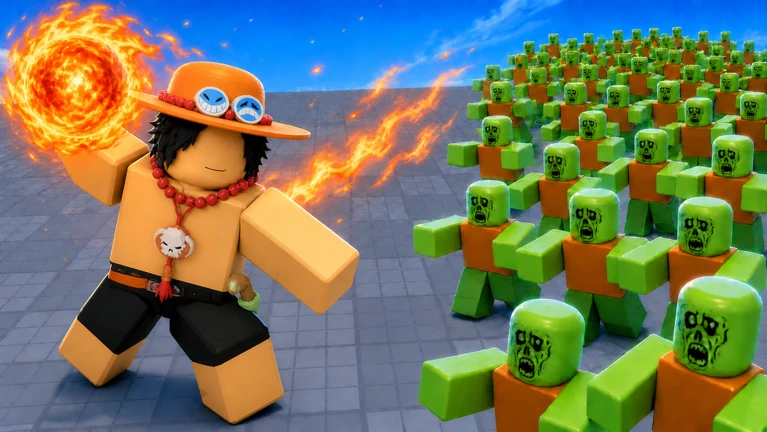
Chasing zombies individually wastes time and leaves you vulnerable from behind. Instead, keep moving in a wide arc so enemies trail behind you in a cluster, then fire your area skill into the group. Before you reach a wall or corner, change direction so you always have an open path to escape. Dash sideways or diagonally into empty space — not into the crowd — when you need to break out of a tight spot. Get into the habit of rotating the camera during attacks so you know where enemies behind you are.
- Herd enemies into a cluster before using your area skill
- Change direction before you reach a wall — keep an escape route open at all times
- Dash sideways or diagonally into open space, never into the middle of the horde
- Save your Dash for emergencies rather than using it constantly for speed
- Spin the camera while attacking so enemies behind you do not catch you off guard
Spending Berries during a run
Check
Berries are earned during combat and spent in the Upgrades panel on the left side of the screen. The upgrade window is short, so decide quickly. If enemies keep surviving your attacks, put Berries into offense. If you are dying before you can attack, add health. Aim to have at least one health upgrade done before you reach Wave 10.
- Open the Upgrades panel between waves
- Buy one health upgrade before Wave 10
- Choose offense upgrades when enemies are surviving your attacks
- Choose health upgrades when bosses or large groups are killing you before you can act
- Turn Auto-Skip off temporarily if you need more time to decide what to buy
Taking down Dune Marauder at Wave 10
Step
Dune Marauder appears at Wave 10 in Corrida Colosseum and is the first serious test for new players. Having at least one health upgrade in place before the wave starts makes a significant difference. When the boss spawns, aim your main skill at it directly rather than splitting attention. Small zombies will still spawn around you — if they start piling up, stop attacking the boss, dash out of the crowd, regroup, and then refocus on Dune Marauder. After the fight ends, the results screen should show Wave 11 as your reached wave, which confirms a clean clear.
- Upgrade health before Wave 10 use Berries to buy it during any earlier wave break
- Lock your main skill onto the boss do not let small enemies distract your aim
- Stop attacking and dash away when small zombies surround you
- Regroup after escaping, then go back to targeting the boss
- Check the results screen Wave 11 shown means you cleared the boss successfully
Choosing a Fruit, Class, and where to place builds
TipsThere are 20 Fruits to collect, and high rarity does not automatically mean easier to use. A Fruit that covers a wide area and does not require precise aiming is more beginner-friendly than a rare one that demands accurate targeting. Similarly, check whether a Fruit leaves you enough time to dash away when things go wrong. When you want to experiment, change either your Fruit or your Class but not both at once, then run Corrida Colosseum to Wave 10 and see what changed.
- Favor Fruits with wide attack coverage over ones that need precise aim
- Check that your chosen Fruit still leaves time to dash away when enemies close in
- Place builds along the paths enemies travel most, not in corners they rarely reach
- Change only one thing at a time — Fruit or Class, not both — so you can tell what made the difference
 GemRush2X
double diamonds for 30 minutes
ThisIsHalloween
three Halloween tickets
ArcadeIsHere
two arcade tickets
D1amondF3ver
double diamonds for 30 minutes
GemRush2X
double diamonds for 30 minutes
ThisIsHalloween
three Halloween tickets
ArcadeIsHere
two arcade tickets
D1amondF3ver
double diamonds for 30 minutes
Solo play versus co-op
Table
Solo lets you control every decision — when to skip, what to upgrade, and when to reset — without coordinating with anyone. Co-op supports up to four players, which means more combined firepower on bosses, but it also means agreeing on Auto-Skip settings and focusing attacks on the same target.
| Solo | best for learning controls, reviewing upgrades, and short Diamond farming loops |
| Co-op | best for pushing further than you can manage alone and climbing leaderboards |
| Auto-Skip | decide before starting whether everyone agrees to use it |
| Boss fights in co-op | all players should focus the same target to avoid splitting damage |
| Safety in co-op | never share your real name, school, address, phone number, or outside contact details in chat; use Roblox's mute, block, and report tools if someone makes you uncomfortable |
Quick Diamond farming loop
StepDiamonds are the lobby currency used to unlock and grow your options between runs. If you need more early on, repeating a short loop at Corrida Colosseum is a practical approach. Always check the results screen after each run to confirm how many Diamonds you earned. If the amount is lower than you expected, adjust your approach rather than repeating the same loop blindly.
- Select Corrida Colosseum Dressrosa, Normal difficulty
- Set party size to one no waiting, full control over the run
- Turn Auto-Skip on speeds up time between waves
- Buy one health upgrade before Wave 10 keeps the boss clear consistent
- After defeating the boss, check the results screen for your Diamond total before resetting
Glossary
Glossary- Wave
- One round of enemies that arrives together; the number goes up each time, and higher numbers mean harder enemies.
- Berry
- Currency you earn during a run and spend on upgrades between waves.
- Diamond
- The lobby currency used to unlock Fruits and other progression options between runs.
- Fruit
- An equippable item that gives you a specific set of special abilities; there are 20 to collect.
- Class
- Your character and build selection, which affects what you can place on the map and how you fight.
- Build (placement)
- An object you place on the map that attacks or supports you automatically while you fight.
- Auto-Skip
- A setting that skips the wait time between waves once the conditions to advance are met.
- Dash
- A quick burst of movement used to escape enemy clusters — best saved for emergencies.
- Revive
- An option to come back after being knocked out; if a cost appears, check with a parent or guardian before confirming.
- Dune Marauder
- The boss that appears at Wave 10 in Corrida Colosseum and is the first major difficulty spike for new players.
Common questions
FAQHow many players can join one session?
Up to four players can team up in a single run. You set the party size at the map selection board in the lobby before starting.
Can I get far without spending Robux?
Yes. The starting gear is enough to clear Wave 10 and its boss. If a Revive option appears after you fall, you can use the free Play Again or Back to Lobby buttons instead.
I keep dying to the zombie mob before I can do anything — what am I doing wrong?
Move in a wide circle to pull zombies into a group, then hit them all at once with an area skill. Keep your Dash ready so you can break out when the group gets too close rather than spending it on normal movement.
Do I need to know One Piece to enjoy this game?
No prior knowledge is needed. The mechanics that matter are your Fruit skills, your Dash, the upgrade screen, and the wave structure — all of that is visible in the game itself without any background knowledge.
The game is running slowly and my skills lag — what can I do?
Lower the graphics quality in Roblox settings and close other apps before launching. Starting a solo session and turning Auto-Skip off also helps because you get more time to act during the upgrade windows while performance stabilizes.
Game updates can change what is on this page. If you spot something, get in touch and let us know.
