
 Upcoming
–
Upcoming
–
Game guide
Soccer: Zero Guide: Attacking tactics in a 5v5 match
Is this game fun?
No votes yet. Cast the first one.
About
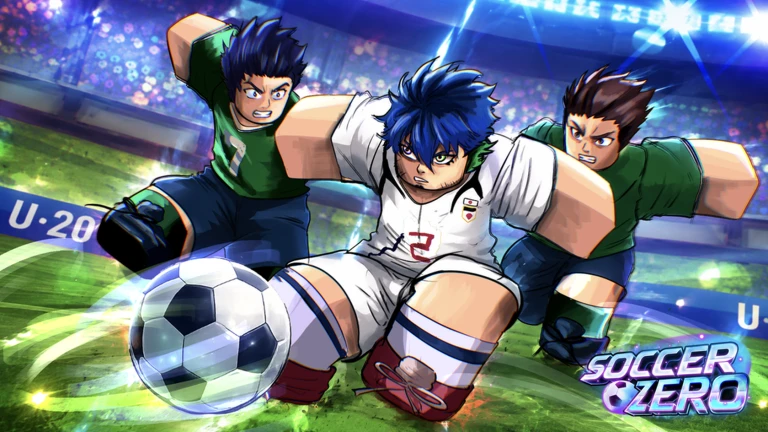
OverviewSoccer: Zero is a 5v5 anime-inspired soccer game on Roblox that is easy to pick up but has enough depth to keep you learning. This guide walks you through the controls, how to use them in a real match, and some pointers for both attacking and defending.
What is on this page
Contents
01
Attacking tactics in a 5v5 match
Tips
In short
Build moves through passes rather than solo runs, and save the Rainbow Flick for when you are close enough to the goal to hurt the keeper.
With only five players a side, every person on the pitch matters. Rushing a shot from far out rarely pays off — work the ball forward first.
Tips worth knowing
- Chain passes to move the ball up the pitch before attempting a shot.
- Once you are in the penalty area, the Rainbow Flick (Space) sends the ball over the goalkeeper's head.
- If a teammate presses R, they are in space — get them the ball quickly.
MetaNew Player Survey
The next survey is being prepared.
02
Defensive habits that actually work
TipsIn short
Patience and timing matter more than spamming the tackle button.
Defending in a small-sided game means one bad tackle can open up a clear run on goal, so picking your moment is everything.
Tips worth knowing
- The best moment to tackle is just as the opponent shapes to shoot.
- After losing the ball, retreat toward your own goal.
03 Live and upcoming events
Events
Events running now or coming soon. They have fixed dates, so check them first.
Upcoming
–
04
Playing a game still in beta
WarnSoccer: Zero is openly in beta, meaning bugs are expected and patches arrive regularly.
Worth watching out for
After any update, verify each input still behaves as expected.
Redeem codes expire, so check for active codes as soon as you see them announced. As of October 22, 2026, there are twelve working codes tracked for this game.
05 Working codes
Codes
 WILDCARD
CUSTOMISATION
five lucky style and flow spins
WILDCARD
CUSTOMISATION
five lucky style and flow spins
five lucky style and flow spins
GAMEMODES
QOLUPD
five lucky style spins and five lucky flow spins
five lucky style spins and five lucky flow spins
Community strategy ideas
CommunityThese ideas and tips come from people playing the game. Share your discoveries too!
No strategy ideas yet. Share a tip you discovered.
Share a strategy idea
[⭐ QOL] Soccer: Zero
Glossary
Glossary- Dribble
- Pressing Q while you have the ball keeps it at your feet as you move.
- Rainbow Flick
- Pressing Space with the ball launches it in a high arc over an opponent's head.
- Slide Tackle
- Pressing E drops you into a sliding challenge along the ground to strip the ball from an attacker.
- Dive
- Pressing Q without the ball throws your body into a lunge.
- Header
- Pressing Space without the ball lets you strike it with your head.
- Request Ball
- Pressing R sends a signal to the teammate who has possession, letting them know you are in a good position to receive a pass.
- Beta
- The game is still in active development, so bugs and control changes can appear after any patch.
Common questions
FAQWhy does Q do something different depending on whether I have the ball?
The control scheme is built around ball possession — several inputs serve double duty to keep the layout to just five buttons. Holding the ball activates the dribble; being off the ball switches the same key to a dive.
How do I let a teammate know I want the ball?
Press R whenever you are in open space and a teammate has possession. It sends them a signal asking for a pass. If you see that signal come in while you are holding the ball, use Right Click to pass.
Can I play with friends in the same match?
The game runs 5v5, so joining the same server puts you on the pitch together.
Where do I enter redeem codes?
Look for the code redemption option inside the game itself. Codes are time-limited, so enter any you find as soon as possible.
Updated Oct 23, 2026
Game updates can change what is on this page. If you spot something, get in touch and let us know.
Game updates can change what is on this page. If you spot something, get in touch and let us know.
