
The Apocalypse — Your first day
About
OverviewThe Apocalypse is an open-world zombie survival game where you mine resources, craft gear, build a base, and defend it against nightly zombie attacks that grow harder as the days pass. This guide covers everything from your first five minutes to boss fights and base defence, so whether you just started or keep getting wiped out at night, you should find what you need here.
What is on this page
Contents
Your first day: what to do before dark
Step
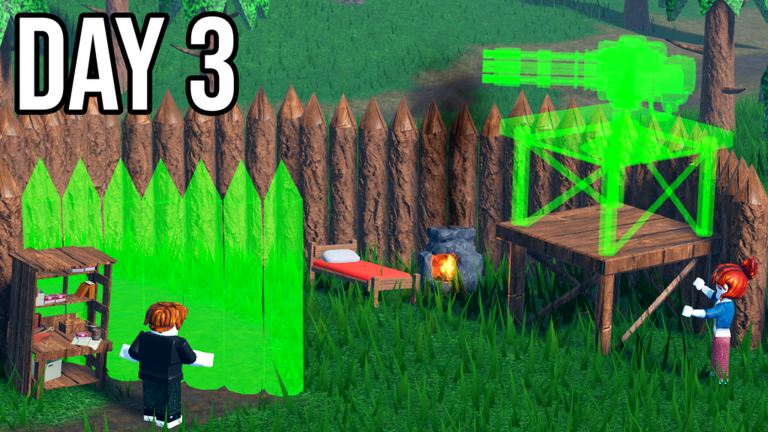
When you first spawn, resist the urge to explore far. Everything you need for the first night is close by, and wandering too far wastes the daylight you need for crafting and building. Work through these steps in order.
- Pick a flat base spot choose somewhere with a clear view around it and easy access to trees and stone nearby.
- Gather wood and leaves chop trees to get both; keep the leaves because they are the material for rope.
- Collect stone hit rocks close to your chosen base spot rather than going far afield.
- Search nearby boxes and buildings look for scrap, nails, plastic, and food so you are not starting completely empty-handed.
- Build Workbench 1 check the crafting screen for the exact materials required; this unlocks most of your early tools and structures.
- Return to base before dark walk the perimeter and close any gaps in your walls before the first wave arrives.
Early priorities in the right order
Table
Run through these priorities in sequence instead.
| First | drinking water and empty bottles to refill at a rain collector. |
| Second | Workbench 1 and a furnace so you can craft tools and smelt ore. |
| Third | storage boxes organised by material type so nothing gets lost. |
| Fourth | a small wall around your base flag, workbench, furnace, and storage. |
| Fifth | basic melee weapons, gathering tools, and minimal armour. |
| Later | decorations, a large base, and expensive late-game equipment. |
Keycards, vehicles, and boss altars
Tips
Once your base is stable, the game opens up through three clear progression systems. Each one requires preparation before you attempt it.
- Blue keycards unlock doors that lead to new locations — find one during exploration and use it on a matching door to access better loot.
- Red keycards open a separate set of locked doors and reach areas a blue card cannot — save them for those specific entrances.
- Repairing a vehicle lets you travel the map much faster, so scout for broken vehicles and carry the materials needed to fix one.
- Altars let you summon five different bosses: the overgrown, charged, infected, golem, and junkbot — each fight is its own challenge.
Base layout and turret placement
CheckHow you arrange your base matters as much as what you build. These are the things to verify before each night.
- Base flag placed toward the centre of the base, not near an outer wall.
- Walls upgraded from wood to stone or metal on the outer ring and around the flag.
- Turrets positioned behind walls or barriers, never exposed on the outside where zombies reach them first.
- Entrance count kept low so you can funnel zombies rather than defend all directions at once.
- Traps placed in front of walls to chip down zombie health before they reach your turrets.
- At least one escape route exists so the base is never a complete dead end.
When you keep dying: things to check
WarnIf night after night ends in a wipe, run through each of these before changing anything else.
 Thirteen Days Til Christmas
I Need Credits
69 Credits
SubToOmegaEX1
Basic Defense Kit and 67 Credits
ACodeThatDoesntWork
1 Starter Workstation Kit
Thirteen Days Til Christmas
I Need Credits
69 Credits
SubToOmegaEX1
Basic Defense Kit and 67 Credits
ACodeThatDoesntWork
1 Starter Workstation Kit
Playing on mobile and tablet
Tips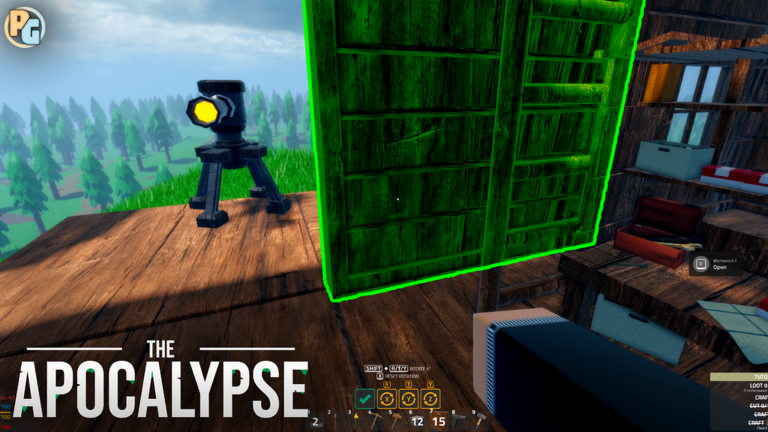
The game runs on mobile and tablet, but the touch controls take a little adjustment, especially during building and combat.
- Before placing a wall or structure, pull the camera back to check the ghost preview for correct orientation before confirming.
- Practise switching tools, attacking, and using health items during the day while it is safe — muscle memory matters when zombies arrive.
- Sort your inventory before night falls; rearranging it mid-wave is how players get killed on mobile.
- If the game runs slowly, lower the graphics quality in Roblox settings and close other apps running in the background.
- Avoid placing too many turrets or decorations close together as it can slow the game down on weaker devices.
- If your device gets hot, stop playing and let it cool — overheating causes input lag that makes combat much harder.
Free play and paid kits
Summary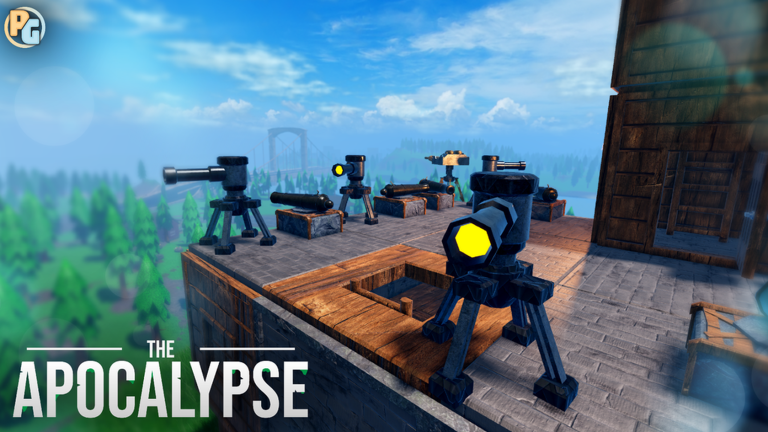
Kits let you start a run with tools and resources already in hand, but the game does not require them. Here is what the free options actually give you.
Online safety while playing
WarnThe Apocalypse is an online multiplayer game, so the usual safety rules apply. None of these are optional.
Glossary
Glossary- Base Flag
- The central object of your base in Save Mode; if it is destroyed, you lose, so protecting it takes priority over everything else.
- Workbench
- A crafting station that unlocks tools, structures, and equipment — higher tiers unlock more recipes.
- Furnace
- Processes raw ore into usable metal ingots, which are required for mid-game and late-game crafting.
- Rain Collector
- A base structure that refills empty bottles with water, solving your thirst needs without leaving base.
- Turret
- An automatic defensive structure that attacks approaching zombies; it must be placed behind a wall to avoid being destroyed early.
- Scrap
- A salvage material found in boxes and exploration sites, used in a wide range of crafting recipes.
- Altar
- A structure used to summon one of five bosses — overgrown, charged, infected, golem, or junkbot — for a major fight.
- Save Mode
- A game mode that preserves your base and progress between sessions, letting you continue where you left off.
- Kit
- A purchasable starter pack that gives you tools and resources at the beginning of a run, but is not required to complete the game.
- Credits
- Currency used in the lobby for kits and other purchases, separate from the in-game crafting economy.
- Wave
- A group of zombies that attacks your base each night, growing stronger and more numerous as days pass.
- Research
- A system that spends in-game resources to permanently unlock new crafting recipes for tools, turrets, and structures.
Common questions
FAQHow do I refill an empty bottle with water?
Build a rain collector at your base, then approach it with an empty bottle in your inventory and use the refill action. If nothing happens, confirm the bottle is actually empty, the collector has finished placing, and it is in a usable state.
I researched a recipe but still cannot craft it — what is wrong?
Many recipes require smelted ingots rather than raw ore, so check each ingredient in the recipe panel and confirm you have the processed version. If the materials look correct, also verify you are at the right tier of workbench for that recipe.
Can I fight all five bosses in the same run?
Yes — each boss is summoned separately at an altar, so you can take on the overgrown, charged, infected, golem, and junkbot bosses across the same save.
Where do I enter redeem codes?
There is a dedicated code entry screen inside the game. Codes have expiry dates and use limits, and each code can only be redeemed once per account.
Game updates can change what is on this page. If you spot something, get in touch and let us know.
