
Beat Battles Guide: How a full round works
About
OverviewBeat Battles is a music-making and competitive remixing game where you build original tracks from loops, perform them on stage, and let other players vote on their favourite. This guide walks you through making your first track, getting votes in battles, and unlocking new gear as you level up.
What is on this page
Contents
How a full round works
Step
Beat Battles splits each round into two clear phases — creation and battle. You build a track first, then throw it onto a stage with up to 25 players and let the audience decide who wins.
- Learn the controls open the in-game tutorial when you first join so you understand the piano roll and the voting system before anything else.
- Pick your loops choose from the loops the game provides and decide which ones you want to combine into a track.
- Edit in the piano roll arrange each loop's timing, layer sounds on top of each other, and trim or extend sections until the track feels complete.
- Send it to the stage submit your track to a battle where up to 25 players perform at the same time.
- Vote and be voted on the audience votes for whichever performance they enjoy most, and the vote count sets the final ranking.
MetaNew Player Survey
The next survey is being prepared.
Building a track that gets votes
Tips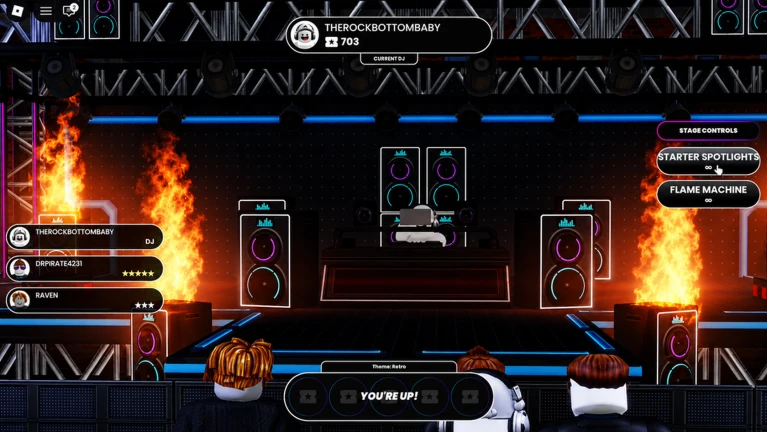
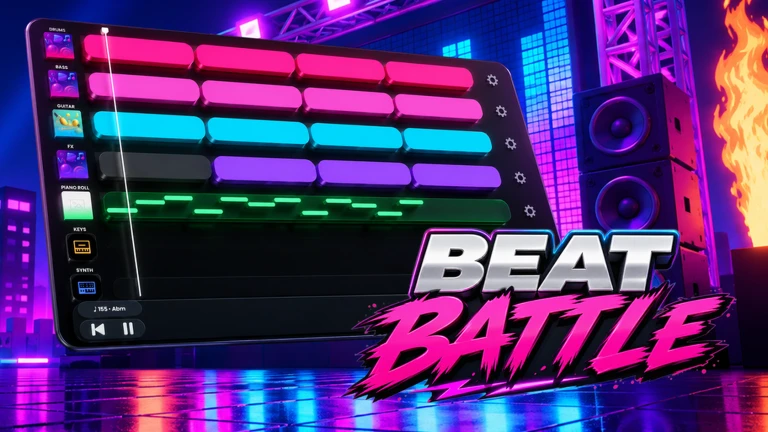
The piano roll lets you stack loops so they play at the same time, shift their start points to create rhythm, and swap one loop for another mid-track.
- Layer two or more loops at once to create a fuller sound that a single loop cannot produce on its own.
- Shift the start times of your loops in the piano roll so sounds land at different points rather than all hitting together.
- Switch to a different loop partway through instead of looping the same pattern the whole time.
Unlocking new gear
SummaryWinning votes is the direct path to unlocking everything the game offers.
- Production Level rises each time you earn votes in a battle, gating all other unlocks.
- DJ Decks new deck designs become available at higher Production Levels.
- Stages additional battle stages unlock as your level climbs.
- Effects new effect types open up in step with your Production Level.
- Music catalogue the pool of loops you can use grows as you level up, giving you more raw material for future tracks.
Getting more votes when you are stuck
Check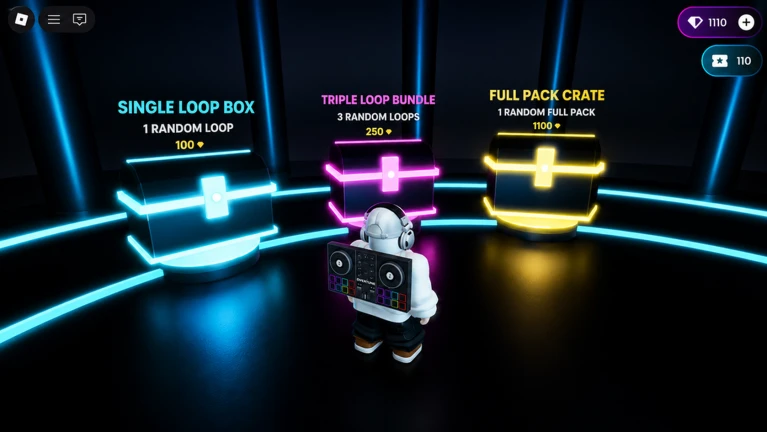
If your tracks keep finishing near the bottom, run through this list before you submit your next track to a battle.
- Check that the opening is engaging the first few seconds decide whether listeners keep paying attention.
- Confirm the track changes at least once a loop switch or an added effect mid-track signals that something new is happening.
- Make sure you are not relying on a single repeated loop for the whole duration.
- Try loops or effects you have recently unlocked fresh sounds can make a track stand out.
- Share your player tag with friends so they can find your track in battle and vote for it.
Sharing tracks and playing with friends
TipsOnce you finish a track, you can share it outside the battle stage. Friends who receive your player tag can look up your track, listen to it, and vote on it in the battle system.
- Give friends your player tag so they can find your track when it appears on stage.
- Ask friends to share their own tags back so you can vote on their performances too.
Glossary
Glossary- Loop
- A short audio pattern provided by the game that you select and combine with other loops to build a track.
- Piano Roll
- The editor where you place each loop on a timeline, set when it starts, and layer sounds to shape your arrangement.
- Battle Stage
- The shared space where up to 25 players present their tracks at the same time and the audience votes on them.
- Production Level
- Your experience rank, which climbs as you earn votes in battles and unlocks new decks, stages, effects, and loops at each milestone.
- DJ Deck
- The music-production setup your character uses on stage; new deck designs unlock as your Production Level rises.
- Effect
- A sound or audio treatment you can add to your track; new effect types unlock with each Production Level gain.
Common questions
FAQHow many players can compete on the same stage at once?
Up to 25 players can submit tracks to the same battle stage simultaneously. The audience votes across all of them.
How do I show a finished track to my friends?
Share your player tag with them so they can find your track when it comes up in a battle. They can then listen and vote on it through the game's normal voting system.
Do I need to make a complicated track to win votes?
Not at all — focus on a strong opening and at least one moment where the track shifts, such as a loop switch or added effect mid-track.
Game updates can change what is on this page. If you spot something, get in touch and let us know.
