
Draw Wheels to Escape Guide: How the game works
About
OverviewDraw Wheels to Escape is a physics puzzle game on Roblox where you draw a wheel shape and then watch your vehicle try to roll through obstacle-filled stages. The wheel you draw is the wheel you get, so the shape matters a lot.
What is on this page
Contents
How the game works
Step
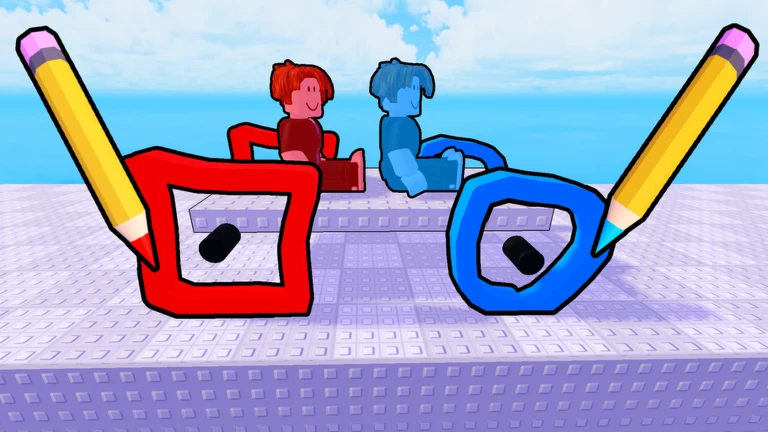
When a stage loads, you are shown a drawing screen before anything moves. You trace a shape with your mouse or by tapping, and that shape becomes your vehicle's wheel. Once you finish drawing, the vehicle spawns and the stage begins. Reach the goal and the stage is cleared.
- Trace any shape you want with your mouse or finger your traced shape instantly becomes the spinning wheel on your vehicle.
- Physics takes over and your vehicle rolls, bounces, or tumbles toward the goal.
- Getting to the finish point clears the stage.
- If the vehicle gets stuck or falls, go back and draw a different shape.
Wheel shapes and how they move
TableBecause the game uses physics simulation, the shape you draw has a direct effect on how your vehicle behaves. A wheel close to a perfect circle stays stable and moves at a steady pace. Spiky or angular shapes cause the vehicle to bounce and jolt. Larger wheels clear bumps more easily. Symmetrical shapes move more predictably than lopsided ones.
| Round shape | smooth, stable ride |
| Pointy or star shape | lots of bouncing and unpredictable jolts |
| Large wheel | better at rolling over bumps and gaps |
| Symmetrical shape | movement stays even and easier to predict |
| Asymmetrical shape | vehicle pulls or tilts to one side |
Getting past common obstacles
Tips
Stages include steps, gaps, and slopes. If you get stuck, go back and draw something better suited to that obstacle.
- For raised steps, draw a bigger wheel so it can ride up and over instead of slamming into the edge.
- For wide gaps, a large wheel can bridge or leap across where a small one would fall through.
- For uphill slopes, pick a shape that is round enough to keep rolling without toppling backward.
Redrawing your wheel
CheckYou can return to the drawing screen as many times as you need. Run through these checks before you give up on a stage.
- Is the shape too angular? Try drawing something closer to a circle.
- Is the wheel too small to clear the obstacle ahead? Draw it larger.
- Has every round shape failed? Switch to a completely different style.
Unlocks and customization
SummaryAs you clear stages, new vehicles become available to use. Each vehicle looks different, but how well it performs still depends entirely on the wheel shape you draw. Colors can also be applied to your wheels. Everything, including stages, vehicle unlocks, and color customization, is free to access.
- Vehicle unlocks earned by clearing stages
- Wheel color changeable with no restriction
- Performance determined by wheel shape, not by which vehicle you pick
- Cost to play nothing; the entire game is free to play
Glossary
Glossary- Wheel
- The shape you draw before each stage that becomes the spinning part of your vehicle and controls how it moves.
- Stage
- A single level full of obstacles that you clear by driving your vehicle from the start to the goal.
- Physics simulation
- The system that makes your drawn wheel behave with real-feeling gravity, momentum, and friction as it rolls.
- Goal
- The finish point in each stage that you need to reach to clear the level.
Common questions
FAQCan I redraw my wheel after a stage has started?
Yes. If your vehicle gets stuck, go back to the drawing screen and trace a new shape. You can do this as many times as you want.
Does picking a different vehicle change how I play?
The vehicle's appearance changes, but the wheel you draw is still what controls movement.
Do I need to spend Robux to unlock everything?
No. All stages, vehicle unlocks, and customization options are available without spending anything.
Game updates can change what is on this page. If you spot something, get in touch and let us know.
