

 Live now
–
Game guide
Clean The Superstore Guide: Three controls you need to know
Is this game fun?
No votes yet. Cast the first one.
About
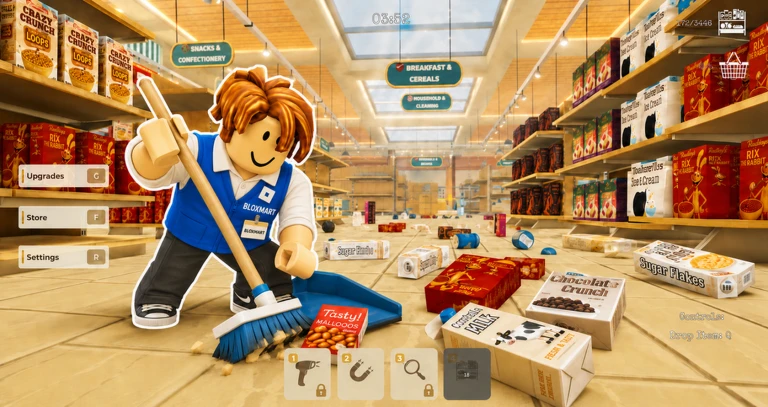
OverviewClean The Superstore! drops you into a store with over 3,000 misplaced items and asks you to pick them all up, sort them, and restock the shelves. You can tackle it alone or bring friends along to finish faster. This guide covers the controls, how to work efficiently, co-op strategy, the upgrade system, and every badge you can earn.
What is on this page
Contents
01
Three controls you need to know
Check
02
Your first run, step by step
Step
03
Live and upcoming events
Events
04
Placing items correctly and fixing errors
Tips
05
How to clean the store efficiently
Tips
06
Playing with friends
Tips
07
The upgrade system
Summary
08
All eight badges
Table
09
Glossary
Words
10
Common questions
FAQ
01
Three controls you need to know
Check
In short
All three PC controls fit on one hand, so spend a minute getting comfortable with them before you start cleaning.
The entire game runs on three inputs. Clicking places the item you are holding onto its target spot on a shelf. Q drops whatever you are currently holding. The scroll wheel lets you cycle through items when you have more than one to deal with.
- Click places the selected item on a shelf or its designated spot
- Q drops the item you are holding so you can grab something else
- Scroll wheel cycles through items in your hands
✦ Player polls!
MetaNew Player Survey

The next survey is being prepared.
02
Your first run, step by step
StepIn short
Getting the first two badges takes less than a minute, so use them as a warm-up before you settle into a cleaning rhythm.
The game hands out your first badge the moment you log in, and the second one as soon as you stock a single shelf. After that, progress badges unlock at 25%, 50%, and 100% completion.
- Log in just joining the game earns you the Welcome badge automatically
- Stock one shelf place any item correctly on a shelf to pick up the Getting Started badge
- Read the signs find the large area sign that matches the item you are carrying, then check the individual shelf name
- Keep going the same approach carries you through the 25%, 50%, and 100% milestones
03 Live and upcoming events
Events
Events running now or coming soon. They have fixed dates, so check them first.
Live now
–
 Upcoming
–
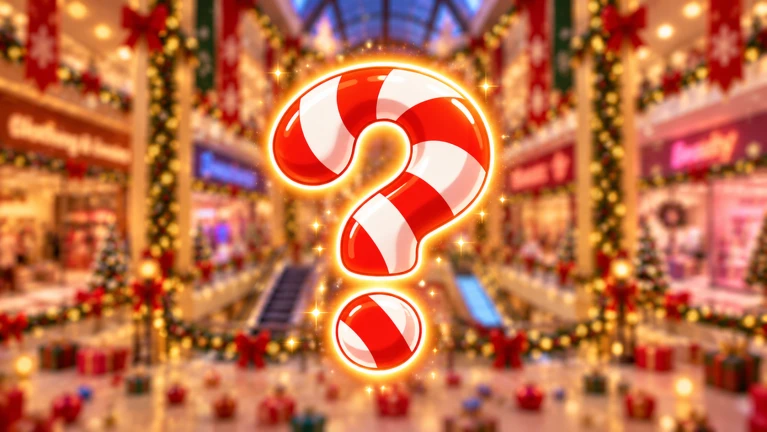
XMAS update
04
Placing items correctly and fixing errors
TipsIn short
Checking the department sign and then the individual shelf label before you click is the fastest way to avoid Wrong Place errors.
The store's signs work in two layers: a large sign identifies the department, and individual shelf labels tell you exactly which item goes where. Not every shelf in a department accepts every item in that department. If you see Wrong Place, stop clicking and check whether your selected item matches the shelf name in front of you.
Tips worth knowing
- Use the large department sign first, then match your item's name to a specific shelf label
- Wrong Place means the item and shelf do not match — switch items with the scroll wheel or move to a different shelf
05
How to clean the store efficiently
Tips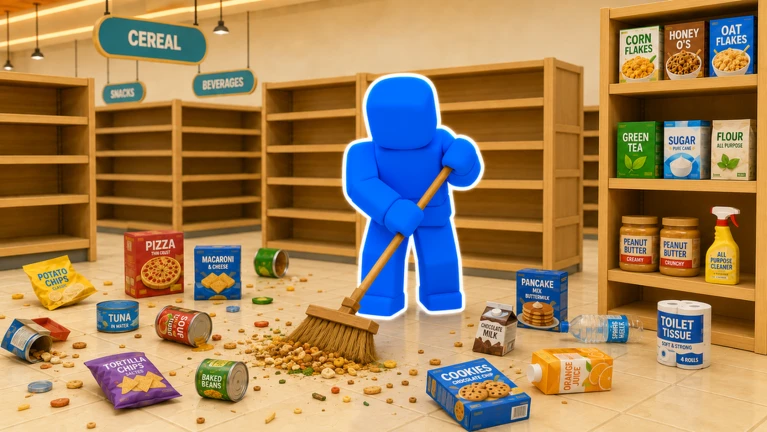
In short
Batching nearby items cuts the number of long trips you make.
Grouping items that go to nearby shelves and handling them together cuts the number of long trips you make.
Tips worth knowing
- Collect several items that all belong in the same department before walking over to restock them
- Finishing in under 2 hours earns the Casual Cleaner badge; finishing in under 1 hour earns the Speed Cleaner badge
06
Playing with friends
TipsIn short
Dividing the store into zones at the start stops teammates from competing over the same items and is the main reason co-op finishes faster than solo.
A room holds up to 12 players, and more people covering different parts of the store is the fastest way to finish. The problem is that several players chasing the same items in the same aisle end up slowing each other down. A quick plan at the start prevents that.
Tips worth knowing
- Split the store into zones using landmarks everyone can see, like the entrance versus the back of the store
- Stick to your assigned zone instead of drifting into a teammate's area
- If you drop an item that belongs in a teammate's zone, tell them where you left it
- Once your zone is clear, move to wherever the most items are still piled up
- Co-op makes timed badges easier to earn since the workload is shared
07
The upgrade system
Summary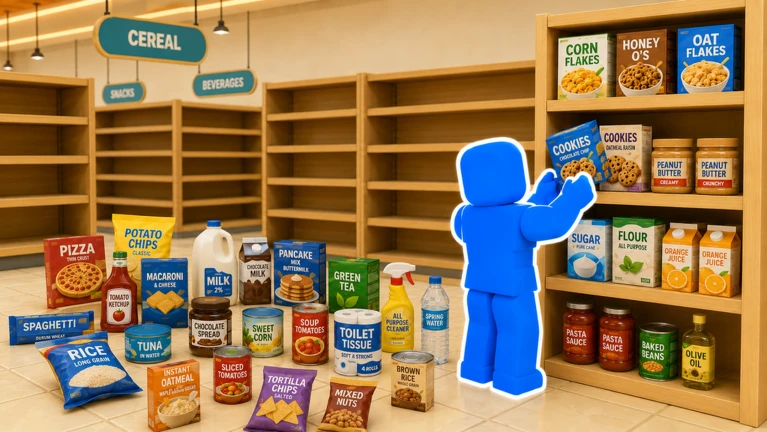
In short
Every upgrade is earned with points from restocking shelves, so the more you clean, the faster future runs become.
Placing items on shelves earns you points, and points unlock upgrades that make restocking easier. No real-money purchase is needed — every upgrade is available through normal play. Coming back for more runs is the straightforward way to build up points over time.
- Points source earned each time you place an item correctly on a shelf
- Upgrade effect unlocks improvements that help you work more efficiently
- Cost points only, no Robux required
- Progress style gradual, rewarding repeated playthroughs
08
All eight badges
TableIn short
The first two badges come automatically as you start playing; the rest require hitting specific goals.
There are eight badges in total. The first two come automatically as you start playing. The rest require hitting specific goals, with the hardest demanding you finish without using any abilities at all.
| Badge | How to earn it |
|---|---|
| Welcome | Play the game for the first time |
| Getting Started | Stock your first shelf |
| 25% | Finish cleaning a quarter of the store |
| 50% | Finish cleaning half the store |
| 100% | Finish cleaning the entire store |
| Casual Cleaner | Complete the game in under 2 hours |
| Speed Cleaner | Complete the game in under 1 hour |
| Ultimate Challenge | Complete the game without using any abilities |
Community strategy ideas
CommunityThese ideas and tips come from people playing the game. Share your discoveries too!
No strategy ideas yet. Share a tip you discovered.
Share a strategy idea
🏪[NEW MAP] Clean The Superstore!
Glossary
Glossary- Signs
- Markers placed around the store that show which type of item belongs in that shelf section.
- Points
- A currency earned by placing items correctly on shelves, used to unlock upgrades.
- Upgrades
- Improvements you unlock with points that make restocking the store quicker or easier.
- Leaderboard
- A global ranking that records each player's time to fully clean the store.
- Wrong Place
- An error message that appears when the item you are trying to place does not match the shelf you are aiming at.
- Abilities
- Special in-game powers you can use during a run; the Ultimate Challenge badge requires you to finish without them.
Common questions
FAQShould I play solo or with friends?
Playing with friends lets the group finish faster, since more people can cover more sections at the same time. Both solo and co-op modes are supported.
Do I need to spend Robux to finish the game?
No. Upgrades are unlocked with points you earn by restocking shelves, so you can work through the entire game without any real-money purchase. Replaying runs is the normal way to build up points and unlock more upgrades.
How do I earn all the badges?
Welcome and Getting Started come automatically just by playing. The 25%, 50%, and 100% badges unlock as you clean more of the store. Casual Cleaner needs a finish under two hours, Speed Cleaner under one hour, and Ultimate Challenge requires finishing without using any abilities.
How do I get the Speed Cleaner badge?
You need to finish the entire store in under one hour. Casual Cleaner requires finishing in under two hours.
Updated Oct 24, 2026
Game updates can change what is on this page. If you spot something, get in touch and let us know.
Game updates can change what is on this page. If you spot something, get in touch and let us know.
