
Be a Battery Guide: First steps from spawn
About
OverviewBe a Battery is a Roblox incremental game where you play as a battery trying to build up as much energy as possible and dominate the server. You charge from power sources, upgrade your stats, and store energy in battery items to keep growing. This guide covers how to get started, how energy works, where to find upgrades, and how to recover your progress after respawning.
What is on this page
Contents
First steps from spawn
Step
When you spawn, you already have a Charger and a Decharger in your inventory. The Charger is a black cord — throw it at a power source to pull energy into yourself. The Plains biome is where you start, and it has everything a new player needs within walking distance.
- Throw the Charger aim it at The Ultimate Charger in the northern half of the Plains and hold it there to start filling up.
- Buy the Battery go to the southeast corner of the Plains and click the button to spend 10 energy on a Battery, which stores up to 300% charge safely.
- Press the Upgrade button the southwest corner of the Plains has a button that costs 20 energy and raises both your maximum hull health and your maximum charge.
- Open the Stats panel the button in the top-right corner labelled Show Stats displays your current hull health, charge, maximum charge, and resistance at any time.
MetaNew Player Survey

The next survey is being prepared.
How energy, bursting, and resistance work
SummaryEnergy drives everything in this game. Higher energy means faster movement and faster self-charging. Hitting 0% leaves you completely frozen and unable to charge yourself. Going over your storage limit causes a burst: you turn into a puddle of energy and respawn instantly. Your actual storage limit is your maximum charge multiplied by your resistance, so raising resistance is the most effective way to stop bursting. Energy does not save between sessions, but omegas, hull health, and resistance do.
- Energy at 0% you cannot move or charge yourself; collect spew off the ground or ask another player to charge you.
- Energy above limit you burst and respawn immediately, leaving a puddle of energy behind.
- Resistance upgrade found in the Forest body of water; each press costs 20 energy and adds 50 resistance, up to a maximum of 10,000.
- Infinite resistance a button inside the volcano removes your charge limit entirely, and teleports you back to spawn when purchased.
- Forcefield at spawn for a short time after respawning you cannot take damage and your energy will not change; The Ultimate Charger cannot charge you during this window.
- What saves omegas, hull health, and resistance save automatically; raw energy charge does not.
Charger upgrades and where to buy them
TableChargers are the main way you earn energy faster. Every tier above the default Charger must be purchased from a specific location on the map.
| Charger | Cost | Where to buy |
|---|---|---|
| Charger | Free (spawn item) | Starts in your inventory |
| Ultimatest Charger | 1 B energy | Inside the volcano |
| Ultimatestest Charger | 10 Ω | Ω shop (Beach biome) |
| Ultimatestester Charger | 1 Ф | Inside the volcano |
| Super Ultimate Charger | 1 Σ | Ψ shop (Beach biome) |
| Hyper Ultimate Charger | 1 Σ² | Cave Shop |
| Uber Charger | 1 Σ³ | Secret Cave Shop |
| Superior Charger | 1 Σ⁴ | Secret Cave Shop (corner) |
| Hyperior Charger | 1 Σ⁵ | Secret hidden place across from Superior Charger |
| Hyperiorest Charger | 1 Σ⁶ | Through the Authorized Personnel Only Door (click it 50 times) |
| Hyperiorestrest Charger | 1 Σ⁷ | Cave teleporter's dimension — find the floating room inside |
Battery items and energy storage
Table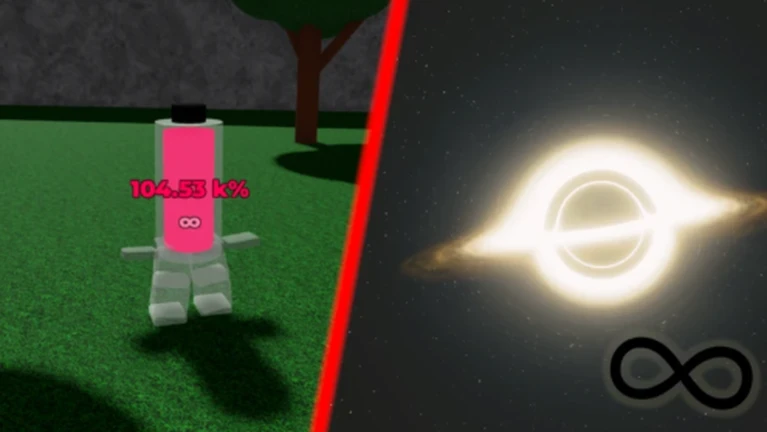
When you hold a battery item, two buttons appear on the left of your screen: Charge moves energy from you into the battery, and Decharge moves it back. If a battery is overfilled beyond its own cap, it bursts just like a player does.
| Battery | Storage cap | Cost | Where to buy |
|---|---|---|---|
| Battery | 300% | 10 energy | Southeast corner of the Plains |
| Super Battery | 1,500% | 100 energy | Forest biome (body of water area) |
| Ultra Battery | 7,500% | 1 T energy | Inside the volcano |
| Omega Battery | 1 Ψ | 1 Ω | Ω shop (Beach biome) |
| Psi Battery | 1 uhh | 1 Ψ | Ψ shop (Beach biome) |
Omega and what happens after the energy cap
TipsWhen your energy hits the integer limit of 2¹²⁸ − 1, it resets to 100% and you gain 1 Ω (omega). Omegas are displayed on your character alongside your charge percentage, like 1Ω+100%. Omegas are a separate unit — they cannot be spent on buttons that only accept normal energy. Having at least one omega gives you maximum movement speed regardless of your current energy percentage. If your energy drops to 0% while you have omegas, you will see the red low-energy effect on screen, but your speed will not drop.
- 1,000 Ω equals 1 Ψ (psi); 1,000 Ψ equals 1 Χ (chi); the pattern continues backward through the Greek alphabet.
- After reaching Α (alpha), the cycle restarts with a subscript number to track how many full cycles you have completed.
- At 2¹⁰²⁴ − 1 omegas, your omega count resets and you gain one omega squared.
- At 0 energy with omegas, you cannot charge yourself — use a battery's Decharge button, collect spew, or have another player charge you to get back above zero.
- Omegas, omega squared, and omega cubed all save automatically between sessions.
Recovering progress after respawning
CheckCertain badges unlock recovery buttons that appear on the side of the screen right after you spawn. These buttons disappear the moment you move or jump, and they must be pressed in order from lowest to highest. Badges can be lost, and losing a lower badge breaks the chain for all higher ones.
- Overcharge badge (above 10,000% stored) unlocks Return Infinite Resistance, which restores infinite resistance and sets hull health to 4,000.
- Beyond Infinite badge (at least 1 Ω) unlocks Return Omega, restoring you to 1Ω+100% and giving you an Ultimatest Charger.
- Thats too much badge (purchased a Super Ultimate Charger) unlocks Return Super Ultimate Charger.
- You've got a lot of free time i see badge (owned omega squared) unlocks Return Omega Squared.
Common problems and fixes
WarnIf something feels broken, check your stats panel before assuming there is a bug.
Community strategy ideas
CommunityThese ideas and tips come from people playing the game. Share your discoveries too!
No strategy ideas yet. Share a tip you discovered.
Share a strategy idea
Be a Battery
Glossary
Glossary- The Ultimate Charger
- A fixed power source present in every biome that supplies unlimited energy to any charger aimed at it.
- Charger
- The default cord item you throw at a power source to pull energy into yourself.
- Decharger
- The default red cord item that pushes energy out of you and into a target, or simply expels it.
- Spew
- A puddle of energy left behind when a player or AI bursts, or released deliberately with the Spew item — walking over it recovers energy.
- Burst
- What happens when your energy exceeds your storage limit: you explode into spew and respawn instantly.
- Resistance
- A multiplier on your maximum charge that determines how much total energy you can store before bursting.
- Maximum charge
- The base number shown in your stats that, when multiplied by your resistance, gives your real energy storage limit.
- Hull health
- Your hit points — start at 400 and can be raised by pressing Upgrade Yourself buttons across the map.
- Omega (Ω)
- The unit above normal energy, earned each time your charge overflows the integer cap of 2¹²⁸ − 1.
- Forcefield
- A protective state that activates on respawn, blocking all damage and energy changes until it expires.
Common questions
FAQDoes my energy save when I leave the game?
Regular energy charge does not save. Omegas, omega squared, omega cubed, hull health, and resistance all save automatically. If you have the right badges, recovery buttons appear on the side of the screen right after you spawn so you can restore your most important stats before you move.
What do I do if I am stuck at 0% energy and cannot move?
You have three options: collect any spew lying on the ground nearby, have another player use a Charger on you, or use the Decharge button on a battery item you are already holding to pull stored energy back out.
Is this the real Be a Battery, or a copy?
This game is the official legacy version of the main game Be a Battery: Steal Power. According to the game's own description, any experience other than Be a Battery: LEGACY and Be a Battery: Steal Power is made by a third party or a developer who left the main project.
How does the Spew item work?
Holding the Spew item brings up a slider on the left of your screen, starting at 20%, that controls how much energy you release. Buttons below the slider let you choose whether to include omegas, omega squared, and higher units in what you spew. When the green button is set to Percentage, the amount released is scaled by your maximum charge, so a player with a very high maximum charge can release a large burst even at a low slider setting.
Game updates can change what is on this page. If you spot something, get in touch and let us know.
