
Dash World — Normal Mode versus Practice Mode
About
OverviewDash World is a Roblox game inspired by Geometry Dash, built around precise jump timing through colorful, fast-moving obstacle courses. You can play levels made by the developers and the community, or build and share your own using the in-game editor. This guide covers how to get started, how to push past hard sections, how to build levels, and how to earn every badge the game offers.
What is on this page
Contents
Normal Mode versus Practice Mode
Table
Every level in the game has two ways to play it. Completing a level in Normal Mode earns you the main badge for that stage. Completing it in Practice Mode earns a separate badge. Both badges are real achievements tracked by the game, so neither mode is a lesser option.
| Normal Mode | earns the primary badge and counts as a full clear. |
| Practice Mode | earns its own badge. |
| Badge count | each of the twelve named levels listed in the game has one badge for each mode, giving you up to two badges per level. |
Working through the badge levels
TipsThe game has thirteen named levels that each award badges. They are: Stereo Madness, Back On Track, Polargeist, Dry Out, Base After Base, Cant Let Go, Jumper, Time Machine, Cycles, xStep, Clutterfunk, Theory of Everything, and Electroman Adventures.
- Each level has a Normal Mode badge and a Practice Mode badge, except Electroman Adventures, which has only a Normal Mode badge.
- Finishing all Normal Mode levels completes the main badge list.
Building your own level
Step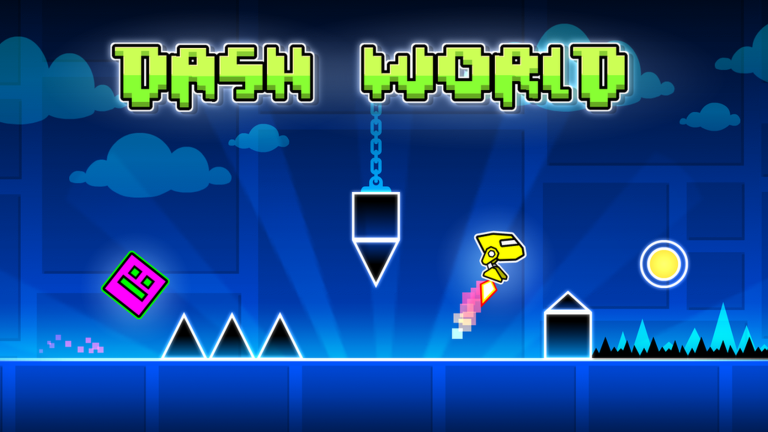
The editor lets you place blocks, gimmicks, colors, and effects however you like.
- Open the editor and place blocks and gimmicks.
- Test it yourself play through your level and note every spot where you die or feel uncertain.
- Share it publish it to the community once it plays cleanly.
Community and free play
SummaryDash World is designed so that no part of the main experience requires spending Robux. Community-made levels give you a constantly growing pool of content. Joining the official group connects you to other players, lets you leave feedback, and keeps you up to date when the developers push new updates.
- Cost to play any level free
- Cost to build and publish your own level free
- Access to community levels free for all players
- Official group available to join for news, feedback, and player discussion
Glossary
Glossary- Normal Mode
- The standard way to play a level, where completing it earns the main badge for that stage.
- Practice Mode
- An alternate way to play any level that awards its own separate badge.
- Editor
- The in-game tool that lets you place blocks, gimmicks, colors, and effects to build your own levels.
- Gimmick
- Any obstacle or mechanism placed in a level.
- Community level
- A level built and published by another player, separate from the official named stages.
- Test play
- Running your own level yourself to check that the difficulty and obstacles work as intended before sharing it.
Common questions
FAQDo I need to spend Robux to enjoy everything the game offers?
No. Playing all levels, building your own levels, and sharing them with the community are all free.
How do I get other players to try my level?
After you publish your level, you can share it through the official group linked in the game's page.
Is there a badge for every level in both modes?
Almost. Each of the named levels has a Normal Mode badge and a Practice Mode badge, except Electroman Adventures, which lists only a Normal Mode badge. That gives you 25 badges in total across all levels.
Game updates can change what is on this page. If you spot something, get in touch and let us know.
