
Demon Soul Simulator — Your first ten minutes
About
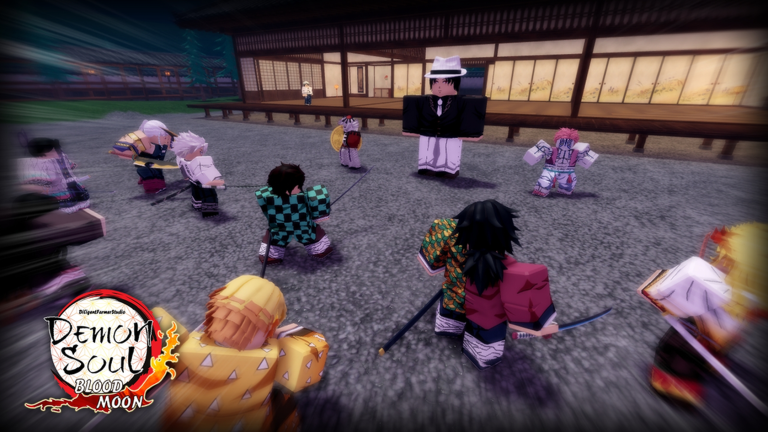
OverviewDemon Soul Simulator is an anime-style action RPG where you fight demons, collect souls, roll for heroes, and push deeper into harder stages and boss fights. This guide walks you through your first steps, explains how characters and souls work, and helps you get unstuck when progress slows down.
What is on this page
Contents
Your first ten minutes
Step
When you load in, you start with a default character and attack and skill buttons on screen. Spend the first few minutes fighting the weakest enemies near the starting area — avoid rushing toward stronger demons or bosses before you know your footing. Once you have collected some souls, head to the prayer desk to roll for a new character. After you get one, open the Character Archive and set that character to deploy; simply owning a character does not put them into battle automatically.
- Check your buttons try the normal attack and skill once each so you know what they do.
- Pick easy targets fight enemies near the start that you can defeat quickly, not tough ones further out.
- Watch your souls grow fight for a minute and see how fast souls and experience stack up in that spot.
- Roll at the prayer desk use your collected souls to attempt your first character draw.
- Open the Character Archive find the character you just got and turn on their deploy status.
- Grab free rewards check for login bonuses before you do anything else, and get those before spending souls.
Farming souls efficiently
Tips
The number of enemies you kill per minute matters more than the souls you get from any single kill. Stick to enemies you can drop in roughly one skill use, because spending thirty seconds on one strong demon cuts your hourly rate badly. If other players keep clearing your targets before you can reach them, move to a nearby respawn point or switch to a less crowded server. Timed boosts — items that increase drop rates or experience for a set period — should be activated right as you start a farming run, not in the middle of other menus.
- Choose enemies that drop in about one skill use, not ones that take a long drawn-out fight.
- Pick a fixed spot and loop it — time spent running to the next enemy is time not earning souls.
- Switch servers when your area is packed with other players taking your targets.
- Join seasonal and limited-time events because their rewards are among the best free income available.
- Pop timed boosts the moment you sit down to farm so none of the duration is wasted.
How the prayer desk and character rolls work
CheckCharacters come from the prayer desk, chests, events, and character shards. Different draw locations cost different currencies — some use souls, some use gold — so read the cost shown on screen before you confirm. Rolling a character you already own does not add a second copy to your roster; instead it converts into experience, shards, or rank-up materials, which is useful, not a waste. After every roll session, open the Character Archive and confirm the deploy icon is active on whoever you want fighting.
- Check the currency type and amount shown before you tap confirm on any draw.
- After rolling, look at your target character's stats to see if shards or experience were added.
- Compare a character's current level and skills, not just rarity, before deciding who to run.
- Confirm the deploy icon is active in the Character Archive every time you add someone new.
- Read what a limited shard applies to before spending it not all shards work for all characters.
Focusing upgrades on one main character
Table
Souls, crystals, shards, and talent points run short fast in the early game. Spreading them evenly across multiple characters means none of them reach the strength needed to clear the next area. Pick one character who clears regular enemies quickly, pour everything into them first, and only start building a second character once your main can handle the current zone comfortably.
| First priority | levels and unlocked skills on your main character who farms regular enemies |
| Second priority | a support or area-attack character to fill an extra deploy slot |
| Third priority | a single-target damage dealer built for boss fights |
| Pets and relics | attack, soul-drop, and experience bonuses, tackled after your main is stable |
| Last priority | spreading resources equally across characters you are not actively using |
Getting unstuck when progress stalls
Check
Before changing anything else, open the Character Archive and confirm your main character has the deploy icon on. A common mistake is unlocking a character and never actually sending them into battle. If your character feels weak despite being deployed, check whether their level cap has been reached and what shards or rank materials are needed to raise it. For boss fights, avoid standing directly in front of the boss continuously; move when danger markers appear on the ground. Event currencies and shards can expire when the event ends, so check the exchange shop early and plan how many you need rather than stockpiling blindly.
- Verify the deploy icon is active in the Character Archive this alone fixes many 'not doing damage' problems.
- Check if your character's level is capped and what materials are needed to break through.
- Move your farming spot back a zone if you are dying repeatedly that area is ahead of your current strength.
- Step sideways or back during boss attacks instead of attacking through every animation.
- Open event exchange shops early and count backward from the deadline so you do not run out of time.
Kisatsutai membership and co-op badges
Summary
Several of the game's badges reward things you do with other players. Becoming a Kisatsutai member is the first social step, and a separate badge rewards having ten members in that group. Joining a boss kill earns its own badge, so look for boss events that other players are already running rather than attempting every boss alone from the start.
Redeem codes
StepThe game has a code input system that hands out gold and other rewards at no cost. Codes have expiry dates and each one can only be used once per account. This site tracks working codes — the current ones are shown in the code section of this page.
- Find the code box look inside the in-game menu or shop screen and note where it is before you need it.
- Enter codes promptly they have deadlines and stop working after expiry regardless of how you got them.
- One use per account entering the same code twice on one account does nothing the second time.
- Check this page's code section that is where current working codes are listed.
 2n8d79
wuwox
Gold 40,000
1sxj82x
2n8d79
wuwox
Gold 40,000
1sxj82x
Staying safe while you play
WarnDemon Soul Simulator runs on shared servers, so other players are always around. You do not need to chat to progress, and if someone says something uncomfortable you can block them, report them, or move to a different server without losing anything. Outside scripts or automation tools risk getting your account banned. Any purchase of Robux should go through a parent or guardian first.
Glossary
Glossary- Souls
- The main resource dropped by defeated enemies, used to roll for characters at the prayer desk and for other upgrades.
- Prayer Desk
- The in-game spot where you spend souls or other currency for a randomised character draw.
- Character Archive
- The menu screen where you view all your characters, upgrade them, and switch their deploy status on or off.
- Deploy
- The setting that makes a character you own actually appear and fight in battle.
- Duplicate (Overlap)
- Rolling a character you already have; the game converts it into experience, shards, or rank materials rather than adding a second copy.
- Shards
- Collectible pieces that unlock a character or raise their rank when you gather enough of them.
- Talent
- An extra stat-boosting upgrade for a character, best spent after you have chosen your main fighter.
- Relic
- An equippable item that boosts attack, soul drops, or other stats, described in-game as a relic or artifact.
- Kisatsutai
- The in-game group or corps that players can join, with badges tied to membership count and activity.
- Cooldown
- The waiting period after using a skill before you can use it again.
Common questions
FAQCan you make real progress without spending Robux?
Yes. Login rewards, event rewards, and redeem codes all give free resources you can build on.
I got a new character but they are not showing up in battle — what is wrong?
Unlocking a character does not automatically put them into the fight. Open the Character Archive, select the character you want, and turn on their deploy status. Check that the deploy icon is active before you head back into battle.
I rolled the same character twice but my roster count did not go up — is something broken?
Nothing is broken. The game converts duplicate characters into experience, shards, or rank-up materials automatically. Check your target character's stats before and after a roll session to see what was added.
How do I find and use redeem codes?
Locate the code input box inside the in-game menu or shop screen on your first session so you know where it is. Current working codes are listed in the code section of this page — enter them promptly because each code has an expiry date and can only be redeemed once per account.
Game updates can change what is on this page. If you spot something, get in touch and let us know.
