
Ragdoll Football Guide: Controls on every platform

About
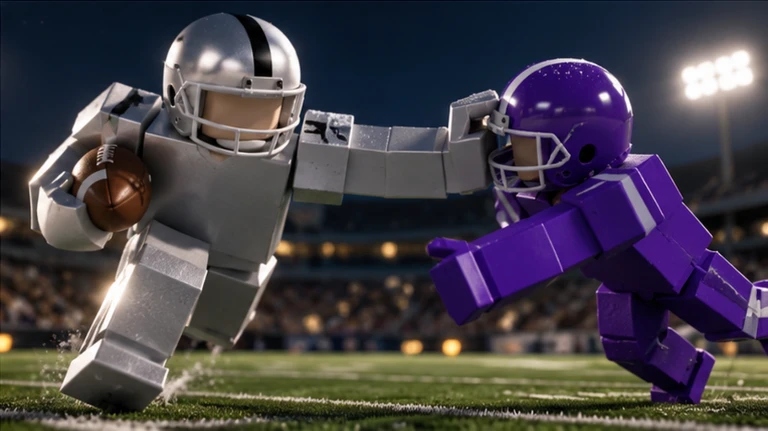
OverviewRagdoll Football is a physics-based American football game on Roblox where every tackle, pass, and catch plays out through real collision physics rather than canned animations. Up to 14 players share a field, and the big plays you make earn XP that raises your OVR from 60 all the way to 99. This guide covers controls for every platform, how to grow your OVR, and how to chase down all five badges.
What is on this page
Contents
Player notes and tips
Found a useful trick? Share it with everyone! Notes with screenshots are welcome!
Write a guide note
Ragdoll Football
Controls on every platform
Table
On PC you hold a button to aim and release to throw; console mirrors that with a trigger; mobile flips the logic entirely by having you stand still to enter aim mode.
| Move | WASD on PC, left stick on console, left joystick on mobile |
| Jump | Space on PC, A/Cross on console, the on-screen Jump button on mobile |
| Tackle / Hike / Kick | Left click on PC, RT/R2 on console, tap on mobile |
| Aim and throw | Hold left click then release on PC, hold RT/R2 then release on console, hold still then lift finger on mobile |
| Dive / Hand off / Cancel throw | X on PC, X/Square on console, the on-screen Dive button on mobile |
| Take a knee (touchback) | V on PC, B/Circle on console |
MetaNew Player Survey

The next survey is being prepared.
XP and OVR growth
Step
XP is the only route to a higher OVR, and you earn it by making impactful plays during a match.
- Make big plays long completions, successful tackles, and interceptions all award XP.
- Watch your OVR it starts at 60 and climbs toward 99 as your XP total grows.
All five badges and how to earn them
Table
The five badges split neatly between quarterback, receiver, and defender tasks. Check the requirement column so you know exactly what a single game needs to produce.
| Badge | Role | What you must do in one game |
|---|---|---|
| 300 Yards | Quarterback | Throw for 300 passing yards |
| 200 Yards | Receiver | Catch for 200 receiving yards |
| Anchor | Defender | Make 10 tackles |
| Pick 6 | Defender | Intercept a pass and return it for a touchdown |
| Hat Trick | Defender | Record 3 interceptions |
Glossary
Glossary- OVR
- Short for Overall, a number between 60 and 99 that reflects your accumulated XP and general in-game strength.
- XP
- Experience points you earn by making impactful plays; the only way to raise your OVR.
- Hike
- The snap that starts each offensive play, performed by the quarterback using the tackle or kick input.
- Interception
- When a defender catches a pass the opposing quarterback threw, immediately giving their team possession.
- Pick 6
- An interception that the defender runs all the way into the end zone for a touchdown.
- Touchback
- Taking a knee in your own end zone.
- Quarterback (QB)
- The offensive player who hikes the ball and either passes it, hands it off, or runs with it.
Common questions
FAQHow do I throw a pass?
On PC, hold left click to enter aim mode, then release the click to throw. On console, hold RT or R2 to aim and release to throw. On mobile, keep your finger still on the joystick to enter aim mode, then lift your finger to release the ball.
How do I earn XP and raise my OVR?
Make big plays during a match — completions, tackles, and interceptions all award XP. As your XP total grows your OVR rises from its starting point of 60 up to a maximum of 99.
How many players can be in a match?
A single session holds up to 14 players.
Game updates can change what is on this page. If you spot something, get in touch and let us know.
