
Make a Party — First steps when you load in
About
OverviewMake a Party is a tycoon game where you build the biggest party on Roblox to one-up MrBeast. You earn cash every second by running your party, spend it to expand your base, and collect offline cash even when you step away.
What is on this page
Contents
First steps when you load in
StepThe moment you join the game, a rewards window lets you enter codes for bonus cash. There are currently two working codes tracked for this game, and each code can only be used once, so do not skip this step. After collecting your reward, head to your base and start the party so cash begins flowing in right away.
- Open the rewards window enter any working codes you have before you do anything else.
- Start the party get guests showing up so cash starts ticking in every second.
- Like the game and join the group the game page offers extra rewards for both.
 WELCOME
RELEASE
10KLIKES
2MILVISITS
WELCOME
RELEASE
10KLIKES
2MILVISITS
Ways your cash grows
Table
Cash comes in two ways: actively while your party runs, and passively while you are away. The active rate ticks up every second your party is going. Offline cash piles up on its own while you are logged out, so even a quick daily visit is enough to keep money coming in.
| Active income | cash earned every second while your party is running in-game. |
| Offline cash | money that accumulates automatically while you are logged out. |
Expanding your base
StepYour base is where the party happens, and a bigger base means more guests and more cash per second. Spend the cash you collect on expansions, then let the higher income fund the next one.
- Save up cash let the party run until you have enough to afford the next expansion.
- Hit the expand button spend the cash to grow your base.
- Repeat the loop use the higher income to fund the expansion after that.
Getting the most from spins
Tips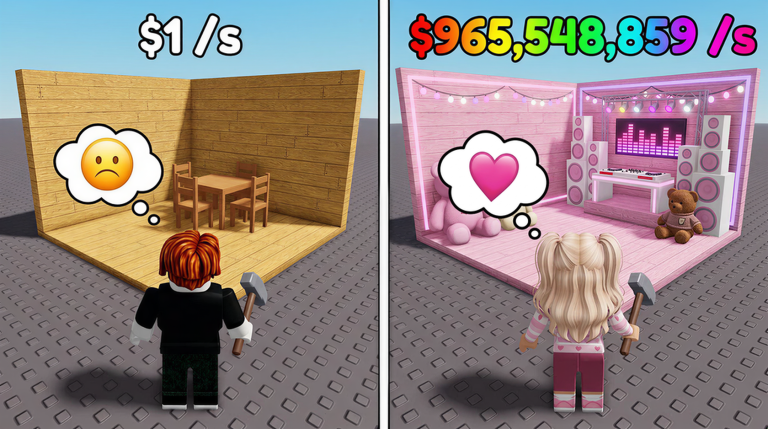
The spin feature gives you party items and bonuses each time you use it. Some results decorate your base, while others can increase how much cash you make.
- Some spin rewards boost your cash income.
- Decoration items let you customize your base however you like.
Playing without spending money
CheckThe game is built to be free-to-play friendly. It runs on PC, mobile, tablet, and console with full controller support, so you can check in and collect cash from whatever device you have on hand.
- Log in on mobile or console when you cannot reach a PC all platforms are fully supported.
- Collect offline cash each time you return.
- Redeem all available codes to grab free bonus cash from the start.
- Check whether the game has hit 30,000 likes the game page lists a new code as the reward for that milestone.
Glossary
Glossary- Base
- The area you own where your party takes place, which you expand and decorate as you progress.
- Offline cash
- Money that builds up automatically while you are logged out of the game.
- Spin
- A feature you use to randomly win party items or bonuses.
- Party guests
- The visitors who show up at your party.
Common questions
FAQWhat should I do the very first time I play?
Open the rewards window and enter your codes before anything else, since each code works only once. Then start your party so cash begins earning every second.
Does the game keep earning while I am offline?
Yes — the offline cash system keeps accumulating money while you are logged out.
Do I need to spend Robux to make real progress?
No. The idle income and offline cash systems mean progress continues at your own pace without any purchase. All platforms are supported too, so you can check in from wherever is convenient.
Game updates can change what is on this page. If you spot something, get in touch and let us know.
