
RAGDOLL Guide: Getting started
About
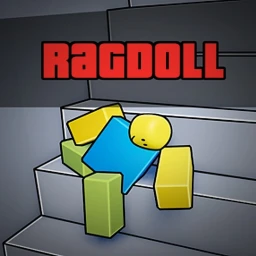
OverviewRAGDOLL is a Roblox game built around a realistic ragdoll physics engine, where your character flops, flies, and gets knocked around by real physics. Up to 50 players can share a room at once, so you can goof around with friends or tackle the obby on your own. This guide covers how to get started, how to clear the obby, how to collect every item and badge, and how to interact with other players.
What is on this page
Contents
Getting started
Step
When you first load in, the physics engine is not active until you switch it on yourself. Open the in-game Settings menu and enable Ragdoll Movement. Once that is on, everything else in the game — the knockdowns, the obby, the interactions — works the way it is supposed to.
- Enable Ragdoll Movement toggle it on in Settings; without it the physics do nothing.
- Tap or click another player your dance emote will sync with theirs.
- Join the official group the group gives you free perks, including the Push item.
MetaNew Player Survey

The next survey is being prepared.
Seven items and their badges
Table
Collecting any of the items below automatically unlocks the matching badge. Two of them have specific unlock methods described by the game itself.
| Item | How to get it | Badge unlocked |
|---|---|---|
| Push | Join the official group for free | Push |
| Push Field | Own the JackOfAllTrades101 toy code | Push Field |
| Slap | Obtain in-game | Slap |
| Grenade | Obtain in-game | Grenade |
| Boombox | Obtain in-game | Boombox |
| Grapple Hook | Obtain in-game | Grapple Hook |
| BB Gun | Obtain in-game | BB Gun |
Interacting with other players
Check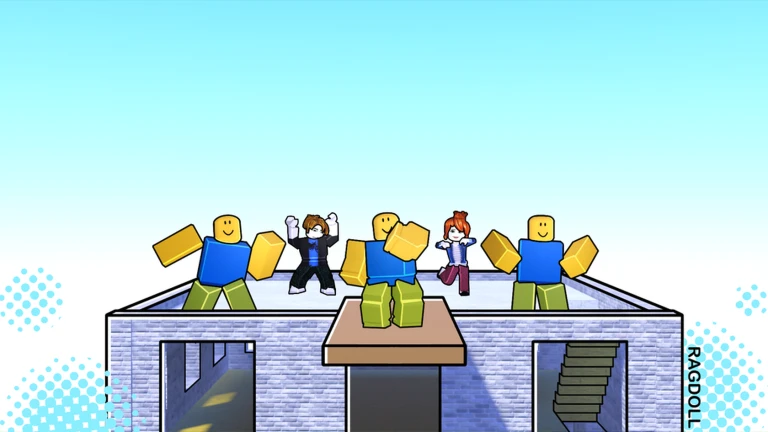
Several badges can only be earned through direct player interaction. Knocking someone down with force earns you the Bully badge, and dragging a ragdolled player earns 'You dragged someone!'
- Knock a player down using force to unlock the Bully badge.
- While someone is ragdolled, drag them to unlock the 'You dragged someone!' badge.
- Tap or click any player to sync dance emotes.
- If a creator is in your room, the 'You met a creator!' badge unlocks automatically.
Community strategy ideas
CommunityThese ideas and tips come from people playing the game. Share your discoveries too!
No strategy ideas yet. Share a tip you discovered.
Share a strategy idea
RAGDOLL
Glossary
Glossary- Ragdoll Movement
- A setting you enable in the game's menu that lets your character collapse and flop around according to the physics engine when hit or knocked over.
- Obby
- Short for obstacle course — a series of platforms and jumps you navigate to reach the end.
- Emote sync
- When you tap or click another player, both characters perform the same dance animation at the same time.
- Grapple Hook
- One of the seven obtainable items in the game; picking it up unlocks the matching Grapple Hook badge.
- Toy code
- A code that comes with a physical toy product; entering the JackOfAllTrades101 toy code in-game gives you the Push Field tool.
Common questions
FAQWhy isn't the ragdoll physics working for me?
Open the in-game Settings menu and make sure Ragdoll Movement is toggled on. The physics engine does not activate until you enable that setting yourself.
How do I get the Push Field item?
You need to own the JackOfAllTrades101 toy code. Once you have it and apply it, the Push Field tool is added to your inventory and the badge unlocks.
Can I meet a creator to get that badge?
The 'You met a creator!' badge unlocks automatically when a game creator is in the same room as you.
Game updates can change what is on this page. If you spot something, get in touch and let us know.
