
Plane Crash Physics Guide: Getting started in the hangar
About
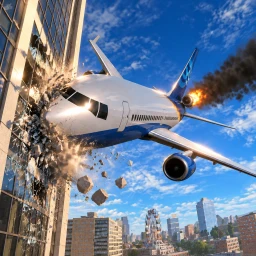
OverviewPlane Crash Physics is a Roblox sandbox game where you pilot one of 19 aircraft into a city that collapses floor by floor. You can build a custom plane in the Workshop, eject by parachute just before impact, or stay in the cockpit and tumble through the wreckage. This guide covers picking a plane, flying it, timing your crash or escape, and building in the Workshop.

What is on this page
Contents
Player notes and tips
Found a useful trick? Share it with everyone! Notes with screenshots are welcome!
Write a guide note
Plane Crash Physics 💥
Getting started in the hangar
Step
When you join the game you land in the hangar screen. From there you choose one of the 19 available aircraft, climb into the cockpit, and hit the take-off button to begin your run.
- Pick a plane
browse the aircraft list in the hangar and click or tap the one you want.
- Enter the cockpit
walk into your chosen plane to sit down and access the controls.
- Take off
press the take-off button shown on screen to get airborne and head toward the city.
MetaNew Player Survey

The next survey is being prepared.
The 19 aircraft and what sets them apart
TipsThe roster spans stunt biplanes, jets, and helicopters, each with its own speed, steering response, and acceleration.
- Biplanes move slowly and respond precisely, giving you fine control over where you aim.
- Jets are fast and suit straight, high-speed approaches into the city.
- Helicopters take off and land vertically, which gives you more freedom to reposition before a crash.
Flying and hitting the city
StepWhile airborne, use the directional keys or mouse drag to tilt and steer. Separate buttons handle acceleration and braking. The city breaks apart floor by floor when planes hit it.
- Steer
use the directional keys or drag the mouse to bank left, right, up, or down.
- Adjust altitude
tap the up or down key to climb or descend toward your target.
- Control speed
use the accelerate and brake buttons to set how fast you close in.
Ejecting versus riding it down
TableJust before impact you face a choice: hit the eject button to parachute clear, or do nothing and go down with the plane.
| Eject | press the eject button an instant before impact to parachute safely to the ground. |
| Ride it down | stay in the cockpit and tumble through the collapse with the plane's physics carrying you. |
Building a custom plane in the Workshop
StepOpen the Workshop from the hangar menu and you can assemble your own aircraft from individual components. The parts you choose affect both the plane's performance and its appearance. Finished designs are saved to your hangar list and are ready to use in your next run.
- Open the Workshop
select it from the hangar menu.
- Place your parts
add an engine, wings, fuselage, and any other components you want.
- Save the design
confirm and the plane is added to your aircraft list for future sessions.
Playing with up to 12 people
TipsUp to 12 players can share the same world at once. Each person picks their own plane in the hangar and launches independently, but you will all be crashing into the same city at the same time.
- You can see other players in the hangar before anyone takes off.
- You can aim your plane at another player's aircraft if you want a midair collision.
- After a crash, return to the hangar to pick a new plane and go again.
Glossary
Glossary- Hangar
- The starting screen where you choose an aircraft, access the Workshop, and launch into the city.
- Cockpit
- The pilot's seat inside a plane, where you access the flight controls and the eject button.
- Workshop
- A mode in the hangar that lets you assemble a custom plane from individual parts such as engines, wings, and a fuselage.
- Eject
- An action triggered just before impact that launches your character out of the cockpit and deploys a parachute.
Common questions
FAQWhat happens to my plane after a crash?
The plane is destroyed on impact, whether from hitting the city or colliding with another player's aircraft. After that you return to the hangar, pick any plane you like, and start a new run.
Are Workshop planes saved between sessions?
Yes. Any plane you finish and save in the Workshop stays in your hangar list. You can fly the same custom design across multiple sessions without rebuilding it.
Can I play this alone?
Completely. The game supports up to 12 players in one world, but joining a server solo works fine.
Game updates can change what is on this page. If you spot something, get in touch and let us know.
