
World Sim — Your first steps in a new world
About
OverviewWorld Sim is a god-game sandbox where you shape a pixel island, fill it with creatures, and watch civilizations rise on their own.
What is on this page
Contents
Your first steps in a new world
Step
Every session begins with a flat island waiting to be changed.
- Shape the land use the terrain tools to raise mountains, dig valleys, or carve out ocean space however you like.
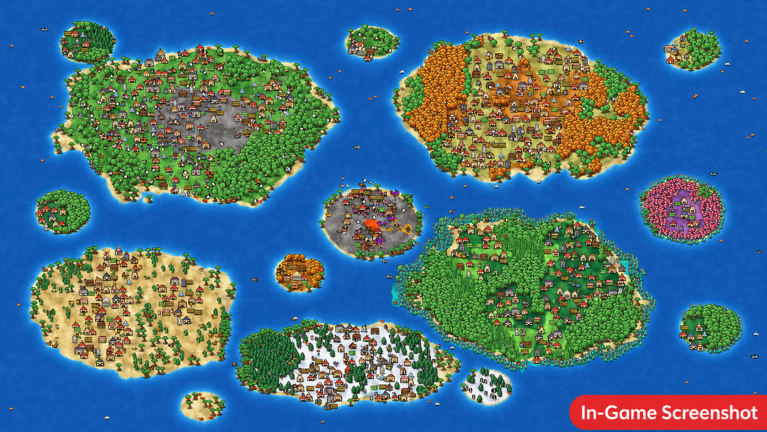
- Paint your biomes pick from more than 18 environment types, including grassland, snowy tundra, desert, and fantasy settings, and brush them across the island.
- Place your creatures add rabbits, wolves, bears, fish, dragons, or humans to the areas you have prepared.
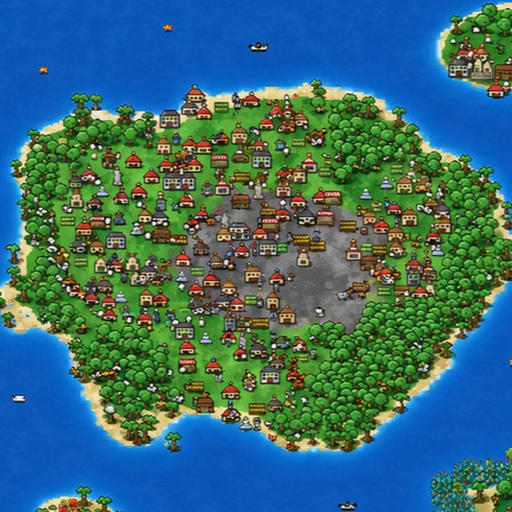
- Step back and watch the creatures settle down, build houses, and begin developing into villages without any input from you.
- Save before you experiment save as soon as you have a world you like, so you can reload it and try different things without losing your progress.
How civilizations grow without you
SummaryThe creatures you place act entirely on their own. You do not direct them or give orders; you just provide the world and they do the rest.
- Settlers placed creatures build houses and establish permanent homes.
- Villages early settlements grow larger over time without any action on your part.
- Kingdoms villages eventually expand into full kingdoms with their own territory.
- War separate kingdoms will start fighting each other over the land you created.
- Fully hands-off all of this happens even if you do nothing after placing your creatures.
Destruction powers
TipsSix different forces of destruction are available, and each one hits your world in a different way.
- Meteors wipe out buildings completely in the area they hit.
- Tornadoes and lightning spread damage across a wide zone.
- Plague chips away at the villager population.
- Wildfire burns through vegetation and spreads across the land.
- Acid reshapes the terrain itself.
- Save your world before triggering any of these — you can reload the saved state and run the same experiment as many times as you want.
Saving and reloading your world
CheckSaving is available at any point during play, and you can reload a saved world at any time.
- Save as soon as your terrain and biomes are arranged the way you want them.
- Save again once a thriving village or kingdom has appeared, before triggering any disaster.
- Reload after a destruction run to restore the world and try a different power.
Glossary
Glossary- Biome
- One of more than 18 environment types — such as grassland, snowy tundra, or desert — that you paint onto the island.
- Villager
- What any creature becomes after it settles down, builds a house, and starts living as part of a growing civilization.
- Kingdom
- The stage a settlement reaches after expanding beyond a simple village, at which point it can go to war with other kingdoms over territory.
- Destruction power
- One of six instant forces — meteor, lightning, tornado, wildfire, plague, or acid — that you can trigger to damage or reshape your world.
Common questions
FAQCan I play with friends?
World Sim is a solo game. Only one player occupies a world at a time.
Will I lose my world if I trigger a disaster?
Only if you did not save first. Save before unleashing any destruction power, and you can reload that exact state as many times as you like.
Do I have to keep watching for the world to develop?
No. Once you place creatures, they act completely on their own. You can leave them alone and come back to find villages, kingdoms, and wars already underway.
Game updates can change what is on this page. If you spot something, get in touch and let us know.
