
WORLD TOWER DEFENSE Guide: First steps when you join
About
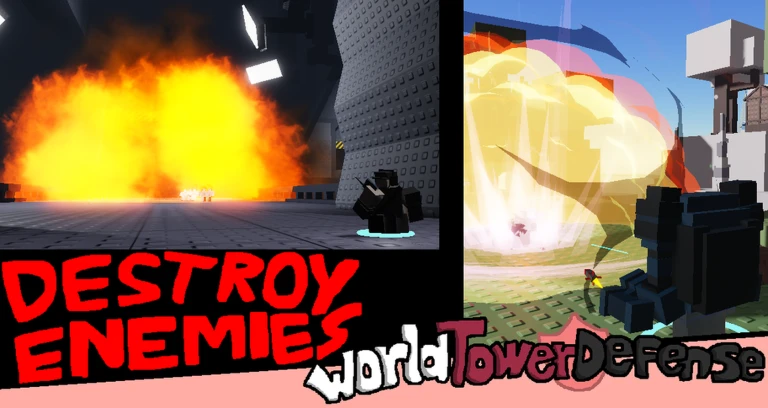
OverviewWorld Tower Defense [2.0 Demo] is a harder-than-average tower defense game where you protect areas across the world, drawing inspiration from Tower Battles and Battle Cats. This guide walks you through starting out, climbing the difficulty ladder, using Modifiers to earn more credits, and chasing every badge milestone.
What is on this page
Contents
Player notes and tips
Found a useful trick? Share it with everyone! Notes with screenshots are welcome!
Write a guide note
WORLD TOWER DEFENSE [2.0 DEMO]
First steps when you join
Step
The first screen you see asks you to pick a save file. If you played the original World Tower Defense before, select File 4 and your previous data will transfer over. If you are starting fresh, pick any of Files 1 through 3. After that, check the in-game update log to see what changed in the current 2.0 Demo.
- Pick a save file choose File 4 only if you have data from the original game; otherwise pick File 1, 2, or 3.
- Check the update log read it in-game to know what the Demo version currently includes.
MetaNew Player Survey

The next survey is being prepared.
Game modes and their difficulty order
Tips
The game has a wide range of named modes, from Casual at the low end to Treacherous and Cruel toward the top. Completing each one earns a badge. Some modes are upgraded forms of earlier ones — Cruel is the upgraded form of Casual, Bleak is the upgraded form of Burdensome, and Ruthless is the upgraded form of Rush.
- Casual Mode earns the Traffic Stomper badge on completion.
- Burdensome Mode earns the Army Crusher badge.
- Rush Mode earns the Quick Conqueror badge.
- Ruined Mode earns the Broken Down badge.
- Painful Mode earns the Dangerous Endeavor badge.
- Wrecked Mode earns the Otherside badge.
- Arduous Mode earns the True Defender badge.
- Treacherous Mode rewards the Call of Despair badge on completion.
- Cruel Mode (upgraded form of Casual) earns the Different Approach badge.
- Bleak Mode (upgraded form of Burdensome) earns the Shattered Bond badge.
- Ruthless Mode (upgraded form of Rush) earns the Eternity's Council badge.
- Endless Mode is separate: defeating Conehead there earns the Scored Time badge.
Modifiers and credit bonuses
Check
Modifiers are extra conditions you add to a mode before starting. They change how hard the run is and increase the credits multiplier you receive for completing it. Two specific badge targets reward players who push those multipliers high enough, and clearing all Modifiers available at Level 20 or below earns a third badge.
- Target 225 percent or more bonus in Burdensome Mode to unlock the Modified Misery badge.
- Target 150 percent or more bonus in Arduous Mode to unlock the Burning Bright badge.
- Complete every Modifier that requires Level 20 or less to access doing so earns the Connoisseur of Change badge.
Level milestones worth targeting
Table
Your level rises as you play, and hitting certain thresholds triggers badge rewards. The Level 250 badge, Virtuoso, is marked with an exclamation point and question mark in its own description, signaling it as a truly long-term target.
| Level 10 | Professional badge |
| Level 50 | Masterful badge |
| Level 100 | Unstable badge |
| Level 250 | Virtuoso badge |
Getting the most out of Missions
TipsMissions are time-limited tasks that reset automatically after a set period. Finishing 25 of them before a refresh earns the Until Midnight badge. Going further and completing 10 full Mission sets earns the Beyond Midnight badge.
- Finish 25 Missions before the timer resets to earn the Until Midnight badge.
- Complete 10 full Mission sets to earn the Beyond Midnight badge.
 spookiest_month
HAPPYARDUOUS
twentymillionplus1k
03
Glossary
Glossary- Modifier
- An extra condition added to a mode before it starts that increases the credits multiplier you earn for completing it.
- Credits
- In-game currency earned by completing modes, with the amount affected by any Modifiers you have active.
- Save File
- One of four slots that stores your progress; File 4 is reserved for importing data from the original World Tower Defense.
- Endless Mode
- A distinct game mode where defeating the enemy Conehead earns the Scored Time badge.
- Catalogue
- A collection of in-game entries that rewards the Personal Historian badge once you have gathered 100 of them.
Common questions
FAQHow do I carry over data from the original World Tower Defense?
On the very first screen after joining, select File 4. That is the only moment the transfer is possible, so make the choice before you do anything else.
Is this the full game?
What is available right now is the Demo version of the 2.0.0 update. The full version is in development and was described by the developers as not too far off from release.
How do I raise my credits multiplier?
Add Modifiers to a mode before you start it. Each Modifier you stack increases the bonus percentage applied to the credits you earn on completion.
What happens when Missions refresh?
After a set period of time the Mission list resets automatically. If you want the Until Midnight badge, you need to finish 25 Missions within a single cycle before that reset occurs.
Game updates can change what is on this page. If you spot something, get in touch and let us know.
