
Alternate Battlegrounds Legacy Guide: Controls you need to know before your first match
About
OverviewAlternate Battlegrounds Legacy is a fan-made fighting game set in the Undertale and Deltarune universe, where up to 14 players battle each other on a shared stage in real-time. This guide covers the controls, the mode-switching system, and how to stay alive when the whole lobby is against you.
What is on this page
Contents
Player notes and tips
Found a useful trick? Share it with everyone! Notes with screenshots are welcome!
Write a guide note
Alternate Battlegrounds Legacy
Controls you need to know before your first match
Check
Every action in this game runs through your keyboard and mouse. There is no controller support, so if you are on console you will need to plug in a keyboard and mouse. Learn the core three inputs first — attack, block, and teleport — and add the rest as you get comfortable.
- Left click walk up to an enemy and hit them with a melee attack
- F block an incoming attack to protect yourself
- R teleport a short distance to reposition or dodge
- Left Shift hold to run and move faster across the stage
- 1 through 9 use a skill (which skill sits on which number depends on your current mode)
- L or middle mouse button lock on to a target so your camera tracks them
MetaNew Player Survey

The next survey is being prepared.
The two-mode system
Summary
Pressing Q or E shifts you between two combat modes. The skill keys 1 through 9 produce different abilities depending on which mode you are in, so a single button press can completely change how you fight.
- Q
switches to one mode
- E
switches to the other mode
- Skills 1–9
their effects change whenever you swap modes
Surviving a 14-player stage
Tips
Up to 14 players share the same arena at once, which means a one-on-one fight can turn into a three-way brawl in seconds.
- If multiple enemies target you at the same time, run with Shift or teleport with R to open up distance before reengaging
- Block with F at the right moment
a well-timed block gives you a window to hit back while your opponent recovers
- Double-tap W, A, S, or D to dash, then hold the direction to break into a run
- Lock on to one enemy at a time with L or middle mouse button so you do not lose track of your target in a crowded fight
Rules of the game
Warn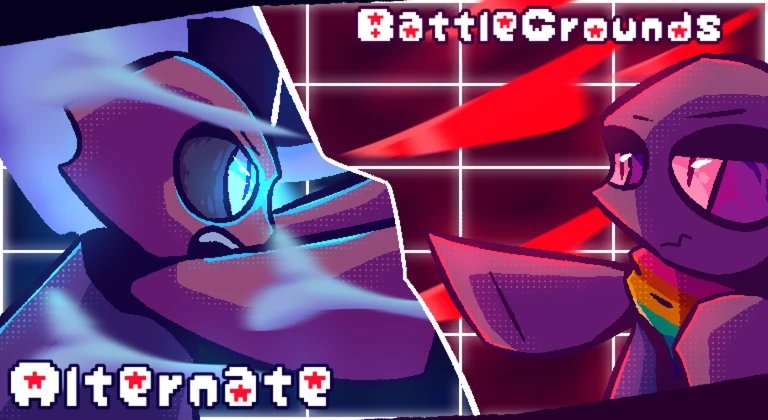
The game has a clear set of rules that all players are expected to follow. Harassing someone through chat or private messages results in a five-day ban. Exploiting or abusing bugs is also against the rules.
Glossary
Glossary- Block
- Pressing F to defend against an incoming attack.
- Teleport
- Pressing R to instantly move a short distance.
- Mode
- One of two combat stances you switch between with Q and E, each giving skills 1 through 9 a different set of effects.
- Lock-on
- Pressing L or the middle mouse button to fix your camera on a chosen enemy so they stay in view during a fight.
Common questions
FAQCan I play with a controller?
No. The game requires a keyboard and mouse. If you are on console, you need to connect a keyboard and mouse before you can play.
How many players are in one match?
Up to 14 players share a single stage at the same time.
How does mode switching change my skills?
Pressing Q or E moves you between two modes, and the abilities tied to keys 1 through 9 change with each mode. You can switch modes in the middle of a fight.
Is this game still being updated?
Alternate Battlegrounds Legacy has been discontinued and is noted as prone to bugs. A newer game by the same developer is available separately.
Game updates can change what is on this page. If you spot something, get in touch and let us know.
