
RealDragRacing Guide: Controls for PC and console
About
OverviewRealDragRacing is a straight-line drag racing game on Roblox, playable on both PC and console. You race other players, earn cash and XP, and upgrade your car to go faster. This guide covers controls, how to build up your car, and what to aim for as you get further into the game.
What is on this page
Contents
Controls for PC and console
Table
The control layouts are different enough that it is worth learning yours before your first race. On PC, the keyboard handles everything. On console, the triggers and buttons take over those same jobs.
| Accelerate | PC: hold W / Console: hold R2 |
| Brake | PC: S / Console: L2 |
| Steering | PC: A and D / Console: Up Arrow |
| Handbrake | PC: P / Console: O |
| Gear up / Gear down | PC: E and Q / Console: R1 and L1 |
| Interior camera | PC: V |
MetaNew Player Survey
The next survey is being prepared.
First things to do when you start
StepStarting funds are limited, so getting free rewards early makes a real difference. Several codes are available right now, and the game also rewards you just for logging in each day.
- Enter each available code to collect free cash rewards; this site currently tracks six working codes.
- Log in daily returning each day earns automatic rewards on top of whatever codes give you.
- Check the community page additional codes are posted there and new ones are added over time.
 1MILLON
600LIKES
600LIKES
REALDRAGRACING
REALDRAGRACING
900LIKES
900LIKES
1MILLON
1MILLON
600LIKES
600LIKES
REALDRAGRACING
REALDRAGRACING
900LIKES
900LIKES
Upgrading your car before buying a new one
Tips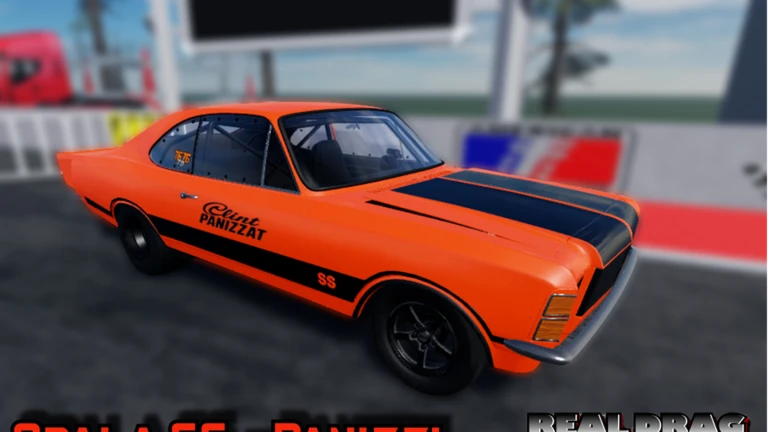
Spending on upgrades is an option, especially early on. Some cars are Robux purchases only, but free codes and daily rewards support non-paying players.
- Free codes and daily rewards provide cash to upgrade your car.
- Some cars are Robux purchases only.
Handling and gear use during a race
Tips
Drag racing is mostly a straight line, but corners do appear and gear timing affects how quickly you build speed.
- Use the handbrake just before a corner to get through it without scrubbing too much speed.
- Lower gears give stronger acceleration; higher gears raise your top speed.
- You can switch between automatic and semi-automatic modes using M on PC or the Up Arrow on console.
Long-term goals: cash, XP, and wins
Check
Four official badges mark real milestones in RealDragRacing.
- Win 10 Professional Races to earn the first wins badge.
- Win 50 Professional Races to reach the next wins milestone.
- Farm 20 million Cash for the cash badge.
- Earn 300,000 XP for the Experiencia badge.
Things to watch out for
WarnThe developers flag the game as a work in progress, which means unexpected issues can show up at any time.
Glossary
Glossary- Drag race
- A race format focused entirely on straight-line acceleration from a standing start.
- Handbrake
- A control that lets you handle corners — PC: P, Console: O.
- Gear
- A setting that controls how engine power reaches the wheels — low gears accelerate faster, high gears hit higher top speeds.
- Upgrade
- Using earned cash to improve a car's performance stats.
- Experiencia
- The game's XP currency, earned by racing and tracked toward the 300,000 XP badge.
Common questions
FAQCan I be competitive without spending Robux?
Free codes and daily login rewards give you cash to upgrade your car. Some cars require Robux to purchase.
Where do I find working codes?
The game description lists several codes, and more are posted in the official community page. New codes are added as the game hits milestones.
What happens if I run into a glitch?
Head to the community section inside the game and describe what happened. The developers review those reports.
Does it matter whether I play on PC or console?
Both are fully supported with their own control layouts.
Game updates can change what is on this page. If you spot something, get in touch and let us know.
