
Avatar Catalog Shopping Guide: Trying on and saving an outfit
About
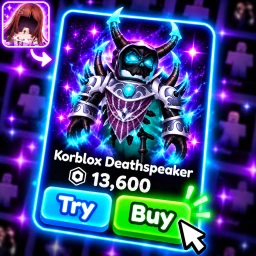
OverviewAvatar Catalog Shopping lets you try on items from a catalog of over 60 million curated outfits, all without spending a thing upfront. You can mix accessories, hair, bundles, animation packs, and clothing to build a full look, then save it or share it with friends.
What is on this page
Contents
Trying on and saving an outfit
Step
Browse the catalog, pick items you want to combine, and put them on your avatar. When the look is finished, save it. Anything you actually purchase through the game lands in your Roblox inventory and works in every Roblox experience.
- Save the outfit once you are happy, save it so you can come back to it.
- Choose who sees it decide whether to keep it private or publish it so the community can find it.
MetaNew Player Survey

The next survey is being prepared.
Private vs. public outfits
TableEvery outfit you save can go one of two ways. Private outfits are yours alone, while public outfits enter the community catalog where other players can discover, wear, and heart them.
| Private | only you can see and use the outfit. |
| Public | other players can find it, heart it, and wear it themselves. |
Sharing with outfit codes
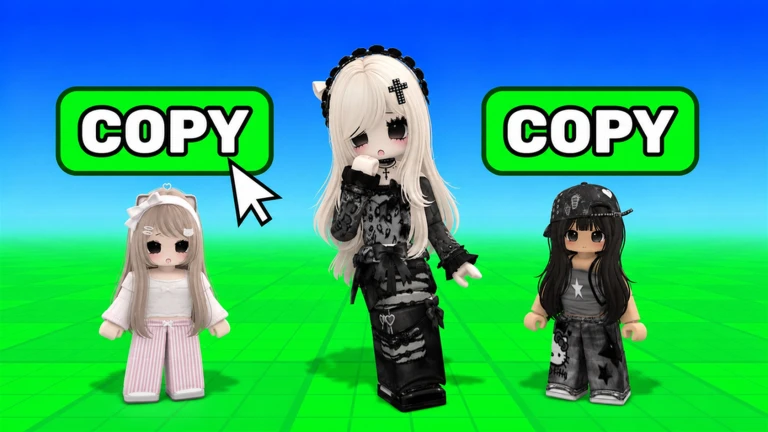
TipsWhen you want a friend to wear the same combination you built, generate a code from your saved outfit and pass it along. Your friend enters that code and the exact outfit appears on their avatar.
- Generate a code from any outfit you have already saved.
- Your friend enters the code in-game and wears your exact fit.
Discovering outfits from the community
CheckOther players who publish their outfits show up in the community section. You can browse what is there, heart the looks you like, and wear any public outfit directly.
- Search the community section for published outfits.
- Heart an outfit you like.
- Wear a public outfit to try on someone else's combination.
Importing from Avatar Runway
WarnIf you build outfits in Avatar Runway, they import into Avatar Catalog Shopping automatically. Because Avatar Runway runs at a much higher number of concurrent players, imports can back up. An outfit that has not appeared yet is pending, not rejected.
Community strategy ideas
CommunityThese ideas and tips come from people playing the game. Share your discoveries too!
No strategy ideas yet. Share a tip you discovered.
Share a strategy idea
🛍️Avatar Catalog Shopping
Glossary
Glossary- Outfit code
- A shareable code generated from a saved outfit that lets anyone else wear your exact combination.
- Roblox inventory
- The collection of items saved to your Roblox account, accessible across every Roblox experience.
- Avatar Runway
- A separate Roblox game whose outfits automatically import into Avatar Catalog Shopping.
- CCU
- Concurrent users — the number of players in a game at the same moment, which affects how quickly imports are processed.
Common questions
FAQDo items I buy in the game work outside of it?
Yes. Anything you purchase lands in your real Roblox inventory and works in every Roblox experience.
Do I have to make my outfits public?
No. Every outfit can be kept private so only you can see it. You choose whether to publish each one.
How many players can be in one server?
A single server holds up to 28 players at once.
Why has my Avatar Runway outfit not appeared yet?
Avatar Runway has a very high player count, which creates a backlog of imports. Your outfit is pending, not lost — it will show up when the queue clears.
Game updates can change what is on this page. If you spot something, get in touch and let us know.
