
Tower Creator — Claiming a slot and starting your first tower
About
OverviewTower Creator is a Roblox sandbox game where you build your own obstacle-course towers without ever touching Roblox Studio, then share them for anyone to play. This guide covers claiming a slot, building and testing your first tower, adjusting settings to keep the game running smoothly, and finding community-made towers worth playing.
What is on this page
Contents
Claiming a slot and starting your first tower
Step
Each server holds 16 tower slots arranged around the lobby. A slot is 750 studs wide in both directions and has no height limit, so you have plenty of room. Every fresh slot comes preloaded with a ten-floor greyscale template — a 100×1000×100 frame — that you can keep as a starting point or wipe and rebuild from scratch.
- Find an open slot walk up to any unclaimed slot and hold E (or tap it on mobile) to take ownership.
- Use the Revert Tower feature as a backup system; if a collaborator accidentally breaks something, you can roll back to a previous save.
Settings that actually affect how the game plays
Check
The Settings menu is split into Gameplay, Performance, Editing Mode, and Permission sections. The performance options are especially worth knowing if the game feels sluggish, because loading every tower in the server at once is the main source of lag.
- Canister Mode turn this on so you only load the tower you are currently inside, instead of every tower in the server at once.
- Invisible Players hides all player models; useful on busy servers with a slow device.
- Lobby LDM strips out decorative terrain, trees, and lobby details to free up performance.
- Moving Part Update switch from Always to Near so that spinning parts only animate within roughly 60 studs of you, reducing the load on your machine.
- Moving Part Increments it also controls how much a part resizes per scale action.
- Permission decide who can edit your slot before you invite anyone; adding untrusted players risks griefing, and the Revert Tower button is your main recovery option if it happens.
Glitches to know before you build
WarnMost glitches in Tower Creator trace back to specific part configurations or multi-editor conflicts. Knowing the common ones saves you from rebuilding sections you did not know were broken.
Playing community-made towers
Tips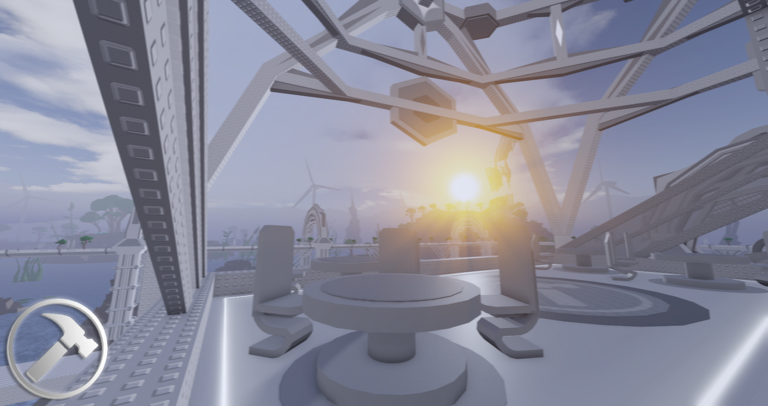
Tower Creator's lobby connects to user-built towers through portals. Each portal has a frame, a name sign, and a colored teleporter pad — the pad's color shows the tower's difficulty. Touch the pad to enter. If you already have a specific Tower ID, you can search for it directly and load it without hunting through the lobby.
- The default portal color is Easy (bright green); harder towers shift through colors all the way up to Royal purple for Unreal difficulty.
- Featured towers are a curated set the game highlights — they range from Easy to Catastrophic, so there is a starting point for every skill level.
- Your health is restored to full and your movement resets when you leave a tower, so a bad run in one tower will not carry damage into the next.
Part limit and slot upgrades
Summary
Knowing the limits before you build stops you from running out of parts halfway through a big project.
- Default part limit 2,000 parts per slot.
- Roblox Premium bonus 500 extra parts, raising the cap to 2,500.
- Starting slots 5 changeable slots per account.
- Slot cap 50 slots maximum under normal conditions.
- Extra slots purchasable with 10 Tickets or 20 Robux each, and this purchase can push past the 50-slot cap.
- Server slot count 16 slots available per server, shared among everyone in that session.
Featured towers worth trying
TableEnter a tower's ID in the search field to load it directly. Difficulty reflects the creator's rating, with Easy being the most approachable and Catastrophic demanding advanced movement skills.
| Tower Name | Creator | Difficulty | Tower ID |
|---|---|---|---|
| Tower of Lemon Squeezy | IsJustOofy2 | Easy | 1722269607#1 |
| Steeple of Wandering Horizons | cheznfrens | Easy | 1898627588#1 |
| Tower of Killbrick Asylum | AzureBoarder | Medium | 670542549#1 |
| Steeple of Heated Adventures | puissance_roblox | Hard | 555473720#3 |
| Tower of Walking and Running | H20Scientist | Hard | 1232633499#1 |
| Steeple of Beach Recognition | Matvey1k1 | Hard | 707075993#2 |
| Steeple of Anchored Karma | kevindelroyseledio | Challenging | 130806182#3 |
| The Fractured Zenith | UnskilledBaconGuy | Challenging / Intense | 52443702#1 |
| Tower of Corrupted Mayhem | Feabrey | Intense | 548804428#1 |
| Tower of Enigmatic Challenges | DARSwe3 | Remorseless | 2304323858#1 |
| Tower of Quirky Jumps | vikkstar41342trt | Remorseless | 951663453#1 |
| Tower of Two Twin Trouble | pouwtjes | Remorseless | 635703648#4 |
| Tower of Nonstop Nasty Nightmares | LetterObserver | Insane | 38154142#1 |
| Tower of Hopeless Anxiety | puissance_roblox | Extreme | 555473720#1 |
| Tower of No-Frame Havoc | kevindelroyseledio | Extreme | 130806182#2 |
| Tower of Distant Void Dystopia | Darkchef647 | Terrifying | 1373543842#2 |
| Tower of Inefficient Ways | hellobrightnesscool | Terrifying | 1369058962#1 |
| Tower of Seeking Inner Peace | Rurvker | Catastrophic | 227541472#2 |
Glossary
Glossary- Tower Slot
- A 750-stud-wide plot you claim in a server where you build and store your tower.
- Frame
- The standard 100×1000×100 build area that defines a tower's boundaries.
- Tower ID
- A number that identifies a specific user-made tower and lets you load it directly from the search field.
- Canister Mode
- A performance setting that hides all towers except the one you are currently inside.
- Revert Tower
- A settings option that rolls your slot back to a previously saved state, useful after accidental edits or griefing.
- Portal
- The in-lobby structure with a colored teleporter pad that sends you into a tower; the pad color indicates the tower's difficulty.
Common questions
FAQDo I need Roblox Studio to build a tower?
No. Tower Creator has its own in-game editor that handles everything. You place, resize, rotate, and configure parts entirely inside the game without ever opening Studio.
My tower feels laggy when other people visit. What can I do?
Tell your visitors to turn on Canister Mode in their Settings so they only load your tower instead of every tower in the server. Switching Moving Part Update from Always to Near also reduces the number of animated parts their device has to process at once.
Someone with edit permission wrecked my tower. Can I get it back?
Open Settings and use the Revert Tower option to restore a previous backup of your slot. The revert confirmation popup was removed in a past update, making accidental wipes easier too.
How do I show a tower's difficulty to players?
Change the color of your portal's teleporter pad to match the difficulty you want to display. The game provides specific color values for each difficulty tier, from bright green for Easy up to royal purple for Unreal.
Can I run out of parts mid-build?
Yes. The default limit is 2,000 parts per slot. Roblox Premium raises that to 2,500.
Game updates can change what is on this page. If you spot something, get in touch and let us know.
