
Marvellous Smackdown Guide: Controls and how to customise them
About
OverviewMarvellous Smackdown is a chaotic arena fighting game on Roblox where you pick characters from shows and films like Invincible, The Boys, The Flash, Stranger Things, and more, then battle other players using each character's unique moves and skills. This guide covers controls, reading the on-screen indicators, building good combat habits, and tips for winning more duels.
What is on this page
Contents
Controls and how to customise them
Step
The default controls are: keys 1 through 5 for moves, E for an extra move, Shift to sprint, M1 to attack, and F to block or parry. The game lets you remap all of these, so if anything feels awkward, change it before you queue up. On mobile, the sprint button and combo breaker can be repositioned on screen.
- Test each key press 1 through 5, then E, Shift, M1, and F so you know where everything sits.
- Open control settings find the customisation menu and swap any key that feels hard to reach.
- Reposition mobile buttons if you play on a phone or tablet, drag the sprint and combo breaker buttons to wherever your thumbs land naturally.
Reading the rhombus indicators
Table
A rhombus shape appears on screen during a fight and changes colour to tell you what state you or your opponent is in.
| Green | your character has iFrames right now and cannot be hit. |
| Red | your opponent's bot is stunned and open to attack. |
Core fighting habits
Tips
The smarter approach is to watch, block, and punish.
- Use F to block or parry incoming hits.
- Wait for your opponent to finish their attack string, then punish the gap they leave.
- Sprint with Shift to close distance or escape.
Picking and learning a character
Check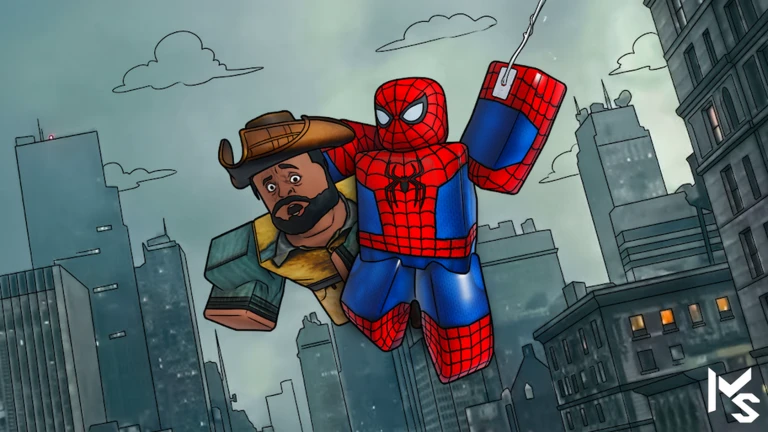
The roster includes characters from Invincible, Batman, Homelander, Kratos, Demogorgon, Wednesday, Myers, Wanda, Vader, and more, each with their own move set across keys 1 through 5 plus a finisher. Try several and find the attack style that suits you.
- Work through keys 1 to 5 to see what each move does.
- Check whether your character has received recent move updates Demogorgon, Wednesday, Kratos, Homelander, and Batman have all had moves added or changed.
- Use /freecam to inspect your character's animations up close if you want a better look at a move.
Glossary
Glossary- iFrames
- Short windows of invincibility during which your character cannot take damage, shown by a green rhombus on screen.
- Parry
- A defensive move performed with F that blocks an incoming attack and creates an opening for you to hit back.
- Combo
- A sequence of attacks chained together quickly to deal damage before the opponent can recover.
- Finisher
- A powerful closing move that each character has, separate from their numbered skills.
- Rhombus indicator
- The diamond shape displayed on screen that turns green when you have iFrames and red when an opponent is stunned.
- Combo breaker
- A move that interrupts an opponent's combo string and lets you escape the sequence.
Common questions
FAQMy buttons keep getting pressed wrong during a fight — what should I do?
Open the control settings and remap the keys to positions your fingers reach naturally without thinking.
I keep getting destroyed by combo chains before I can do anything — how do I stop that?
The F key is your best friend here — use it to block or parry as an opponent starts their string. Once you block or parry successfully, the gap they leave is your window to hit back. The red rhombus indicator tells you when an opponent is stunned and vulnerable.
Do I need to spend Robux to be competitive?
No. Skins only change your character's appearance and have no effect on any combat stat.
What does the /freecam command actually do?
Typing /freecam lets you move the camera freely around your character so you can inspect their look and animations from any angle.
Game updates can change what is on this page. If you spot something, get in touch and let us know.
