
Survive a Psycho Guide: How a round works
About
OverviewSurvive a Psycho is a one-versus-all Roblox survival game where one player hunts everyone else on the server while survivors fight back or outlast the timer. Each round you are either the Psycho or a survivor with a class drawn from a spin, and the round ends when the Psycho is taken down or the three minutes run out.
What is on this page
Contents
Player notes and tips
Found a useful trick? Share it with everyone! Notes with screenshots are welcome!
Write a guide note
Survive a Psycho
How a round works
Summary
At the start of each round, one player becomes the Psycho and everyone else becomes a survivor. Survivors win by either taking the Psycho down or lasting the full three minutes. The Psycho gets no second chance — once defeated, the round ends and a new one begins with a different player in that role.
- Psycho goal
defeat every other player before time runs out
- Survivor goal
take the Psycho down, or stay alive for three minutes
- Round end
a defeated Psycho immediately ends the round; time running out is a survivor victory
- Role check
after the opening animation finishes, read your role from the screen before doing anything else
- Ability check
your controls and abilities change depending on your role, so re-read the ability panel whenever your role changes
- Player count
up to twenty players can be in one server at once
MetaNew Player Survey

The next survey is being prepared.
Lobby setup before the match
CheckBefore a match begins, the lobby gives you time to sort out two things. AFK mode pauses you out of matchmaking so you do not get placed into a round while you are away; turn it off when you are ready. Also confirm your class card shows 'EQUIPPED' rather than just 'EQUIP', so you enter the round with the class you actually want.
- AFK mode check that AFK mode is off so you get placed into the next match
- Class card open your cards, select the one you want, and verify the button reads 'EQUIPPED'
- Ready state once both checks are done, wait for the matchmaking prompt
Survivor classes and the spin system
TipsThere are seven classes to land, including Lucy, David, and Capri, each with different abilities. The spin happens at the start of each round; ignore the names scrolling past during the draw and read only the final result screen to know which class you actually got. Note that the survivor version of Capri is a playable class — drawing her does not make you the Psycho.
- Join the official group and like the game to receive a free spin
- One additional free spin is added automatically every ten minutes after that
- Money earned in matches can be spent on extra spins
- Read the final result screen, not the scrolling animation, to confirm your class
- Each class has its own abilities, so check your ability panel after every spin to see what you have this round
PC controls for survivors
StepYour starting weapon is the Smart SMG. Mobile and console players should follow the on-screen prompts, since the inputs differ. On PC, these are the controls to know.
- Fire
left-click to shoot; hold it down for automatic fire
- Aim
right-click to aim down sights
- Reload
press R when your magazine runs dry, then back away while the reload animation plays
- Open doors
walk up to a door until the prompt appears, then press E
- Use abilities
press the key shown in your ability panel (Z, X, G, and others depending on your class); check the panel after each spin because the assignments change
- Switch view
press V while holding the Smart SMG to toggle first-person perspective, separate from shift-lock
Staying alive as a survivor
TipsBefore you open fire, pick one room or corridor you can fall back to if the Psycho closes in. Staying in one spot until your magazine empties leaves you exposed right when you are most vulnerable. When you are low on health, moving to a less exposed position matters more than squeezing out extra shots.
- Pick an escape route before attacking, not during
- Create distance from the Psycho the moment you start reloading
- Move to cover when your health is low rather than trading shots
- In the final seconds, focus on surviving the timer rather than chasing a kill
- When a cooldown number is counting down on an ability icon, switch to moving instead of waiting in place
 THANKS4PLAYING
one emote reroll
The three scenarios
Table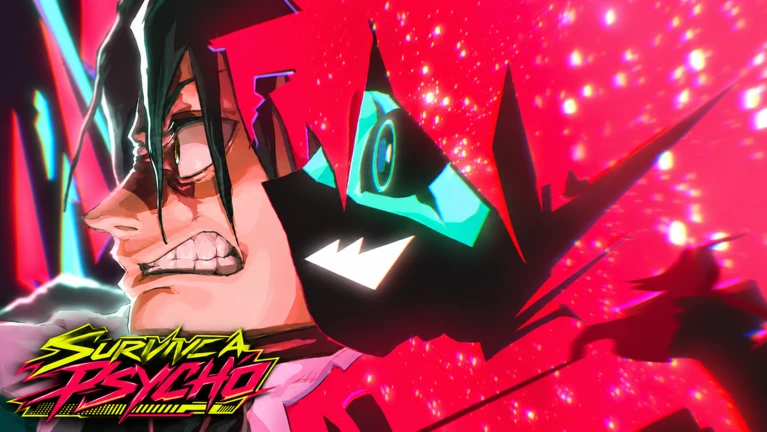
Beyond the standard Psycho round, two additional scenarios pit survivors against different enemies. The basic rules — survive three minutes or take the enemy down — still apply, but each scenario adds its own wrinkle.
| Standard Psycho | one player hunts everyone else in the core survival mode |
| Capri | defeating her lets you take her chip; on PC, her R key triggers a satellite attack rather than a reload |
| Adam Smasher | a full-chrome enemy that never stops; keep moving through connected rooms and stairways in the Arasaka Tower, and always know your next exit before you need it |
| Capri warning | if a red circle with a countdown appears at your feet, stop shooting and step outside the circle immediately; more circles can follow, so keep watching the ground |
Smart SMG upgrades
TableThe weapon shop in the lobby lets you upgrade the Smart SMG across four categories. Check the price of each tier before committing.
| MAG | increases magazine size |
| DAMAGE | raises the damage of each shot |
| FIRE RATE | increases how quickly shots come out |
| RANGE | extends effective distance |
Watching after you are eliminated
TipsBeing eliminated does not end the match for your team, so the game switches you to spectator view. Use the arrows beside the player name to cycle between survivors still in the round.
- Switch who you are watching using the arrows next to the player name on screen
- Pay attention to reload movement
where the player goes the moment the magazine hits zero
- Note which paths survivors use to escape rather than which direction they run
- The revive button on screen costs Robux; you can skip it and wait for the next round at no cost
Glossary
Glossary- Psycho
- The one player chosen each round to hunt everyone else; they get no second chance if defeated.
- Survivor
- Any player who is not the Psycho; survivors choose a class through the spin system.
- Spin
- The random draw at the start of each round that assigns a survivor their class.
- Class
- A survivor character type — such as Lucy, David, or Capri — each with its own set of abilities.
- Reload
- Refilling the Smart SMG's magazine; you cannot shoot during this animation, so back away while it plays.
- Cooldown
- The countdown that appears on an ability icon after you use it, showing how long until you can use that ability again.
- AFK Mode
- A lobby setting that pauses you out of matchmaking so you are not placed into a round while away.
Common questions
FAQHow many players can be in one server?
Up to twenty players can play at once. One becomes the Psycho and the remaining nineteen are survivors.
Does the Psycho role stay with the same player all game?
No. Once the Psycho is defeated, the round ends and a fresh round begins with a different player taking the role.
What happens if the screen suddenly goes dark during a fight?
That is an ability called Blackout, not a bug. You can still aim and fire the Smart SMG during it, so watch the visible outlines around you and keep an eye on the ground for any warning circles.
Is the survivor class Capri the same as the Capri scenario enemy?
They are separate. Drawing the Capri class in the spin makes you a survivor with Capri's abilities; it does not make you the enemy Capri. Always read your role display after the spin to confirm whether you are a survivor or the Psycho.
How do I keep getting free spins after the first one?
After joining the official group and liking the game for your initial free spin, one additional spin is added automatically every ten minutes. You can also spend in-match earnings on extra spins.
What can I do if I find a bug or see someone cheating?
Report it through the in-game server. You can submit bug reports, cheating reports, and suggestions all in the same place.
Game updates can change what is on this page. If you spot something, get in touch and let us know.
