
Game guide
Build a Military Base — First steps when you load in
Is this game fun?
No votes yet. Cast the first one.
About
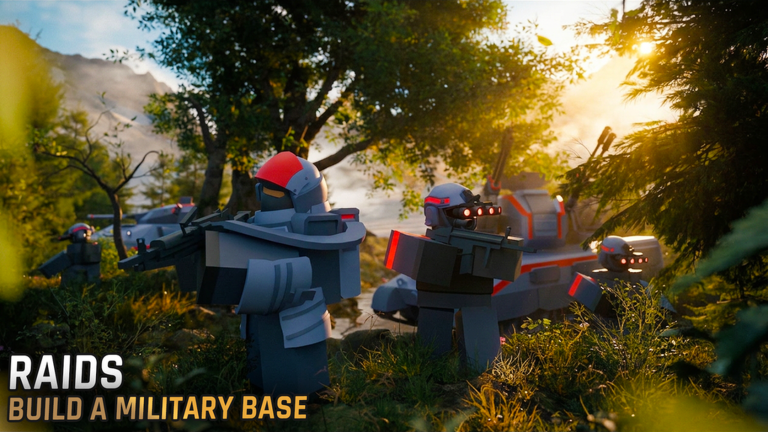
OverviewBuild a Military Base, developed by Phantomline, is a base-building strategy game where you generate power, refine resources, manufacture weapons, and train soldiers to grow the strongest military base on the server. You can fight other players in duels, take on bosses, or team up in co-op mode against endless enemy waves. This guide walks you through getting started, controlling your units, managing your buildings, and keeping your base growing without spending Robux.
What is on this page
Contents
01
First steps when you load in
StepIn short
Redeeming codes the moment you start is the fastest way to get a head start on buildings and resources.
Before you place a single building, open the settings panel and redeem any available codes. Codes hand you free buildings like the Research Lab and Industrial Drill. Once your free buildings are placed, keep your resource and manufacturing lines running without stopping.
- Open settings click the Settings icon on the left side of the screen to find the code entry box.
- Enter your codes type each code into the 'Insert Codes Here' box and press Enter to claim your free buildings.
- Place claimed buildings deploy the Research Lab and Industrial Drill right away so they start contributing immediately.
- Start your production line keep resource refining and item manufacturing running continuously from the beginning.
- Train soldiers begin training troops so you have units ready for combat.
- Plan your power add or upgrade power generators before you run out, because each new building increases your base's energy demand.
02 Working codes
Codes
 WOWPREMIUM
Logistics Center
WOWPREMIUM
Logistics Center
Logistics Center
LOGI
Logistics Warehouse
Logistics Warehouse
TRAITCHANGES
WRECKER
This code credits your account with 1 Premium Crate .
This code credits your account with 1 Premium Crate .
03
Unit controls
CheckIn short
Mastering drag-selection and the queue command lets you move groups of units during both attacks and base defence.
All unit commands use your mouse and keyboard together. You can control a single unit or manage an entire army depending on which combination you use. The queue command is useful when you want units to carry out several actions in sequence.
- LMB selects one unit at a time.
- Shift + LMB adds another unit to your current selection.
- LMB + Drag selects every unit inside the box you draw.
- Shift + LMB + Drag adds multiple units to an existing selection.
- Ctrl + LMB moves your selected units to the clicked position.
- Ctrl + Shift + LMB queues a command so units execute it after finishing their current order.
04 Live and upcoming events
Events
いま開催中・開催予定のイベントです。期間が決まっているので先に確認しておきましょう。
[UPD 31] ????
05
What each building does
Table
In short
Each building fills a distinct role, so placing the right mix early keeps your economy, research, and combat strength growing together.
Your base is only as strong as the buildings running inside it. Some produce resources, some accelerate research, and others generate the powerful units you need for combat.
| Research Lab | speeds up technology development and is available free through codes. |
| Industrial Drill | mines resources to keep your production line supplied. |
| Vehicle Depot | a legendary building that produces powerful combat vehicles; placement position matters. |
| Experimental Gantry | used to develop advanced weapons and high-tier units. |
| Logistics Warehouse | manages the flow of resources across your base. |
06
Co-op mode and duels
Tips
In short
The game gives you several ways to fight alongside or against other players, all available without spending Robux.
Whether you want to team up or go head-to-head, there are dedicated modes for both.
Tips worth knowing
- Co-op mode puts you and other players against endless waves of enemies.
- Duels let you challenge another player to a direct 1v1, added in the Update 29 patch.
- Attacking other players and defeating bosses both earn you rewards.
- World 0 was added in Update 29 as a dedicated space for newer players.
- The Blackhawk Helicopter and Zeppelin are among the units you can unlock.
07
Free-to-play progress
Summary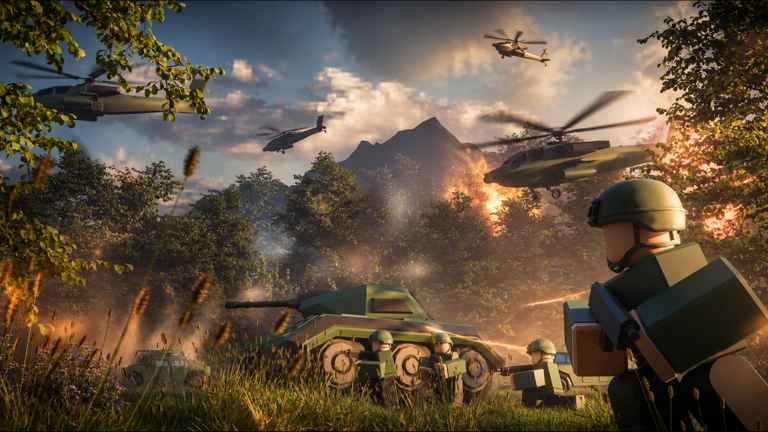
In short
Codes give you a meaningful free boost, and all the core game modes are accessible without spending anything.
The game includes premium units, but the main path of base development — resources, research, soldiers, and combat — is fully open to free players. Codes are available at no cost, and joining the Phantomline community group is the way to catch new codes before they expire.
- Codes hand you free buildings, giving you a head start.
- Premium units available through Robux or limited events, but not required to build a strong base.
- Core modes resource production, soldier training, PvP, boss fights, and co-op are all free.
- Community group the primary place Phantomline shares exclusive codes and update news.
- Update schedule patches arrive biweekly.
08
Things that can hurt your account
Warn
In short
Stick to official codes and never share your login details, no matter what someone promises you.
The risks below are real and can get your account banned or compromised.
Worth watching out for
Never share your Roblox password or personal details with other players.
Ignore any offer promising free Robux through outside websites
these are scams.
Cheat tools and unofficial mods can result in a permanent account ban.
Codes expire, so enter them as soon as you find them rather than saving them for later.
Glossary
Glossary- Research Lab
- A building that accelerates your base's technology development, obtainable for free through codes.
- Industrial Drill
- A resource-gathering building that keeps your production and manufacturing lines supplied.
- Vehicle Depot
- A legendary building that generates powerful combat vehicles for your military.
- Experimental Gantry
- A facility for developing advanced weapons and high-level units.
- Logistics Warehouse
- A building that manages how resources move around your base.
- Queue Command
- The Ctrl + Shift + LMB input that lets you line up multiple orders for a unit to execute in sequence.
- World 0
- A dedicated area added in Update 29 for newer players.
- Premium Unit
- A special unit, such as the Zeppelin or CL1201, that requires Robux or a limited event to unlock.
Common questions
FAQWhere do I enter codes?
Click the Settings icon on the left side of the screen after loading in. Type your code into the box labelled 'Insert Codes Here' and press Enter.
Where do I find new codes?
Phantomline releases codes through their official community group. Codes have expiry dates, so enter anything you find right away.
What do I do when my base runs out of power?
Power consumption rises as you add more buildings, so upgrade your generators as your base grows.
Can I play co-op without spending Robux?
Yes — co-op mode is fully free. You join other players to defend against endless enemy waves.
Updated Oct 2, 2026
Game updates can change what is on this page. If you spot something, get in touch and let us know.
Game updates can change what is on this page. If you spot something, get in touch and let us know.
