
simply walk around it — How movement works without jumping
About
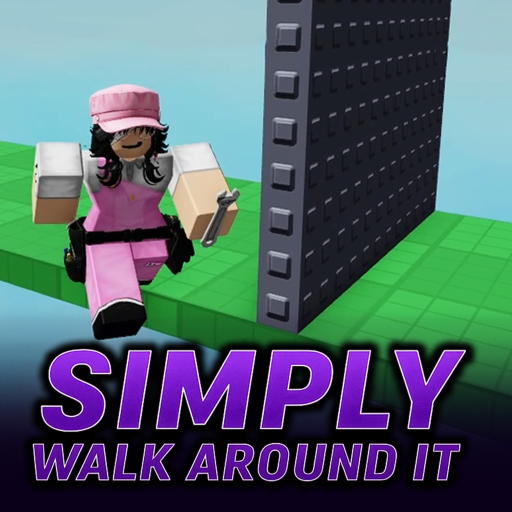
OverviewSimply Walk Around It is an obby where jumping is completely disabled — every stage must be finished on foot. This guide covers the course lineup, how to move and use your camera effectively, and what to do when you get stuck.
What is on this page
Contents
How movement works without jumping
Tips
Every course in the game is designed to be beatable without ever leaving the ground, so there is always a walkable path if you look carefully enough. On PC, pressing the comma and period keys snaps your camera to face forward, which makes it much easier to spot where the floor continues.
- Move with WASD or a controller as you normally would in any Roblox game.
- Swing the camera in all directions whenever you feel lost — the route is there, just not obvious.
- On PC, use the comma and period keys to realign your camera instantly.
- Lower your camera angle to see the floor in front of you; raise it to spot higher paths.
Course order and what each one demands
StepBadges mark every finish line, so the course order is clear.
- Obstacle Course 1 the first no-jump stage.
- Obstacle Course 2 introduces wraparound sections where the path loops back on itself.
- Strombrew Obby walls only one stud thick appear here.
- Internet Disconnect Obby finishing it earns the Simply Disconnected badge.
- Revamped Obby the Strombrew layout rebuilt to be roughly ten times harder.
- Extreme Obby and Minecraft Obby two high-difficulty courses.
Getting past a section that keeps stopping you
Check
Before assuming a section is impossible, run through these checks. Every course has a valid route.
- Reset your camera facing and look in every horizontal direction from your current spot.
- Try a much lower camera angle floor-level views reveal slopes and gaps that look solid from above.
- Walk along every wall surface nearby.
- If you are on PC, press comma or period to snap the camera forward and re-read the layout.
- Pull up a tutorial video on the Electracy channel for the exact stage you are stuck on.
Badges and what they tell you about progress
TableThere are ten badges in total.
| Badge | Course |
|---|---|
| Simply Walked Around It | Obstacle Course 1 (no jumping) |
| Simply Jumped Around It | Obstacle Course 2 (wraparounds) |
| If a roblox wall is 1 stud thick, YOU DIE | Strombrew Obby (no jumping #2) |
| hardest wall hop | Wall hop stage |
| Simply Disconnected | Internet Disconnect Obby |
| Simply better than a professional | Revamped Obby (Strombrew Obby but 10x harder) |
| Practice Pro(er) | Practice stage |
| EXTRA INSANE HARD OBBY PRO | Extreme Obby |
| MINECRAFT PRO | Minecraft Obby |
| larped around it | LARP stage |
Glossary
Glossary- Obby
- Short for obstacle course — a Roblox genre where players move through platforming challenges to reach a finish line.
- Stud
- The standard unit of length inside Roblox; one stud is very small, so a one-stud-thick wall is razor thin.
- Wraparound
- A section of Course 2 where the path curves or loops back on itself instead of going in a straight line.
- Camera align
- Using the comma or period key on PC to instantly snap your view to face the direction your character is moving.
- Badge
- A Roblox achievement awarded automatically when you finish a course.
Common questions
FAQWhy is this hard if I can't even jump?
Normal obbies let you use height to get past obstacles, but here every problem has to be solved by finding the right walking route. All courses are designed so a walking path exists — it just takes searching to find it.
What should I do if I've been stuck on one section for a long time?
First, reset your camera and look in every direction from where you are standing. If that doesn't work, find the tutorial video for that specific course on the Electracy channel.
Game updates can change what is on this page. If you spot something, get in touch and let us know.
