
Chaos Battlegrounds Guide: Controls to learn before your first fight

About
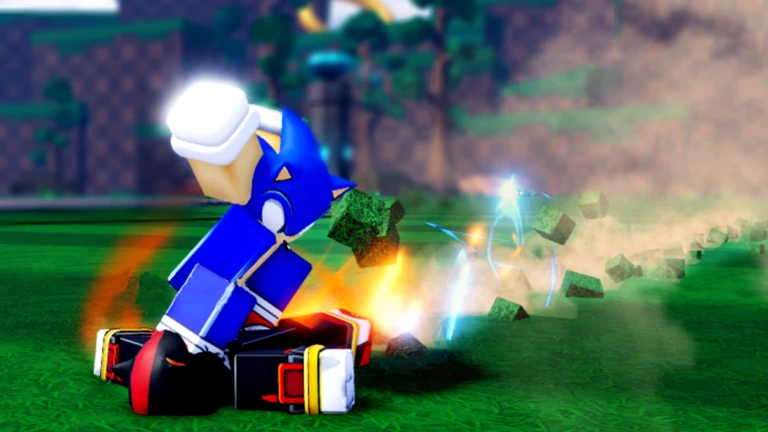
OverviewChaos Battlegrounds is a Sonic-inspired Roblox brawler where up to 15 players fight on the same field, knocking each other out to claim rings. This guide walks you through the controls, how to survive fights, and how to keep making progress the longer you play.
What is on this page
Contents
Player notes and tips
Found a useful trick? Share it with everyone! Notes with screenshots are welcome!
Write a guide note
Chaos Battlegrounds
Controls to learn before your first fight
CheckThe game keeps its control scheme simple, but each input has a specific job.
- Left Click punch an opponent to deal damage
- F block an incoming attack
- Q dash to close a gap or reposition quickly
- Q while ragdolled cancel the ragdoll state so you can recover fast
- Double Tap W break into a full sprint
- G activate Ultimate Mode
- B open the Emote Wheel
MetaNew Player Survey

The next survey is being prepared.
Getting started: your first kill and your first rings
Step
When you first load in, every other player is a potential ring source. Beating someone drops rings you can pick up.
- Try the controls
throw a few punches, practice blocking with F, and do a quick dash with Q
- Pick a target
with up to 15 players on the field there is always someone nearby
- Get the first kill
landing your first defeat earns the first badge; rings are earned by defeating other players
- Stay in the action
rings only come from beating other players
Combat tips that will keep you alive
Tips
Using your defensive tools at the right moment gives you openings.
- When an opponent swings, tap F to block
- Use Q to dash
- The moment you get ragdolled, press Q immediately to cancel it
- Ultimate Mode is activated with G
Kill badges: the long-term goal
Tips
Badges unlock automatically as your cumulative kill count hits each threshold.
- First badge
1 kill
- Early milestones
10, 50, 100, 250, 500 kills
- Mid-game targets
1,000, 2,500, 5,000, 7,500, 10,000 kills
- Late-game targets
25,000, 50,000, 75,000, 100,000, 250,000 kills
- Endgame targets
500,000, 750,000, 1,000,000 kills
Glossary
Glossary- Ragdoll
- A state where your character goes limp after taking a hit; pressing Q cancels it so you can recover.
- Ultimate Mode
- A powered-up state activated with G.
- Rings
- The reward you earn by defeating other players.
- Ragdoll Cancel
- Pressing Q while ragdolled to cut the knockdown short and get back on your feet faster.
- Emote Wheel
- A menu opened with B that lets you pick poses and animations to perform.
Common questions
FAQHow do I earn rings?
Rings drop when you defeat another player.
What devices can I play on?
Chaos Battlegrounds runs on PC, console, and mobile.
How many players can be in one game?
A single session holds up to 15 players at the same time.
How do kill badges unlock?
They unlock automatically once your total kill count across all sessions reaches each threshold, starting at 1 kill and going up to 1,000,000.
Game updates can change what is on this page. If you spot something, get in touch and let us know.
