
Race Clicker — Your first race
About
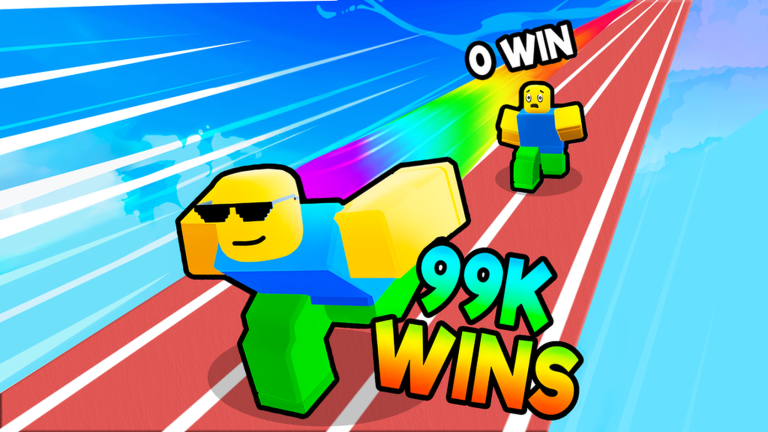
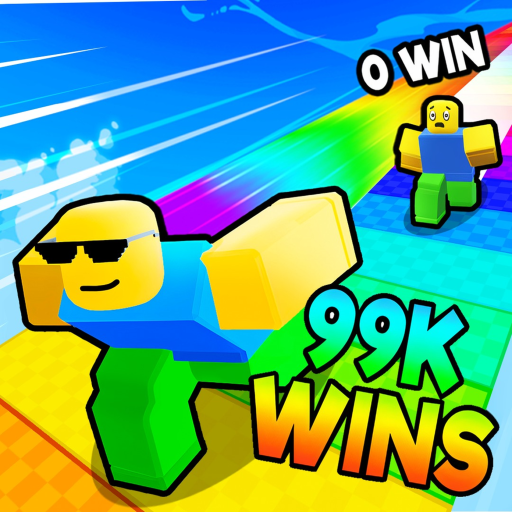
OverviewRace Clicker is a Roblox game where you click or tap as fast as you can to move your character toward a finish line, with a two-minute clock running each race. Every win boosts your speed, and the goal is to clear all the levels and crack the top 50 on the leaderboard. This guide covers how to start, how to build speed, how to click more effectively, and what to do when progress stalls.
What is on this page
Contents
Your first race
Step
The controls are about as simple as a Roblox game gets. Click or tap the screen repeatedly to push your character forward. Your only job is to reach the finish line before the two-minute timer runs out.
- Click to accelerate tap the screen or click your mouse to move your character.
- Watch the clock you must cross the finish line within two minutes for the run to count as a win.
- Check the result after the race ends, see whether you won or lost before jumping into the next attempt.
How speed stacks up over time
Summary
Every win you earn raises your speed stat, and a higher speed means your character covers more ground with the same number of clicks. The game is built around clearing every level, so keep chasing wins on whatever level you are on until your speed is high enough to move on.
Clicking faster on any device
Tips
How quickly you click matters alongside your speed stat. The techniques differ depending on whether you are on a phone or a computer, but the underlying idea is the same: remove wasted motion and keep a steady rhythm.
- On mobile, use three or more fingers alternating taps rather than a single finger.
- On PC, alternate between both hands on the mouse to increase your effective click rate.
- Lock your taps or clicks to one fixed spot on the screen so your rhythm stays consistent.
When you keep missing the finish line
CheckIf two minutes keeps running out before you finish, there are two things to check.
- Check whether your speed stat is high enough to cover the course in under two minutes at your normal click rate.
- Run a few more races on the same level to bank additional wins and raise your speed before moving on.
- Make sure you are not fatigued mid-race tiredness quietly drops your click rate without you noticing.
Pushing toward the top 50
Tips
The players sitting at the top of the leaderboard have both a near-maximum speed stat and very fast clicking technique. Getting there means grinding wins all the way to the end of the levels before your click speed becomes the deciding factor.
- Keep winning races until your speed is as high as the game allows before treating the leaderboard as your primary goal.
- Apply every click technique from the section above — multiple fingers on mobile, both hands on PC, fixed tap position.
Redeem codes
StepThe game distributes codes during events, and each code works only once per account. Entering a code incorrectly wastes your attempt, so accuracy matters.
- Open the code menu find the dedicated code input screen inside the game.
- Type carefully match every capital letter, lowercase letter, and symbol exactly.
- Redeem once each code can only be used one time on your account.
- Act quickly event codes expire when the event ends, so do not sit on them.
 Easter
!
Boost Bundle
Season14
XMAS
Easter
Easter!
Boost Bundle
Season14
XMAS
Free-to-play footing
Summary
Race Clicker has no purchases that affect gameplay. Speed comes only from winning races, and click rate comes only from practice.
Glossary
Glossary- Speed
- A stat that rises each time you win a race, making your character move farther with every click.
- Finish line
- The end point of each race that you must reach within two minutes for the run to count as a win.
- Level
- One of the game's stages; clearing all levels is the overall completion goal.
- Leaderboard
- A ranking of all players where the top 50 spots are the competitive target.
- Click rate
- How many times per second you can click or tap, which directly controls how fast your character accelerates.
- Event code
- A limited-time string of characters that you enter in the in-game code menu to unlock a reward.
Common questions
FAQI keep running out of time before the finish line — what should I do?
Win a few more races on your current level to raise your speed stat before trying again. Also check whether fatigue has quietly slowed your clicking.
What is the fastest way to click on a phone versus a PC?
On a phone, use three or more fingers alternating on one fixed spot. On a PC, use both hands on the mouse and alternate clicks between them. Keeping your taps or clicks anchored to the same position helps you build a steady rhythm on either device.
Do I need to spend any money to compete on the leaderboard?
No. The game has no purchases that affect gameplay, so speed and click skill are the only things that separate leaderboard players from everyone else.
Where do I find event codes?
Enter them in the dedicated code menu inside the game as soon as you can, because they expire when the event ends and each one can only be used once.
Game updates can change what is on this page. If you spot something, get in touch and let us know.
