
Scooter Racing Guide: How the game works
About
OverviewScooter Racing has you clicking to build speed, winning races, and unlocking worlds one by one until you reach the final Monochrome World — the 25th stage. This guide covers how to move through worlds, how to boost your speed, what to collect along the way, and one important setting to know about.
What is on this page
Contents
How the game works
Summary
The whole loop is straightforward: click or tap to increase your scooter's speed, win races, and unlock the next world in line. Worlds open in strict order, so you cannot skip ahead. The finish line is World 25, the Monochrome World.
- Core action click or tap repeatedly to build speed during a race
- Progression each win moves you toward unlocking the next world
- Order worlds unlock in sequence; none can be skipped
- End goal reach World 25, the Monochrome World
- Side goal collect hundreds of pets as you race
MetaNew Player Survey
The next survey is being prepared.
Milestone worlds to aim for
Step
Badges are awarded at five key points along the 25-world journey.
- World 5 unlock the Sakura World
- World 10 unlock the Beach World
- World 15 unlock the Angelic World
- World 20 unlock the Neo World
- World 25 unlock the Monochrome World and complete the current content
Ways to go faster
Tips
Three things raise your speed beyond just clicking harder.
- Play on weekends to get the 100% Speed Gain Boost that runs every weekend
- Roblox Premium gives a permanent 20% speed boost at all times
- Unlock stronger pets as you progress — more powerful pets help you race more effectively
Anti-flashing path setting
Warn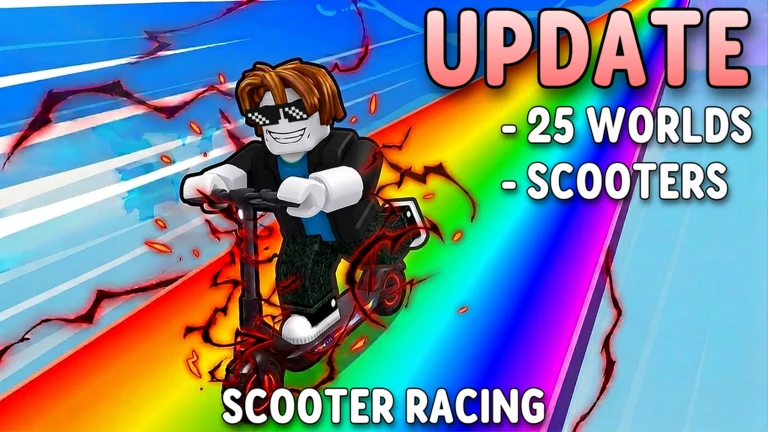
At high speeds the rainbow path flashes colors very rapidly. The game includes a setting specifically for this.
Glossary
Glossary- World
- One of 25 numbered stages that unlock in order as you win races.
- Anti Flashing Path
- An in-game setting that reduces the rapid color flashing of the rainbow track at high speeds.
- OP Pet
- A particularly powerful pet that gives a strong advantage in races.
- Weekend Boost
- A 100% speed gain that runs automatically every weekend.
Common questions
FAQHow do I increase my speed?
Click or tap the screen continuously during a race to build speed. On weekends a 100% Speed Gain Boost is active automatically. Roblox Premium members also get a permanent 20% boost on top of that.
How many worlds are there?
There are 25 worlds in total, with the Monochrome World as the final one. More worlds are planned for future updates.
The flashing colors on the track bother me — what do I do?
Go into the in-game settings and turn on Anti Flashing Path. This reduces the rapid color flashing that happens when you reach high speeds on the rainbow track.
Can I skip worlds?
No — worlds unlock strictly in numerical order. You have to complete each one before the next opens.
Game updates can change what is on this page. If you spot something, get in touch and let us know.
