
Shred a Fish Guide: The basic loop
About
OverviewShred a Fish is a Roblox simulator where you pick up fish, throw them into a shredder to earn money, buy upgrades, and rebirth to grow stronger. This guide walks you through the core loop, smoothies, rebirths, and the hidden letter badges so you can make progress from your very first session.
What is on this page
Contents
The basic loop
Step
Pick up a fish, throw it into your shredder, collect the money it generates, and then rebirth when you are ready.
- Pick up a fish grab one from the field around you.
- Throw it into the shredder aim at the shredder and toss the fish in.
- Collect the money the shredder generates cash each time a fish goes through.
- Spend your money head to the shop and buy a blade; your first purchase earns you the Buy a Blade badge.
- Rebirth when ready once you have grown enough, rebirth to restart in a stronger state.
MetaNew Player Survey

The next survey is being prepared.
Smoothies and rebirths
Tips
Shredding fish can produce smoothies as a result. The first time you pick one up you earn the Collect Smoothie badge. Rebirth is not a one-time event — you can do it repeatedly, and each time you come back stronger than before.
- Pick up your first smoothie to earn the Collect Smoothie badge.
- Rebirthing resets your run but leaves you in a stronger state.
- Repeat rebirths are a growth path in the game, not a single milestone.
Swords, speed coils, and fighting other players
Table
Once you earn a sword and a speed coil, you can fight other players in the same room. A single room holds up to eight players.
| Sword | lets you engage other players in combat. |
| Speed coil | the second item needed to participate in PvP. |
| Room size | up to eight players per room. |
Device support and a note on the game's reach
Summary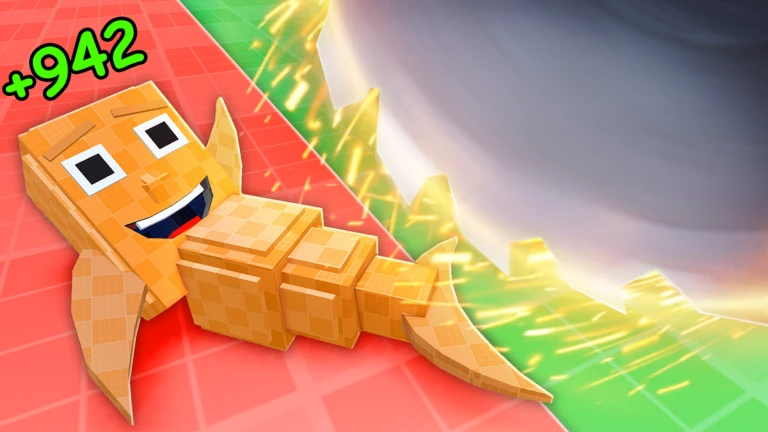
The game runs on all devices, so you are not locked to a PC. It had accumulated over 12 million total visits and nearly 983,000 favourites as measured on October 29, 2026.
- Device support PC, mobile, and tablet all work.
- Total visits over 12 million as of October 29, 2026.
- Favourites nearly 983,000 as of October 29, 2026.
Community strategy ideas
CommunityThese ideas and tips come from people playing the game. Share your discoveries too!
No strategy ideas yet. Share a tip you discovered.
Share a strategy idea
Shred a Fish
Glossary
Glossary- Shredder
- The machine you throw fish into to generate money.
- Smoothie
- An item that can drop when you shred a fish; collecting your first one earns a badge.
- Blade
- An item you buy from the shop; purchasing your first one earns the Buy a Blade badge.
- Rebirth
- A reset you trigger after building up progress, which lets you restart in a permanently stronger state.
- Speed coil
- One of two items, alongside a sword, that enables you to fight other players in your room.
Common questions
FAQWhat does rebirthing actually do?
Rebirthing resets your current run and brings you back in a stronger state than before. You can rebirth more than once.
How do I get a smoothie?
Smoothies can appear when you shred fish, so keep throwing fish into your shredder and watch for them to drop. Picking up your very first smoothie unlocks the Collect Smoothie badge.
Can I fight other players, and how many are in a room?
Yes — once you have both a sword and a speed coil, you can fight other players. Each room fits up to eight players at a time.
What are the S, H, R, E, and D badges?
They are five badges, each named after one letter in the word SHRED.
Game updates can change what is on this page. If you spot something, get in touch and let us know.
