
Flowery Belle Tower Guide: How the game works

About
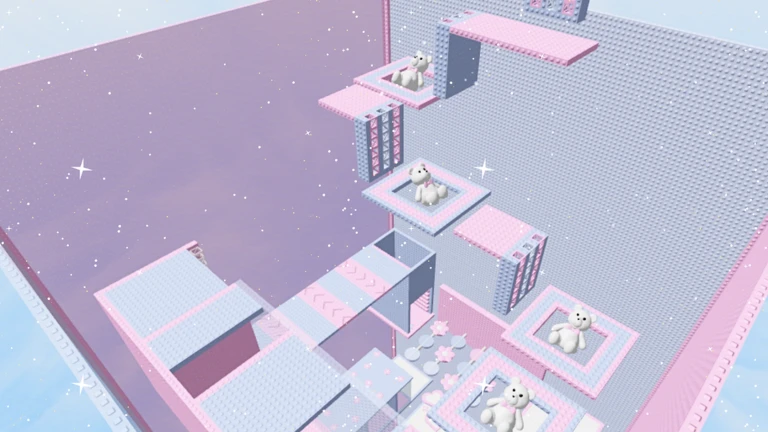
OverviewFlowery Belle Tower is a solo-friendly obby where you climb a flower-themed tower one stage at a time. This guide covers the basics of getting started, what to do when you get stuck, how to choose your play style, and the free commands available in the game.
What is on this page
Contents
How the game works
Summary
Each stage you complete takes you higher up the tower. Clearing stages earns you badges that record your progress, so you always have a clear sense of how far you have come. The game supports up to twenty players in one server, but it is designed to be enjoyable at your own pace whether others are around or not.
- Goal clear stages to climb the tower
- Progress tracking badges mark each stage you finish
- Server size up to twenty players per room
- Difficulty you can retry any stage as many times as you need
MetaNew Player Survey
The next survey is being prepared.
What to do when you get stuck
Check
Before giving up on a stage, run through a quick check of the basics. Small adjustments to how you see the stage or how your controls are set up can make a section that felt impossible suddenly feel manageable. You always have the option to restart the stage and try a different path.
- Check that WASD keys or your mobile controller are responding correctly
- Turn on Shift Lock to fix your camera angle so ledges and gaps are easier to see
- Restart the stage if you need a completely fresh attempt
Solo play, group play, and private servers
Table
Because rooms hold up to twenty players, you can share the climb with friends. If you want a quieter space with no strangers, a private server gives you and your group the whole tower to yourselves.
| Solo | lets you focus without interruption and move at exactly your own pace |
| Group in a public server | share the climb with up to nineteen others |
| Private server | rent one to play with only the friends you invite, free from outside players |
Free in-game commands
TipsFlowery Belle Tower includes free commands you can use to customize your avatar's appearance. These are purely cosmetic and do not affect gameplay or stage difficulty in any way.
- The /korblox command changes your avatar's appearance at no cost
- The /headless command is another free cosmetic option for your avatar
- Neither command gives you any advantage on stages — they are purely for fun
Glossary
Glossary- Shift Lock
- A camera mode that fixes your view behind your character so you can look around more precisely while moving.
- Badge
- An in-game award you earn by clearing stages, which permanently records your progress.
- Private Server
- A rented server that only you and the players you invite can join.
Common questions
FAQHow many people can play in one server?
Up to twenty players can be in the same room at once.
Can I play on mobile?
Yes. The game has Shift Lock mobile support built in, so you can control the camera properly on a phone or tablet.
Do the free commands help me get through stages faster?
No. The /korblox and /headless commands only change the way your avatar looks. They have no effect on stage difficulty or how your character moves.
What happens if I fail a stage?
You can retry as many times as you like.
Game updates can change what is on this page. If you spot something, get in touch and let us know.
