
Azure Latch Guide: Controls for every position
About
OverviewAzure Latch is an unofficial, fan-made Roblox soccer game built around the Blue Lock anime. Two teams of five face off to score goals using shots, dribbles, and tackles. This guide walks you through the controls, positions, and habits that will actually make you useful to your team.
What is on this page
Contents
Controls for every position
Table
Every control maps to a single key, but the effect can change based on your position. Field players use Q for sliding tackles and side dashes. Goalkeepers press the same key and get a dive instead. The rest of the controls work the same for everyone: M1 shoots, E dribbles when you have the ball, the number keys fire your skills, and R blows the whistle.
| M1 (LMB) | shoots the ball in the direction your camera points; hold to charge a stronger shot |
| E | dribbles past defenders when you are carrying the ball; trips anyone who tries to steal during it |
| Q (field player) | slides forward to steal the ball, or side-dashes left and right |
| Q (goalkeeper) | dives in the direction you are walking to block shots |
| 1–5 | character skills, each with a cooldown |
| R | whistle |
MetaNew Player Survey
The next survey is being prepared.
How a match works
Summary
Each match lasts five minutes with a thirty-second intermission between games. Players split into Home and Away teams and pick one of five positions before play begins. A team wins immediately if they go five goals ahead of the other side, or they win on points when the timer runs out. The player with the most goals on the winning team gets the MVP animation at the end.
- Match length five minutes
- Intermission thirty seconds between matches
- Win condition five-goal lead at any point, or more goals when time expires
- Positions per team CF, CM, LW, RW, GK
- Uncovered GK a bot fills the goalkeeper spot if no human picks it
- MVP awarded to the top scorer on the winning team
Shooting and advanced ball skills
Tips
A basic shot fires in the direction your camera faces, but how you move while shooting changes where the ball curves. Moving right while shooting bends it right; moving left bends it left. Holding M1 and looking up adds more curve. Holding the button longer charges the shot and your character flashes white particles when the charge is full. Shooting a ball that is already in the air counts as a volley, which is stronger than a grounded shot.
- Hold M1 to charge — release when you see the white particle flash for maximum power
- Strafe while shooting to curve the ball toward that side
- Shoot a moving or airborne ball to trigger a volley, which hits harder than a standard shot
- Headers chain up to five or six times — after three, slide in the air with Q to keep the chain going
- Doing a header into a tackle header lets you set up a solo volley without a teammate
Position-by-position responsibilities
Check
Each of the five positions has a distinct job. Filling the wrong one, or playing it badly, hurts the whole team. Use this list to check whether you are doing what your position actually demands before blaming teammates.
- CF Can you dribble past multiple defenders and score from any angle? If not, do not lock this spot.
- LW/RW Are you feeding passes to the CF and covering when they lose the ball?
- CM Are you splitting time between supporting attacks and staying back to protect the goalkeeper?
- CM Did someone cover the kickoff slide in case the CF gets punished for spamming steals?
- GK Have you practiced the position before taking it in a real match? Going in cold is the most common GK mistake.
- GK: Are you jumping, waiting a beat, and then pressing Q rather than diving too early?
Habits that lose matches
Warn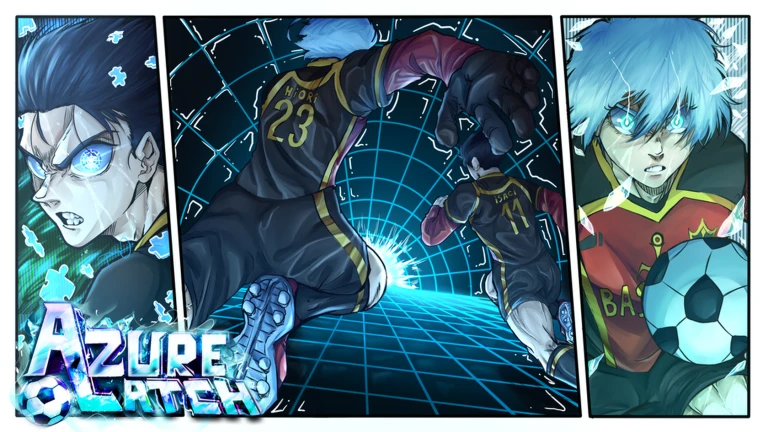
The community notes on roles point to specific errors that show up constantly in matches. Cutting these out will help your team even if nothing else about your play improves.
Free cash and redeem codes
StepCash unlocks animations, styles, and emotes. It has no effect on how strong you are in a match, so there is no pressure to spend it quickly. Codes expire and can only be used once, so enter them as soon as you find one. Three conditions gate the redemption system, and skipping them means your code will not go through.
- Meet the conditions like the game, join the Roblox community, and follow the specified developers before anything else
- Open the menu click Menu at the bottom of the screen after loading into the game
- Go to Rewards select the Rewards tab inside the menu
- Enter your code type it exactly into the input field and press Redeem
- Check for errors if it shows as invalid, re-confirm the three conditions are done and that the code has not expired or already been used
 TIMOTHYSAYSRINISCOMINGSOON
Money
october
horror-themed MVP
TIMOTHYISHEREFORNAGI
10k style coins and 15k cash
SEALSARETHEBEST
TIMOTHYSAYSRINISCOMINGSOON
Money
october
horror-themed MVP
TIMOTHYISHEREFORNAGI
10k style coins and 15k cash
SEALSARETHEBEST
What cash actually buys
SummaryEverything you unlock with cash — animations, emotes, and styles — is visible to others but does not change how a shot travels or how fast you move. The match itself is fully playable without spending anything.
- Match access completely free, no purchase required
- Cash uses animations, emotes, and cosmetic styles only
Glossary
Glossary- CF (Center Forward)
- The primary attacking position, expected to dribble past multiple defenders and finish from anywhere.
- CM (Central Midfield)
- A two-way position that links attack and defence and covers the goalkeeper when the rest of the team pushes forward.
- LW / RW (Wing)
- Supporting attackers who supply passes to the CF and step in when the CF loses the ball.
- GK (Goalkeeper)
- The last line of defence; uses Q to dive at shots rather than to tackle or dash.
- Volley
- A shot taken while the ball is still moving or in the air, which hits harder than a standard grounded shot.
- Slide (called Slice in-game)
- Pressing Q as a field player dashes you forward; connecting with a ball carrier steals the ball but colliding with a dribbling player stuns you for about four seconds.
- Header
- Jumping under a ball and tapping M1 while looking straight up; chains of up to five or six are possible.
- Cash
- The in-game currency used to unlock cosmetic items such as animations and emotes; has no effect on match performance.
- Cooldown
- The wait time after using a skill or move before you can use it again.
- MVP
- The top scorer on the winning team, who plays a special animation when the match ends.
Common questions
FAQWhat happens if nobody picks goalkeeper?
A bot automatically fills the GK spot so the team is not left completely exposed.
How do I change my position during a match?
You have to reset your character to switch positions.
My code says it's invalid — what should I check?
First confirm you have liked the game, joined the Roblox community, and followed the specified developers, since all three are required before any code works. If those are done, the code may be expired or already used on your account.
Game updates can change what is on this page. If you spot something, get in touch and let us know.
