
Build Logic — Getting into a server
About
OverviewBuild Logic! is a sandbox construction game by Tomtom4500 where you build anything from simple blocks to working digital circuits. Servers hold up to 16 players, so you can build with friends or join a stranger's project.
What is on this page
Contents
Getting into a server
Step
The main menu appears when you first load in. Public servers are listed on the left, and your friends' servers are on the right. Each listing shows the server name, the owner's username, how long the server has been running, and how many players are in it. Type into the filter box above the public list to narrow results by name.
- Read the listing check the server name, owner, uptime, and current player count before clicking.
- Use the filter type a keyword to find servers that match what you want to do.
- Pick a server type public servers cover free build, circuit, story, mall, and many other themes.
- Click a green-background friend that means they own the server and you can join it directly.
- Use 'Teleport to your server' the button at the bottom right of the menu drops you straight into your own server.
- Skip the tutorial button it is on the menu but not working yet; the game notes it will be available soon.
Joining a friend
Warn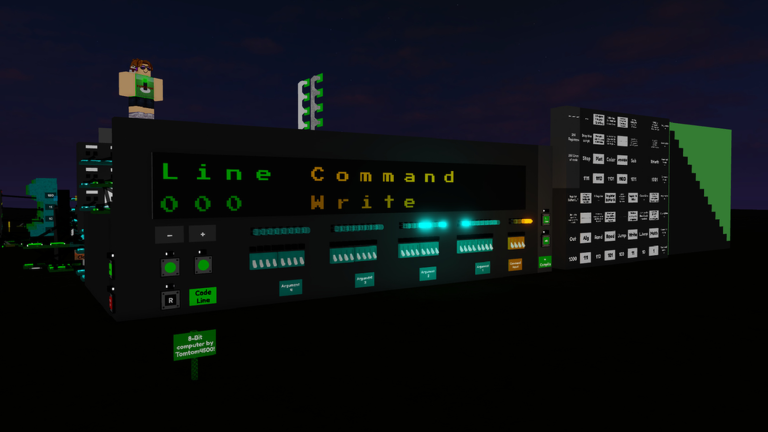
The friend list on the right side of the main menu uses background colours to show each friend's status at a glance. Green means they own their server and you can click to join. Yellow means they are in someone else's server — clicking shows you who the owner is instead. Purple means they are on a private server and cannot be joined that way. If a friend has the custom join code gamepass, you can type their code into the box at the top of the friend list to reach their server.
Controls worth memorising
Summary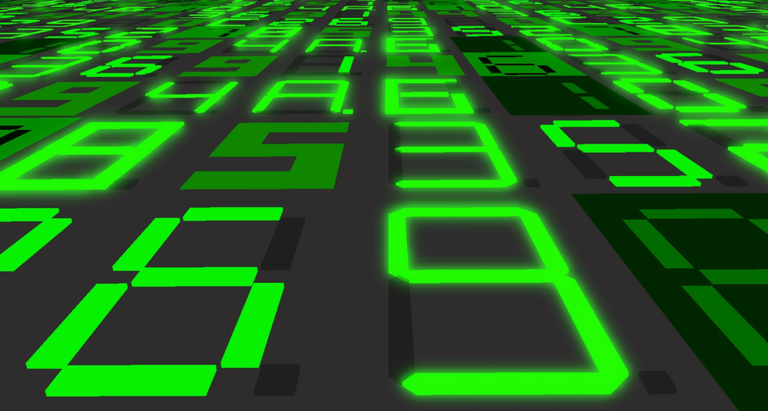
These shortcuts are built into the game and listed on its page. Learning them early keeps you from slowing down mid-build.
- Rotate R, T, Y keys spin a held item so you can place it at the right angle.
- Sprint hold Shift to move at super speed across the baseplate.
- Chat / command press / to focus the chat bar, which also works as a command prefix.
- More keybinds open Settings, then Client Settings, then Edit Keybinds to see and remap everything else.
The building area
TipsThe baseplate is a flat square 256 blocks wide and 256 blocks long, with a height limit of 256 blocks above it. A translucent border roughly 200 blocks thick surrounds it. You can set the baseplate's surface to any of 17 different materials, or switch it to Void to remove the floor entirely.
- The total buildable volume is 256 by 256 by 256 blocks.
- The default baseplate surface uses a grass material with a dark-green colour.
- Choosing Void for the baseplate material removes the floor.
- The baseplate materials list is mostly different from what the paint tool offers.
Logic gates and components
Tips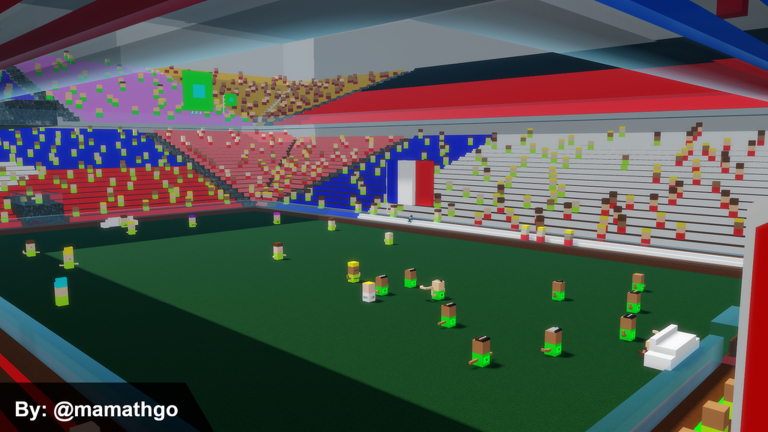
Build Logic! organises its components into categories. The 8 Bit Gates group holds eight-input versions of standard gates that each fit in a 1-by-4 space, which is more compact than wiring seven separate 2-bit gates together. The Math sub-category includes comparators for arithmetic. Display blocks let you show numbers and characters on screen.
- The 8 Bit AND Gate outputs 1 only when all eight of its inputs are 1 — any single 0 drops the output to 0.
- The 8 Bit Buffer Gate lets you pass or block an 8-bit signal; turning on both Output and Invert flips all bits, which is useful for subtraction with an 8 Bit Adder.
- The 4 Bit Comparator takes two 4-bit numbers and outputs which is larger; you can chain multiple comparators together for wider comparisons.
- The 4 Bit Shifter Counter shifts a single active bit left or right across four positions rather than counting in binary, and it cannot be scaled.
- The 4 Bit WiFi block transfers a 4-bit signal wirelessly, which is handy for hiding long wire runs across a build.
Display options for output
Tips
Seven-segment displays show numbers and some letters. Each variant in the category works differently, so pick the one that fits your build's needs.
- The HEX Color Display shows digits 0 through 9 and the letters A, b, C, d, E, F, with an optional dot, and you can set its colour.
- The HEX Color Display 2 is the same as the standard HEX Color Display but has smoothed segments.
- The HEX LCD Display shows only the segments that are active, hiding the rest.
- The Mini HEX Color Display is smaller than a single block and can show two-digit numbers, making it twelve times more information-dense than the standard version — though it adds a leading zero when the value has an odd number of digits.
- The Controllable Color Display can be used to make animations.
- The 16x16 RGB2 Panel combines text and RGB lighting; you set a character and colour, then use the Clock input to write it to the display.
Rules and free-to-play access
CheckThe game posts its moderation policy directly in the server browser. Breaking Roblox's terms of service or community guidelines results in a seven-day suspension, and a repeat offence leads to a permanent ban. On the free-to-play side, every core feature is available without spending anything.
- The only paid item is the custom join code gamepass, which lets you set a short code so friends can reach your server quickly.
- Roblox's terms of service and community guidelines apply in every server violations result in a seven-day suspension, and repeated offences lead to a permanent ban.
Glossary
Glossary- Public server
- An open server anyone can find and join through the main menu, with a maximum of 16 players.
- VIP server
- A private server whose owner controls access; it appears with a purple background in the friend list.
- Join code
- A short code set by a server owner who has the custom join code gamepass, letting friends bypass the friend list to join directly.
- Baseplate
- The 256-by-256-block floor of your build area, which you can retexture or remove entirely using the Void material.
- 8 Bit Gates
- A group of logic gates that each handle eight inputs at once and fit inside a 1-by-4 block footprint.
- 4 Bit Shifter Counter
- A counter that moves a single active bit left or right across four positions instead of counting in binary.
- Splash text
- A short random message shown at a 45-degree angle beside the main menu logo, similar to Minecraft's splash text.
Common questions
FAQHow do I get back to the main menu after joining a server?
There is no way to return to the main menu once you are inside a server. You need to leave the game completely and rejoin to see the main menu again.
Why can't I join my friend directly from the Roblox app?
Build Logic! uses reserved servers, which block direct joins from outside the game. Open the game, go to the friend list on the right side of the main menu, and click your friend's name there instead — or ask them for their join code if they have the gamepass.
How many players can be in one server?
Every server type — public, friend, and VIP — has a maximum of 16 players.
When does the output of an 8 Bit AND Gate turn on?
The output is 1 only when every single one of its eight inputs is also 1. If even one input is 0, the output stays 0.
What is the 8 Bit Buffer Gate useful for?
With Output and Invert both active, it flips all bits in an 8-bit number — turning every 1 into a 0 and vice versa. This is especially handy for subtraction when paired with an 8 Bit Adder.
Game updates can change what is on this page. If you spot something, get in touch and let us know.
