
Supermarket Simulator — First steps when you load in
About
OverviewSupermarket Simulator puts you in charge of your own store — stocking shelves, setting prices, running the register, hiring staff, and expanding the whole operation. This guide walks you through getting started, growing your income, and fixing the problems that slow most players down.
What is on this page
Contents
First steps when you load in
Step
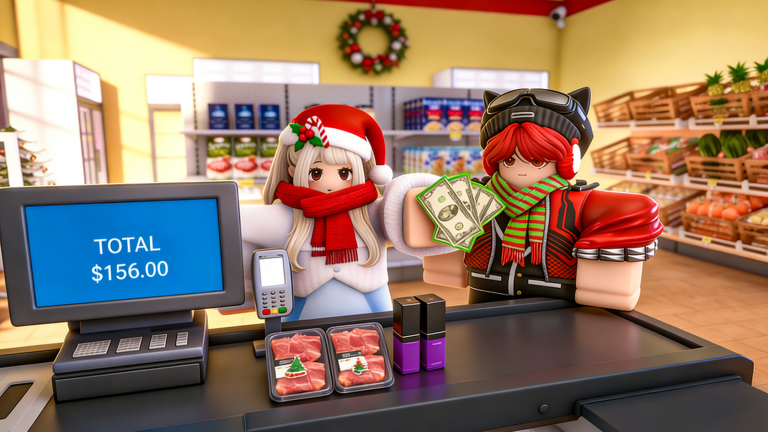
When you start, your store area is already set up and waiting. Your job right away is to move products from storage to the shelves, then price everything before customers arrive. Once items are on the shelves with prices attached, stand at the register to handle payments and earn your first money.
- Check storage pull the products you have available and carry them onto the floor.
- Stock the shelves group the same type of product together so the display looks clean and is easy to shop.
- Set prices give every item a price that leaves you a profit over what it cost you.
- Stand at the register serve the customers who walk in to turn your stock into cash.
Pricing and product strategy in the early game
TipsYou have complete freedom over what you charge, but pushing prices too high will drive customers away and cut your revenue.
- Price items to make a profit, but stay close enough to market value that customers keep buying.
- Never let shelves go empty — no stock means zero sales for that spot.
Hiring staff and growing the store
TipsOnce you are earning steadily, running everything yourself becomes the bottleneck. Staff handle shelf restocking and support tasks, so when you step away from the register the store keeps operating. Expand the store size in stages — each expansion lets you carry more products and attract more customers.
- Build up a solid cash reserve before hiring so staff wages don't push you into a loss.
- Let staff take over shelf duties so you can focus on decisions like pricing and expansion.
- Expand the store footprint gradually rather than all at once.
- Add new product lines as the store grows to fill the extra shelf space.
What to check when progress stalls
WarnIf your income has stopped growing, work through the basics before making big changes.
Redeem codes and upcoming features
SummaryThe game distributes codes you can redeem for free rewards through the in-game menu. Each code works only once. A new code unlocks once the game reaches 450,000 likes, so giving the game a thumbs-up helps the whole community. On the development side, online orders and delivery, shoplifter mechanics, security systems, and a local market are all planned additions.
- Active codes four are currently tracked; find them in the codes section of this page.
- Code limit each code can be redeemed once per account.
- Community milestone a new code releases when the game hits 450,000 likes.
- Coming soon online ordering, delivery, shoplifters, security, and a local market.
 Excellence
1,500 Cash
Fantastic20k
Amazing
Favorites200k
Excellence
1,500 Cash
Fantastic20k
Amazing
Favorites200k
Glossary
Glossary- Storage
- The back-room area where your product stock is kept before you move it out to the shelves.
- Shelf stocking
- The act of placing products from storage onto the sales floor so customers can buy them.
- Price setting
- Choosing how much to charge for each product — fully up to you, but too high and customers stop buying.
- Register
- The checkout point where customers pay; standing here is how you collect revenue.
- Staff
- Employees you hire to handle shelf restocking and support work so you can step away from the register.
- Store expansion
- Increasing the size of your store to fit more shelves, more products, and more customers.
Common questions
FAQDo I need to spend real money to get far in this game?
No. The store grows entirely on the profits you earn in-game. You can expand, hire staff, and add new products without any real-money purchases.
A code I tried isn't working — what's wrong?
Each code can only be used once per account, so if you've already redeemed it the game won't accept it again. Some codes also have expiry dates.
Game updates can change what is on this page. If you spot something, get in touch and let us know.
