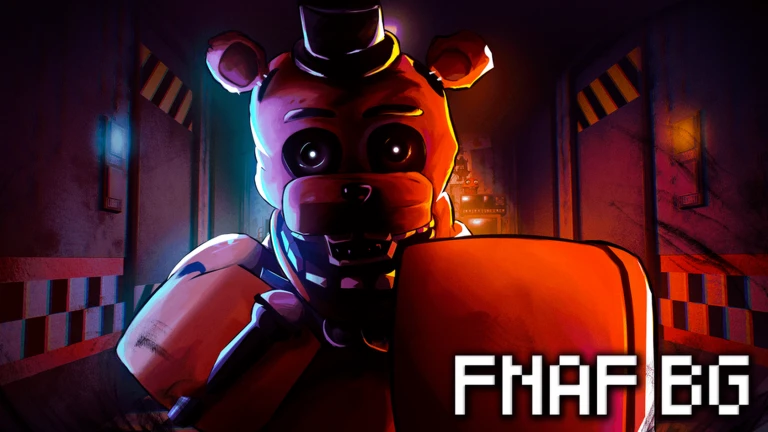
FNAF Battlegrounds drops you into a fight as characters from Five Nights at Freddy's, where the goal is simple: rack up kills and earn as much pizza as possible. This guide covers the controls, combat mechanics, characters, and chip upgrades so you can start winning fights and working toward those long-term kill badges.
In shortLearn these seven inputs before anything else — every other mechanic builds on them.
The game runs on all devices, so the controls below apply to PC. Mobile players tap the on-screen punch icon instead of left-clicking. Console players use the equivalent mapped buttons.
Left Clickthrow an M1 punch
1–4use your character's four skills
Gactivate your awakening when the bar is full
Fhold to block incoming attacks
Qdash in the direction you are moving
Q while ragdolledperform an evasive roll to recover
In shortM1 attacks follow a four-hit chain with two powerful finishers you can choose between on the last hit.
Every M1 chain is four hits long. The fourth punch knocks your opponent back and puts them into a brief ragdoll state. After four hits the chain goes on a short cooldown before you can punch again. Two special finishers change how that last hit lands.
Throw punchesleft-click up to four times; each hit deals roughly 3–4% damage.
Trigger the uppercuthold Space throughout the chain and the fourth hit launches your opponent into the air instead of knocking them back.
Trigger the downslamjump before landing your last punch and you slam the opponent into the ground.
Chain into skillsonce a target is ragdolled, several skills can still connect, so use that window to follow up.
03Live and upcoming eventsEvents
Events running now or coming soon. They have fixed dates, so check them first.
In shortBlocking stops many attacks but slows you down, so combine it with dashing rather than relying on it alone.
Holding F raises your block, which can stop M1 hits, some projectiles, and certain grab attacks. The trade-off is reduced movement speed while the block is held. Some attacks bypass blocking entirely and deal full damage regardless.
Worth watching out for
Dash out of pressure insteadpress Q with a direction to dodge sideways or backward away from combos.
Combine a side dash and a forward dash back-to-back to put serious distance between you and an opponentthis is the standard escape option.
05
Awakening system
Summary
In shortDealing damage fills the awakening bar, and a full bar unlocks a second, stronger moveset until it runs out.
A bar at the bottom of your screen fills gradually as you damage or defeat opponents. Once it is full, press G to activate your awakening. While awakened you swap to a separate set of four moves. Most characters return to their normal moveset when the awakening ends — but Circus Baby dies after her awakening finishes, so pick the moment you activate it carefully.
Bar fills by dealing damage and getting kills
Activation input G key when bar is completely full
Circus Baby exception dies permanently at the end of her Amalgamation awakening
Withered Foxy note pressing G with a full bar during his awakening plays the Foxy boss fight music
06
Free characters and how they play
Tips
In shortAll free characters are solid starting picks, and each one rewards a different style of play.
Several characters cost nothing and are available to everyone from the start.
Tips worth knowing
Freddy is the first character you have when you join and covers both close and mid range with Tophat Toss and Security Door.
Using Tophat Toss and Security Door together causes the door to follow up automatically if the hat is in contact with the target.
Pressing R during Lights Out puts Freddy into Temporary Outage, which lets him throw five hats at once instead of one.
Freddy's awakening move Pizza Meteor deals 18% damage and adds burning damage over time.
Foxy's hook combo hits ragdolled targets with Hook Strike and Hook Volley, so you can keep a combo going after a knockback.
Balloon Boy is shorter than every other character; his counter move Hello teleports him behind the target and stuns them.
Circus Baby's M1 damage goes from 3.5% to 4.2% while her Controlled Shock special is active.
07
Chips from the Lolbit NPC
Table
In shortBuy chips from the Lolbit NPC near the parking lot entrance to temporarily raise your attack, defense, or regen.
Each chip comes in three types — Attack, Defense, and Regen — at the same price and duration for that grade. Head to the corner nearest the parking lot entrance to find Lolbit.
Chip
Boost amount
Duration
Cost (Pizza)
Green
+5%
10 minutes
750
Orange
+10%
12 minutes
1,250
Red
+14%
15 minutes
2,000
08
Kill badges and long-term goals
Step
In shortThere are five kill-count badges to earn, from your very first kill up to ten thousand.
Every kill earns you pizza, so chasing badges and building your currency go hand in hand.
First Killget into a match and land any kill; this unlocks the welcome badge.
10 Killsreach 10 kills.
100 Killsreach 100 kills.
1,000 Killsreach 1,000 kills.
10,000 Killsreach 10,000 kills.
Glossary
Glossary
M1
The basic punch attack triggered by left-clicking; four hits make one chain before a short cooldown begins.
M1 Chain
A sequence of four M1 punches; the fourth hit knocks the opponent back and can be modified into an uppercut or downslam.
Uppercut
A finishing hit at the end of an M1 chain, performed by holding Space throughout the chain, that sends the opponent into the air.
Downslam
A finishing M1 hit performed by jumping before the last punch, driving the opponent into the ground.
Ragdoll
The state an opponent enters after being knocked back or launched, during which several moves can still hit them.
Awakening
A powered-up second moveset unlocked by pressing G when the awakening bar at the bottom of the screen is full.
Pizza
The game's currency, earned by getting kills, and spent on chips and emotes.
Chip
A timed boost bought from the Lolbit NPC that raises attack, defense, or regen for a set number of minutes.
Evasive
A recovery dash performed by pressing Q while ragdolled, letting you escape faster after being knocked down.
Common questions
FAQ
Which character should I start with?
Freddy is already selected when you first join. His moves cover both close and mid range, and his Tophat Toss and Security Door combination gives you a reliable combo to practice. Foxy is another free option with a hook-based playstyle.
Is blocking enough to stay safe?
No — blocking stops many attacks but slows your movement, and some moves bypass it entirely. Dashing is also available as an escape tool.
Does Circus Baby really die after her awakening?
Yes — once her Amalgamation awakening ends, she dies. During the awakening you control Ennard and have access to four moves, but there is no coming back afterward.
Updated Oct 26, 2026
Game updates can change what is on this page. If you spot something, get in touch and let us know.

 Upcoming
–