
CraftBlocks Guide: Core controls
About
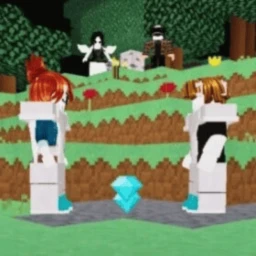
OverviewCraftBlocks is a block-mining and building game on Roblox where up to 19 players share one world, gather materials, craft items, and fight each other. This guide covers the controls, what to mine, how combat works, and the extras that give you a head start.
What is on this page
Contents
Core controls
Check
CraftBlocks keeps its control scheme simple. All the main actions map to mouse buttons and a handful of keys, so you can start mining within seconds of joining.
- Left-click breaks the block you are pointing at
- Right-click places a block from your inventory
- Right-click also lets you interact with other players
- E opens your inventory so you can check what you are carrying
- Left Ctrl makes you sprint across the world faster
- Q drops the selected item when you need to clear space
MetaNew Player Survey
The next survey is being prepared.
Materials worth mining first
TipsThe world generates endlessly, so you will never run out of ground to dig.
- Dirt is one of the materials you can mine
- Stone is one of the materials you can mine
- Wood can be crafted into lumber
- All three appear throughout the world
Fighting other players
Step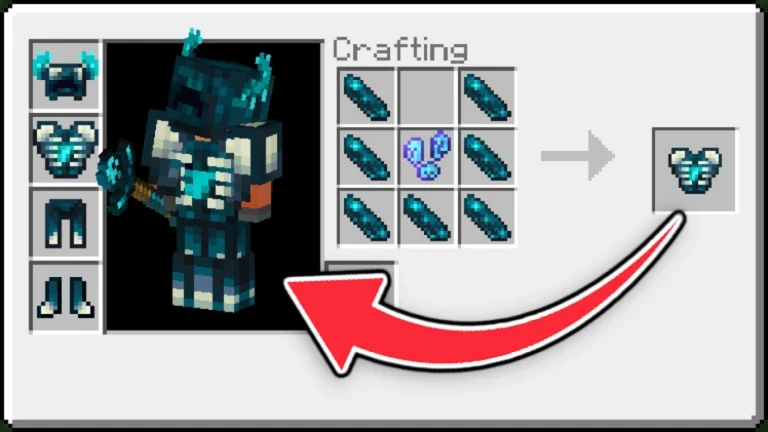
Combat is one of the main reasons to keep mining. Weapons can come from drops or from crafting, and recent updates added more sword and pickaxe types to choose from.
- Weapons can be found while mining or crafted from collected materials
- Press E to open inventory and equip a weapon
- Recent updates added more sword and pickaxe types to choose from
- The game asks you to survive to your best ability
Group membership and free kit
SummaryThe developer offers two rewards to anyone who joins the official Roblox group. Type the kit command in chat after joining to claim your items.
- Chat tag a label that appears next to your name in chat, marking you as a group member
- Free item kit a set of starter items given to group members
- Command type :kit group in the chat box to redeem the kit once you are in the group
VIP servers for focused play
TipsVIP servers are free to use and include automatic saving.
- VIP servers cost nothing to create
- Everything you build and mine saves automatically, so closing the game does not wipe your work
- Invite friends to join your VIP server for cooperative mining and building
Glossary
Glossary- Inventory
- The container that holds every block and weapon you pick up, opened by pressing E.
- Crafting
- Combining collected materials to produce new items or weapons.
- Pickaxe
- A tool used to mine blocks. Recent updates added more pickaxe types.
- VIP Server
- A private server you create for yourself and your friends, with automatic progress saving included at no cost.
- Kit
- A bundle of starter items given free to developer group members, claimed with the :kit group chat command.
Common questions
FAQIs this game the same as Minecraft?
No. CraftBlocks is a separate Roblox game built entirely from Roblox assets, with no content taken from Minecraft. The block-mining style is similar, but everything you see in the game was made within Roblox.
How many players can be in one world at the same time?
Up to 19 players can explore, mine, and fight in the same world together.
Will I lose my mined materials if I leave the game?
On a VIP server, your progress saves automatically so your materials are there when you come back.
Where do weapons come from?
You can find weapons while mining or craft them from the materials you collect. Recent updates added more sword and pickaxe options.
Game updates can change what is on this page. If you spot something, get in touch and let us know.
