
The Locust's Manor Guide: Setup before you start playing
About
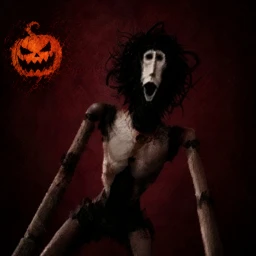
OverviewThe Locust's Manor is a horror puzzle game where you wake up inside a mysterious house and have to find a way out. You'll open doors, solve puzzles, and dodge monsters as you work toward the exit. This guide covers how to set yourself up before you start, the core gameplay loop, difficulty options, badges worth chasing, and what the latest update changed.
What is on this page
Contents
Player notes and tips
Found a useful trick? Share it with everyone! Notes with screenshots are welcome!
Write a guide note
The Locust's Manor
Setup before you start playing
CheckThe game gives you one free revive for joining the developer group and liking the game on its Roblox page. Both actions are free, and the revives are ready from the moment your run begins. If your revives are not showing up, go back and check whether both steps went through before launching.
- Join the developer group this is part of the free revive bonus
- Like the game on its Roblox page together with the group join, this gives you one free revive
- If revives seem missing, confirm the group join registered before starting a new run
MetaNew Player Survey

The next survey is being prepared.
Core gameplay loop
Step
The goal is to escape the manor by opening doors to move between areas and solving whatever puzzle or challenge each area puts in front of you. At the same time, monsters roam the house on their own, so you need to stay aware of where they are and run when one gets close. Playing with friends makes both sides of the game easier — one person can work on a puzzle while others keep watch.
- Find the next door moving deeper into the manor is how you make progress
- Solve the puzzle or challenge in that area before pushing forward
- Watch for monsters they move through the house independently
- Run when a monster gets close
- Split the work in co-op have one player on puzzles while others watch for threats
Difficulty options
Table
Beyond the standard game, two harder options are available. Impossible Mode raises the difficulty significantly and has its own completion badge. Try Hard is a separate new gamemode added in the latest update. Lights Out is a badge condition rather than a full mode — you earn it by playing with the lights off.
| Normal mode | the starting point; completing it earns the Complete The Game badge |
| Impossible Mode | higher difficulty; completing it earns the Complete In Impossible Mode badge |
| Try Hard | a new gamemode added in the latest update |
| Lights Out | play with lights off to unlock this badge |
What the latest update added
Summary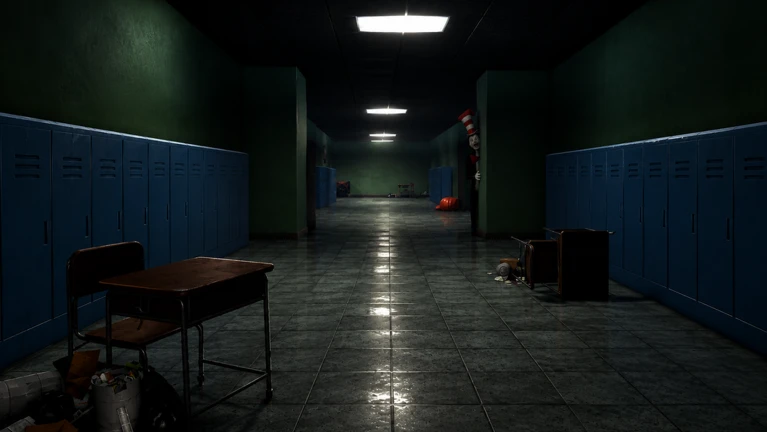
The update added a second floor to all manor sizes and removed Big Manor temporarily. The Boiled One received new AI, and a new harder gameplay style was introduced for the manor overall. The forest map gained a Generators minigame. New emotes are buyable with coins, the VIP tag was fixed, and various bugs were addressed.
- Second floor added to all manor sizes, expanding the layout
- Big Manor temporarily removed
- Boiled One AI overhauled with new behavior
- Harder gameplay the manor now presents a tougher challenge
- Try Hard gamemode a new mode available to players
- Generators minigame new activity added to the forest map
- Emotes new ones purchasable with coins
- Bug fixes known issues including the VIP tag were resolved
Badges worth knowing about
Table
Badges are earned by hitting specific in-game conditions. Some reward normal play, while others push you toward harder challenges or special interactions.
| Badge | How to earn it |
|---|---|
| Complete The Game | Beat the game in normal mode |
| Complete In Impossible Mode | Beat the game in Impossible Mode |
| Revive | Use a revive during a run |
| Lights Out | Play the game with the lights off |
| You're RICH! | Buy all the passes on the game page |
| Meet The Admin! | Encounter Bunny in the game |
| Meet The Owner! | Encounter Briz_Dev in the game |
| Best Buddies | Have the head admin or the owner added as a Roblox friend |
| Candy Master | Unlock the Ghost class |
When things go wrong
Warn
If the game behaves unexpectedly or you hit a bug, report it through the developer group on Roblox — that is where the team tracks and fixes issues. If your revive is not showing up, double-check that both the group join and the like are complete before starting a run.
Glossary
Glossary- Revive
- A second chance to keep playing after a monster catches you — you get one free by joining the group and liking the game.
- Monster
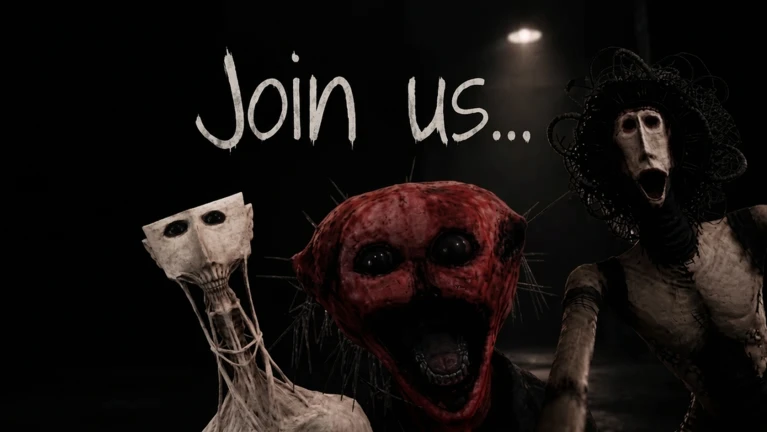
- An enemy that roams the manor on its own; the Locust, the Boiled One, and Guilt are the named ones.
- Forest map
- An area outside the original manor setting that includes a Generators minigame added in the latest update.
- Impossible Mode
- A harder version of the game with its own completion badge.
- Try Hard
- A new gamemode added in the latest update, separate from Impossible Mode.
- Ghost class
- A class unlocked by meeting the Candy Master badge condition.
Common questions
FAQCan I play this game alone?
Yes, the game can be played solo. Co-op is supported though, and having teammates makes it easier to handle puzzles and watch for monsters at the same time.
How do I get a free revive?
Join the developer group and like the game on its Roblox page — both steps together give you one free revive. If it is not showing up, re-check that both actions went through before starting your run.
What do I do if I find a bug?
Report it through the developer group on Roblox. The team tracks issues there and addresses them in updates.
Game updates can change what is on this page. If you spot something, get in touch and let us know.
