
hus from clark Guide: The basics of staying alive
About
OverviewHus from Clark is a horror escape game where you run from a character named Clark, hide when you need to, and clear stages without getting caught. This guide covers the controls, how to survive, how to unlock emotes, and how to redeem codes for rewards.

What is on this page
Contents
Player notes and tips
Found a useful trick? Share it with everyone! Notes with screenshots are welcome!
Write a guide note
[v5.1] hus from clark
The basics of staying alive
Step
Your only goal is to escape Clark. The moment he spots you, the stage ends and you start over, so keep moving and think a step ahead.
- Move
use WASD on keyboard or the directional pad to run around the map.
- Hide
when running is not enough, find cover and wait for Clark to pass.
MetaNew Player Survey

The next survey is being prepared.
What happens when Clark catches you
WarnThere is no penalty beyond restarting the stage.
Unlocking and using emotes
Tips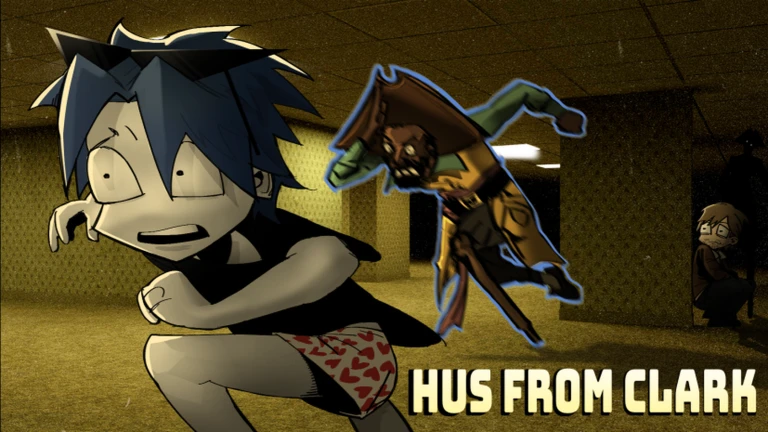
Emotes let your character express themselves, and showing them off is part of playing with friends. Hold B to open the emote menu and pick one to perform.
- Hold B to bring up the emote selection and perform whichever one you choose.
- There are 20 emotes available in total.
- New emotes unlock as you clear stages and meet certain conditions.
- All 20 emotes can be unlocked without spending Robux.
- Emotes are a good way to communicate with other players on the same map.
Playing with friends
SummaryMultiple players can join the same map and flee from Clark together. No extra purchases are needed to play with others.
- Multiplayer
several players can share one map and escape together.
- Cost
multiplayer requires no Robux or paid items.
- Emotes
the emote system is the built-in way to react and communicate with teammates.
Redeeming codes
StepThe game has a code entry screen where you type in a code to claim its reward. As of October 14, 2026, this site is tracking three working codes.
- Type your code carefully
each code works only once.
- Claim the reward
confirm the entry and the reward is added to your account.
- Act fast
codes can expire, so redeem them as soon as you find one.
 BYEBYEALPHA
200K Points
Glossary
Glossary- Clark
- The enemy character you are always running from; if he catches you, the stage ends.
- Emote
- An animation your character performs to express something; hold B to use one, and there are 20 in total.
Common questions
FAQWhat is the point of the game?
You are trying to escape Clark. Run around the map, hide when you have to, and survive without getting caught.
Can I unlock every emote without spending Robux?
Yes. All 20 emotes unlock through normal play by clearing stages and meeting in-game conditions. No purchase is required.
Do I have to play alone?
No. Multiple players can enter the same map and run from Clark together. Multiplayer is fully free with no additional cost.
Game updates can change what is on this page. If you spot something, get in touch and let us know.
