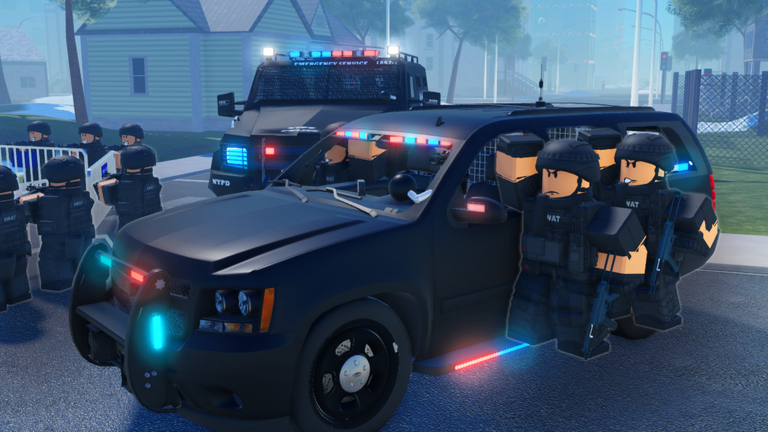
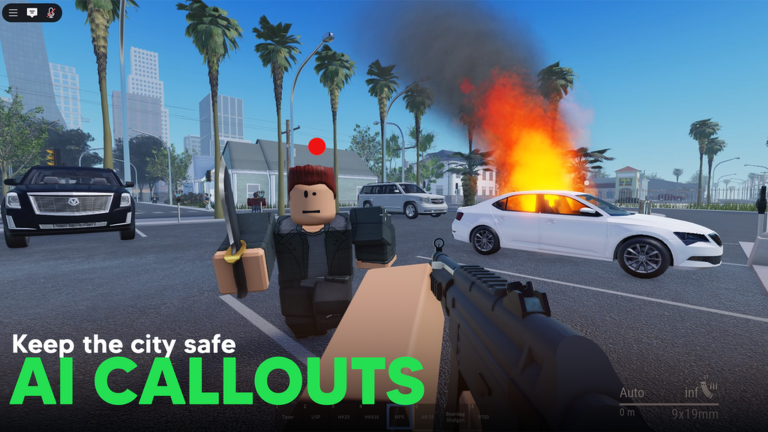
Dispatch: Police Simulator puts you in the role of a police officer responding to emergencies across a living city full of NPC suspects. You'll chase fleeing suspects, pull over vehicles, and restore order using gear you pick from your locker before each shift.
In shortGearing up at the locker and picking a callout from the menu is the core loop that starts every session.
The game doesn't drop you straight into the action — you have a moment to prepare before anything kicks off. Head to the locker first, choose your gear and weapons, then watch the menu for active callouts to appear. Once one shows up that you want to handle, respond to it and drive to the scene.
Go to the lockerpick the gear and weapons you want to carry into the field.
Check the menuwait for active callouts to appear in the list.
Choose a calloutselect the incident you want to respond to.
Drive to the scene.
Locate the suspectfigure out where they are before you close in.
In shortApproaching suspects with a plan beats rushing in every time.
When you arrive at a scene, your first job is to figure out exactly where the suspect is. The game rewards clever approaches over brute-force ones, so take a moment to think before you commit to a direction.
Tips worth knowing
Scan the area as soon as you arrive so you know where the suspect is.
Use your vehicle for suspects who are covering a lot of ground quickly.
Try approaching from an unexpected angle if your first route isn't working.
03Live and upcoming eventsEvents
いま開催中・開催予定のイベントです。期間が決まっているので先に確認しておきましょう。
UpcomingOct 24 – Nov 2
HALLOWEEN EVENT
During the event you will be tasked with completing quests for the headless horseman. As a reward; you shall be allowed…
In shortThe locker lets you swap weapons and equipment freely, and you can return to it during a session to change your setup.
The locker lets you swap weapons and equipment freely, and you can return to it during a session to change your setup. No single loadout works perfectly for every situation, so it pays to experiment. Try a few different combinations across different callout types to figure out what suits how you play.
Tips worth knowing
Try multiple weapon combinations to find what works for you.
Swap to a different weapon set before you try a tough callout again.
05
When you keep failing the same callout
Check
If one callout is beating you repeatedly, work through the checklist below before you try again.
Do you actually know where the suspect is right now, or have you lost them?
Is your current loadout suited to this kind of callout, or should you visit the locker?
Have you tried coming at the suspect from a completely different direction?
Are you using your vehicle when the scene is too wide to cover on foot?
Kisah Aku Jadi Polis Paling Hebat! | Dispatch: Police Simulator (Roblox Malaysia)
06
Free-to-play and group rewards
Summary
In shortThe full police experience costs nothing, and joining the official group adds a bonus reward on top.
Every core part of the game — callouts, gear selection, suspect chases — is available without spending anything. Joining the developer's official group is free and immediately gives you $350 and 100 XP in-game.
Core gameplay fully free, no paywalled callouts or gear
Locker access free for all players, swap anytime
Group reward $350 plus 100 XP for joining the official group
Update cadence new content added every week at no cost
Redeem codes eight working codes tracked by this site as of September 29, 2026
The in-game station where you choose your weapons and equipment before heading to a callout — you can return to it mid-session to change your setup.
Callout
An active incident that appears in the menu, representing a situation in the city that you as an officer can choose to respond to.
Dynamic emergency
A randomly occurring incident in the city that can vary each time, requiring you to adapt your approach.
Order
The overall state of safety in the city, which improves as you successfully resolve callouts.
Common questions
FAQ
What should I do first when I'm brand new to the game?
Go straight to the locker, pick your gear and weapons, then open the menu and wait for a callout to appear. Respond to it, drive to the scene, and focus on locating the suspect before you do anything else.
Can I play through this game entirely on my own?
Yes — the game is designed so you can work through callouts solo at your own pace.
Will I run out of new things to do?
The game receives new updates every week, which keeps fresh content coming in regularly.
Is there any point in joining the official group if I don't want to spend money?
Joining is free and immediately rewards you with $350 and 100 XP inside the game.
A suspect keeps getting away from me — what am I doing wrong?
First, make sure you haven't actually lost sight of them — pause and look around the scene properly. If you know where they are, try a different approach route, and consider going back to the locker to swap your gear before you attempt the callout again.
Updated Sep 30, 2026
Game updates can change what is on this page. If you spot something, get in touch and let us know.

 NAVIGATE
