
Creative Build — Getting started on your plot
About
OverviewCreative Build is a sandbox game on Roblox where you claim a personal plot and fill it with blocks, furniture, and outdoor décor to make anything from a cozy house to a full theme park. This guide walks you through getting started, using the building tools, working with friends, and making your builds interactive.
What is on this page
Contents
Getting started on your plot
Step
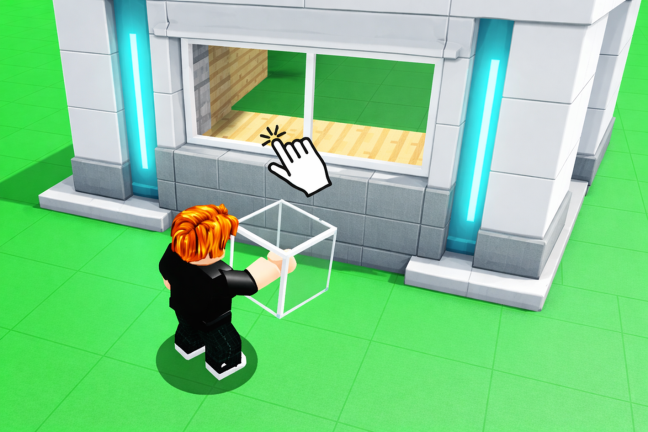
When you first load in, claim a personal plot — that is the land where everything you build will live. Once you have it, open your Build Inventory to see every block, piece of furniture, and decoration available to you. From there, you can start placing things straight away.
- Claim a plot find an unclaimed area and take it as your own building space.
- Open Build Inventory this panel is available any time and lists every block, furniture piece, and decoration you can place.
- Let autosave do its job the game saves your progress automatically, so you can quit and come back without losing anything.
Core building tools
CheckThese tools are always available while you are building.
- Snap is turned on so blocks line up edge to edge with no gaps.
- Rotate is used any time a block needs to face a different direction.
- Color is set on each block to match the look you are going for.
- Clone is ready when you need several copies of the same block quickly.
Interactive blocks that bring builds to life
TipsInteractive blocks give your build something to do. You can combine them to create cause-and-effect systems inside your build.
- Switches trigger actions when a player presses them.
- Sensors detect when someone walks nearby and fire off a response automatically.
- Lights let you illuminate rooms, gardens, or whole exteriors.
- Sound blocks play effects or music.
Building with friends
Step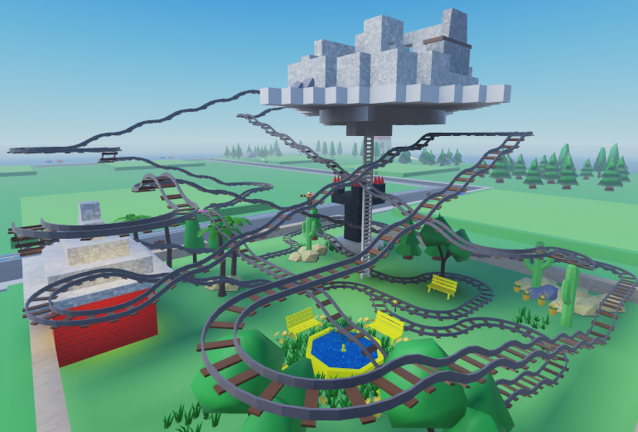
Collaboration in Creative Build is built around a whitelist system. Only players you add can come onto your plot and place or move things.
- Add a friend to your whitelist once they are on the list, they become a collaborator on your land.
- Build at the same time both of you can place, rotate, and color blocks simultaneously on the same plot.
Saving your work and switching servers
SummaryCreative Build handles saving in two layers. Autosave runs while you are playing so nothing is lost if you close the game mid-session. Cross-server saving then makes sure that build is waiting for you identically when you join any server, not just the one you were on before.
- Autosave runs constantly while you build, no manual save needed.
- Cross-server saving your plot and everything on it carries over to every server.
- Long-term storage builds do not disappear over time, so a project you leave for days is still there when you return.
Free servers versus private VIP servers
TableYou can play Creative Build on a public server with other players, or spin up a private server for yourself. Both options are free.
| Public server | shared space with other players, each on their own assigned plot. |
| Private VIP server | free to create, and comes with a larger building area than a public plot. |
Glossary
Glossary- Build Inventory
- The in-game panel you open at any time to browse and select every block, furniture piece, and decoration available for building.
- Whitelist
- A list of friends you add to your plot so they can act as collaborators and build alongside you.
- Interactive blocks
- Blocks such as switches, sensors, lights, and sound blocks that perform an action or respond to players rather than just sitting still.
- Cross-server saving
- The system that stores your plot data across all servers, so your build looks the same no matter which server you join.
- Snap
- A building tool that locks blocks into alignment so they sit flush against each other with no gaps.
- Clone
- A building tool that duplicates a block so you can place multiple identical copies without rebuilding each one from scratch.
Common questions
FAQWill my build disappear if I close the game?
No. The game autosaves your progress continuously while you play. You can quit mid-session and return days later to find everything exactly as you left it.
How do I let a friend build on my plot?
Add their name to your plot's whitelist. Once they are on the list, they can join your land and build at the same time as you.
Do I need to spend Robux to get a private server?
No. Private VIP servers in Creative Build are free. They also come with a larger building area than a standard public plot.
Can I change the color of any block?
Yes. The color tool is available for blocks you place.
Game updates can change what is on this page. If you spot something, get in touch and let us know.
