
Fishing Master — Your first steps in the game
About
OverviewFishing Master is a Roblox game where you catch and sell fish, upgrade your rod and skills, and work your way through a chain of islands with increasingly massive fish. This guide walks you through the core fishing loop, how rods and skill books work, and how to push into new areas without wasting your coins.
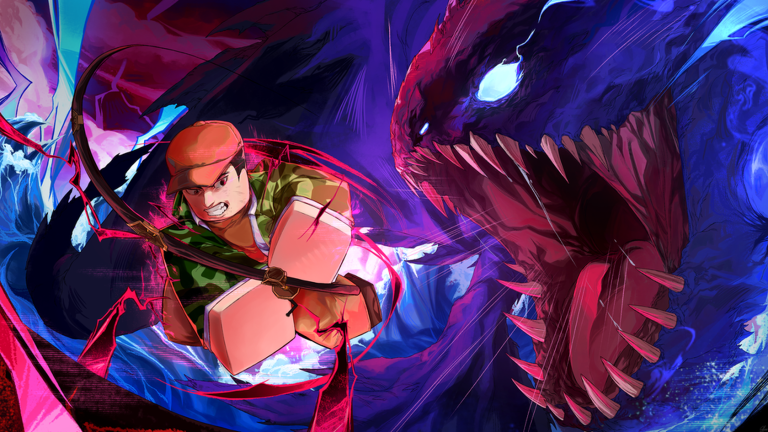
What is on this page
Contents
Your first steps in the game
Step
The tutorial walks you through everything in order, so let it run. The most important thing to confirm before your first cast is that the skill book you picked up from the Skill Master is actually attached to the rod you are using — carrying it in your inventory does nothing. Once you catch a fish, take it to the Fish Merchant to turn it into coins, then look at what rods and islands are within reach.
- Equip your rod make sure the starter rod is the one you have selected.
- Attach the skill book visit the Skill Master, get a skill book, and attach it to your active rod.
- Make your first cast head to the fishing spot the tutorial points you toward.
- Catch one fish confirm it lands in your inventory before moving on.
- Sell it take it to the Fish Merchant and collect your coins.
- Set a goal check what the next rod costs and what the next island requires before spending anything.
How a single fishing attempt works
StepCasting requires you to hold down and release when the moving gauge lands in the green zone — tapping repeatedly will not work. Once a fish bites, you reduce its gauge by clicking on PC; mobile players follow the on-screen prompts. Directional instructions appear mid-fight, so watch for them and respond to the correct one rather than mashing buttons. When the gauge reaches the white marker, stop relying on clicks and fire your equipped skill to finish the catch.
- Cast hold down, watch the gauge move, and release when it sits in the green zone.
- Reduce the gauge on PC, click to chip away at the fish's gauge after it bites.
- Answer directional prompts press only the direction shown; ignore everything else.
- Watch for the white marker when the gauge hits it, normal clicks will not bring the fish in.
- Use your skill activate your equipped skill at the white marker to complete the catch.
- Check your inventory confirm the fish is there before starting the next cast.
Skill books and rods — what to check when fishing breaks down
CheckA skill book sitting in your bag has no effect — it must be physically attached to the rod you are actively using. If you swap to a new rod, you need to detach the skill book from the old one first, then attach it to the new one. The detach option and the delete option are different actions, so read the confirmation screen before clicking.
- Is the skill book attached to your current rod, not just sitting in your inventory?
- Has the skill's cooldown finished since you last used it?
- If you recently bought a new rod, did you move the skill book over from the old one?
- Did you use detach rather than delete when removing the skill book from the old rod?
- Can you complete at least one full catch on a straightforward fish to confirm everything is working?
Rod damage, skins, and auras
TipsDamage is the stat that determines how quickly you chip away at a fish's gauge. Skins are not just cosmetic; some carry bonuses to damage or to the coins you earn from selling fish. Auras also add supporting bonuses to your rod. Skill Stock is a separate category of globally exclusive skills that you purchase with gems.
- Check damage numbers when comparing rods — higher damage means faster gauge reduction.
- Read every skin's description before equipping it — some boost damage, others boost sell value.
- If earning coins is the bottleneck, look for a skin with a sell-value bonus.
- If fights take too long, look for a skin with a damage bonus.
- Skins and auras do not replace a skill book — you still need one attached to the rod.
- Skill Stock skills are bought with gems and sit in a separate slot from skill books.
Selling fish without losing progress
WarnThe Fish Merchant pays coins for anything you hand over, but islands and quests can require specific fish based on where they were caught, their rarity, or their weight. A fish from the wrong island or below the required weight will not count even if the rarity matches. Bulk-sell options make it easy to accidentally offload something you need.
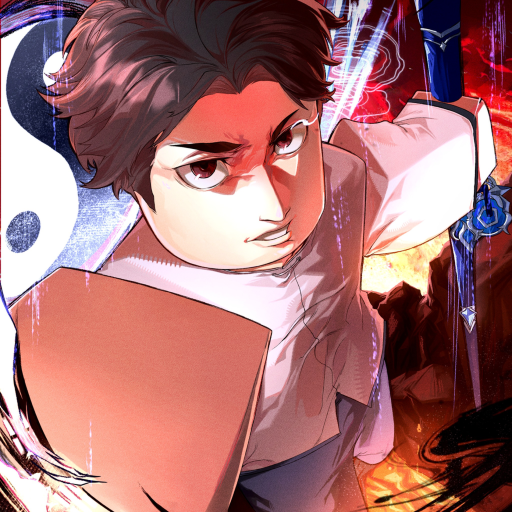 UPD1FM
celestial bow skin (new!)
UPD1FM
celestial bow skin (new!)
Unlocking new islands
StepThe island route runs from the starting island through a jungle island and a desert island, continuing toward snow and volcano areas beyond that. Each island has an NPC near the entrance who tells you exactly what coins, fish, or prior island unlocks you need. Check those requirements before you travel, and confirm which fish you need to hold back before selling your current haul.
- Look up the next island's requirements before spending your coins on anything else.
- Hold back any fish the next island's unlock demands sell the rest.
- Take your boat to the island, then speak to the NPC at the entrance.
- Meet the listed conditions to unlock the fishing spots.
- Once unlocked, check the local rod shop and any new quests before deciding how to spend coins.
Daily quests and weather events
TableBoth systems run on timers, but they reward different habits. Daily quests accumulate over time if you log in regularly, while weather events demand you act within a narrow window once they appear.
| Daily quests | reset each day and offer a range of rewards; check them every login. |
| Quest rewards | require a manual claim action even after you complete the objective. |
| Weather events | spawn somewhere on the map every 30 minutes. |
| Weather duration | each event disappears 10 minutes after it appears. |
| Joining late | if you find a weather event already running, it will not last another full 10 minutes from that point. |
Free extras worth grabbing
TipsThe game's official group hands out an exclusive rod skin the moment you join, and some skins carry stat bonuses, so read the description once you have it.
- Join the official group to receive an exclusive rod skin immediately.
- Up to 20 players can share a server, so grouping with others is an option if you want company.
Glossary
Glossary- Skill Book
- An item that adds a fishing technique to your rod — it must be attached to the rod you are using, not just held in your inventory.
- Skill Stock
- A separate category of globally exclusive skills purchased with gems, distinct from ordinary skill books.
- Fish Merchant
- The in-game NPC who buys your fish and pays you coins.
- Cooldown
- The waiting period after using a skill before you can use it again.
- Damage
- A rod stat that controls how fast you reduce a fish's gauge during a catch.
- Daily Quest
- A set of tasks that refreshes every day and offers rewards you must manually claim after completing.
- Aura
- A rod attachment that provides supporting stat bonuses, similar to a skin but separate from it.
- Units
- Fishing companions added in a recent update, introduced in the game's description alongside daily quests and Skill Stock.
Common questions
FAQHow do I move my skill book to a new rod?
Open your old rod and use the detach option to remove the skill book — do not use delete or discard, as those are different actions. Once the book is back in your inventory, attach it to the new rod.
How long does weather last, and when does it show up?
A weather event spawns somewhere on the map every 30 minutes and disappears 10 minutes after it appears. If you stumble across one that is already running, it will not give you a full 10 minutes from that moment.
What do I get for joining the official group?
You receive an exclusive rod skin the instant you join. Some skins carry bonuses beyond their appearance, so check the skin's description after you claim it to see whether it boosts damage, sell value, or anything else.
Game updates can change what is on this page. If you spot something, get in touch and let us know.
