 Live now
–
THANKSGIVING SEASON
New Suit!New Weapon

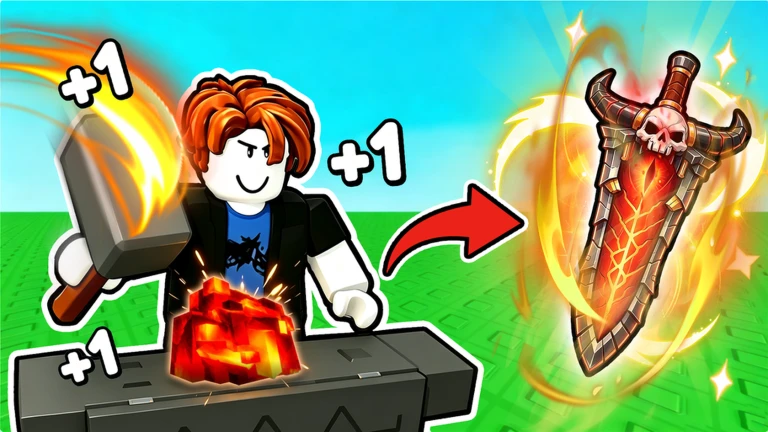
+1 Loot To Forge, made by Good Bro Studio, is a Roblox RPG where you train your Power, fight dungeon enemies, collect ores, and forge weapons and armor. The loop repeats — train, fight, forge, equip — and every cycle makes you stronger.
Found a useful trick? Share it with everyone! Notes with screenshots are welcome!
[UPD]+1 Loot To Forge
Everything in the game comes back to the same four actions. Your first goal is not the rarest weapon — it is simply getting one piece of gear that makes the next fight easier.
look at the Power multipliers for each section and use the highest one you currently qualify for.
fight enemies you can reliably beat and gather as many ores as you can carry.
watch your current ore count and your health; pull back before things go wrong.
before selling anything, go to the Forge and decide which ores you actually need for crafting.
gear you forge does not equip itself, so open the Backpack, go to the Weapon tab, and press Equip on the new item.

The next survey is being prepared.
The selling area lets you turn ores into coins, but selling everything leaves you with nothing to forge. Ores like gold, obsidian, sapphire, and fire crystal are used to make weapons, so even a high-value ore is worth checking at the Forge before you cash it in.
Events running now or coming soon. They have fixed dates, so check them first.
Live now
–
New Suit!New Weapon
 Live now
–
New Dungeon ! New Loot ! New Suit !
The training area has sections with different Power multipliers; use the highest-multiplier section you currently qualify for.
| Enemies take forever to kill | confirm your new weapon is actually equipped, then farm more Power or upgrade your weapon. |
| You die before the enemy does | review your armor and avoid getting surrounded by groups of enemies. |
| Ores fill up too fast | upgrade Max Ore Count at the base upgrade station. |
Stage 7's Jackal Zombies are known for dropping ores used in weapon crafting, making it a solid farming spot once you can clear it consistently. Stage 8 introduces tougher enemies like Pharaoh Zombies and Desert Reapers, which raise the difficulty noticeably. There is no reason to push into Stage 8 if Stage 7 still feels rough.
Rebirth trades your accumulated Power for a multiplier that speeds up future growth. Your numbers will drop right after you do it, so treat it differently from a normal upgrade. If anything on the confirmation screen is unclear, wait until you understand it before proceeding.
The Frostbound Tower is a separate challenge area that requires a Tower Ticket to enter. Inside, you fight all the enemies within a time limit and clear rounds to earn rewards.
you cannot enter without one.
The game has a code-entry system that gives you rewards from official codes. Codes expire and cannot be reused.
open the in-game menu and look for the code entry field.
a single wrong character will make the code invalid.
you cannot redeem the same code twice on the same account.
 1BVISITS
300 ember stone
HALLOWEEN
two race rerolls
PET
two race rerolls
50000CCU
50 ember stone
Forging and equipping are two separate actions. Open your Backpack, go to the Weapon tab, select the new weapon, and press Equip. Until you do that, the weapon sits unused in your inventory.
Weapon skills have a cooldown — a waiting period before they can be used again. Watch the timer on the skill button while you wait.
Rebirth resets your Power and gives you a multiplier that helps you grow faster afterward. How your equipment, ores, and coins are handled is shown on the Before and After screen inside the game — read it carefully before confirming.
First check that you have not already used that code on the same account, since each code only works once. Then check that the code has not expired and that you have typed every character correctly.
It is a separate challenge area where you use a Tower Ticket to enter, then defeat all enemies within a time limit across multiple rounds to earn rewards.
The 100x throne training area is a paid section that requires Robux to unlock. You can still train, fight, forge, and equip without it.
Before you start
Please check the following before using MetaNew.
* You can change your email preference any time from your profile.
