Games listed 43,080
Game guide

Asylum Life Guide: Choosing your role

[UPD] Asylum Life 🔊
Asylum Life Community, Playing 5.4K, Rating 83.2%
Creator Asylum Life Community
Playing 5.4K
Rating 83.2%
Is this game fun?3 votes
Fun 100%3Average 0%0Not fun 0%0

About

Overview

Asylum Life drops you into a sprawling psychiatric facility where you pick a side and play it out: cause chaos as a Patient, or keep order as an Orderly. This guide covers how to get started, earn Credits, level up efficiently, and stay out of trouble — whatever role you choose.

What is on this page

Contents
01

Choosing your role

Table
In short Your role decides your goal for the entire session, so pick one that matches how you want to play.

Asylum Life has two main roles, and they want completely opposite things. Patients roam the facility, stir up trouble, and ultimately try to escape. Orderlies track down disruptive patients and arrest them to keep the place running. A third option, medical staff, supports the team and adapts to whatever the situation needs.

Patientcause mischief, earn Credits through daily actions, and work toward escaping the facility
Orderlyspot rule-breaking patients, arrest them, and maintain order across the facility
Medical staffplay a support role and help your team based on what the moment calls for
Ask on the board
02

First steps in the facility

Step
In short Learning the layout and your first Credit sources in the opening minutes saves a lot of confusion later.

When you first load in, spend a few minutes walking the facility so you have a mental map of the rooms. Once you know where things are, you can start earning Credits right away using the actions available to your role.

  1. Pick your role decide between Patient, Orderly, or medical staff before anything else
  2. Walk the facility move through each room and get a feel for the layout
  3. Open the shop find the shop menu in the top-left corner of the screen and look at what is available
  4. Start earning Credits if you are a Patient, mop up spills or talk to Mitch to bring in your first Credits
  5. Check the boost menu locate the boost section inside the shop so you know where to activate EXP Boosters when you have them
03 Live and upcoming events Events

Events running now or coming soon. They have fixed dates, so check them first.

Live now –

NEW CONTENT UPDATE

Sign up to get notified for updates on every Friday! Click " Join Event " on this page here when the event is active f…

Upcoming –

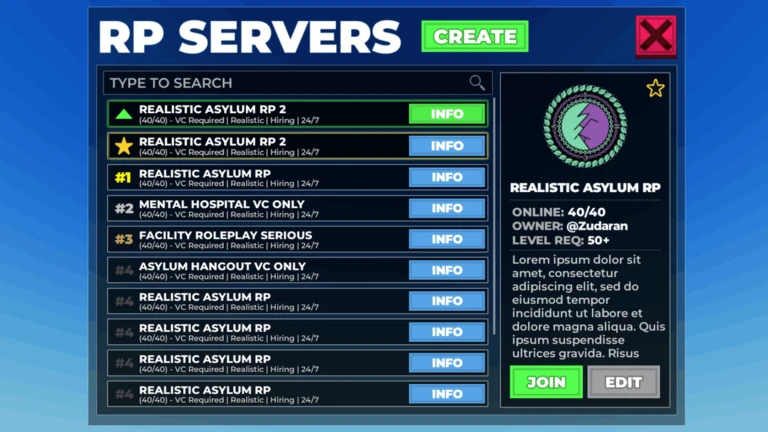
ROLEPLAY SERVERS SIGNUP

Date is not actual release date - Placeholder! 🔔 This event may be pushed ahead, join the group and stay tuned for ou…

See the whole schedule
04

Earning Credits and leveling up

Tips
In short Consistent small actions as a Patient stack up fast, and EXP Boosters make leveling noticeably quicker.

Credits are the in-game currency you spend at the shop. As a Patient, mopping spills and talking to Mitch are your main ways to earn them. Level 25 is a meaningful early target for Patients because new tools unlock at that point. EXP Boosters, which you can get through redeemable codes, speed up your experience gain when activated from the shop's boost menu.

Tips worth knowing
  • Repeat mopping and Mitch conversations regularly to keep Credits coming in as a Patient
  • Activate any EXP Boosters you have so none of the time goes to waste
  • Aim for level 25 as a Patient — new tools open up there and give you more options
05

Role-specific goals to keep in mind

Summary
In short Each role has a distinct win condition, and playing toward the wrong one wastes your time.

Once you understand what your role is actually trying to accomplish, every decision in the game starts to make sense. Patients and Orderlies are effectively working against each other, which is the core tension that makes the game interesting.

  • Patient goal steal the security key from an Orderly and use it to escape the facility
  • Orderly goal catch patients causing too much chaos and arrest them before the facility falls apart
  • Medical staff goal support whichever part of the team needs help and adapt to the situation
  • All roles earn Credits and EXP steadily so your level keeps climbing and more tools become available
06

Redeeming codes for EXP Boosters

Step
In short Codes are the fastest free way to get EXP Boosters, but they expire, so use them as soon as you have them.

The game has a code system that rewards you with EXP Boosters. The entry point is inside the shop menu, marked by a blue bird icon. Codes are case-sensitive, so type them exactly as they appear. Once redeemed, activate your Booster from the shop's boost section rather than letting it sit unused.

  1. Open the shop tap the shop menu in the top-left corner of the screen
  2. Select the blue bird icon this opens the code entry panel
  3. Type your code enter it exactly, matching upper and lower case characters carefully
  4. Hit the redeem button your reward goes straight to your inventory if the code is still valid
  5. Activate the Booster head to the boost section of the shop and switch it on
  6. Use codes quickly many have expiry dates, and an expired code cannot be redeemed even if the spelling is right
07 Working codes Codes
OVERTIME
FORKLIFTCERTIFIED 3x EXP Booster

3x EXP Booster
Every code, and the votes on it, are on the codes page
08

Safety and fair play

Warn
In short Breaking the rules or sharing personal information can end your session — or worse, your account.

Asylum Life is a large multiplayer game. The in-game rules are linked from the official game page, and breaking them can get you restricted.

Worth watching out for
Never share your name, address, school, or any other personal details with other players
Do not share your password or account information with anyone
Cheat tools and exploits will get your account banned avoid them entirely
Harassment of other players violates the in-game rules and can result in restrictions
09

Stats and platform notes

Summary
In short Asylum Life runs on every platform, with Credits earnable through normal gameplay.

The game is available on PC, console, and mobile. Voice chat is strongly recommended by the developers for the best experience. The most recent update, released September 4, 2026, added the Pure Eclipse Skin Pack, Onyx changes, and a new FD Escape Route, among other changes.

  • Platforms PC, console, tablet, and phone are all supported
  • Voice chat strongly recommended but not required to play
  • Credits earnable through in-game actions
  • Last major update September 4, 2026, bringing new skins, Onyx changes, and an additional escape route

Community strategy ideas

Community

These ideas and tips come from people playing the game. Share your discoveries too!

No strategy ideas yet. Share a tip you discovered.

Glossary

Glossary
Credits
The in-game currency you earn through actions like mopping spills or talking to Mitch, and spend at the shop.
EXP Booster
An item that increases the experience points you earn for a period of time, activated from the shop's boost menu.
Mitch
A character inside the facility that Patients can talk to in order to earn Credits.
Security key
An item held by Orderlies that Patients need to steal in order to escape the facility.
Orderly
The guard role whose job is to arrest patients who cause too much disruption.
Level 25
The point at which Patients unlock a new set of tools, making it an important early milestone.

Common questions

FAQ

Why won't my code redeem?

Check that every letter matches exactly — codes are case-sensitive. If the spelling is right and it still fails, the code has most likely expired. Expired codes cannot be redeemed regardless of how accurately you type them.

Is voice chat required to play?

Voice chat is strongly recommended by the developers, but the game works with text chat too.

How do I find new codes?

The developers announce new codes through their official group and community channels.

Updated Sep 10, 2026
Game updates can change what is on this page. If you spot something, get in touch and let us know.
[UPD] Asylum Life 🔊 Asylum Life Community, Playing 5.4K, Rating 83.2%
See the game pageSee working codesAsk on the board
Add it to your home screen and it works like an app. One tap to open, and it loads faster after that.