
Flicker — The basic round structure
About
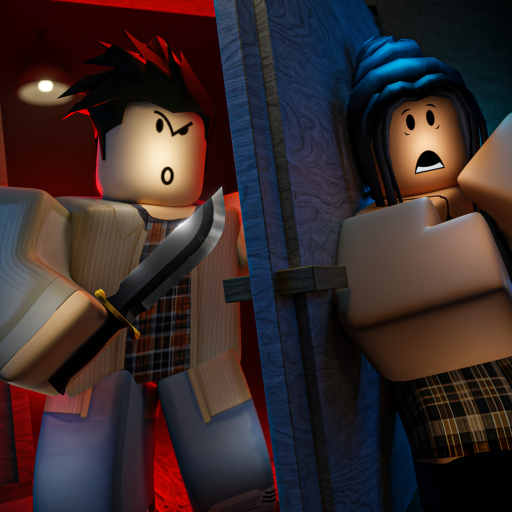
OverviewFlicker is a social deduction game where the lights go out and a murderer goes to work. Each round assigns you a hidden role — either on the side trying to survive and catch the killer, or on the side trying to stay hidden and eliminate everyone else. This guide walks you through the core loop, the roles, the note and journal systems, and how to get better over time.

What is on this page
Contents
The basic round structure
Summary
At the start of each round, every player is assigned a role with a hidden ability. During the day phase, everyone gathers to interrogate each other, share information, and vote someone out. When the lights go out at night, the murderer can strike. Your goal depends entirely on which side you land on: eliminate suspicion if you are the murderer, or build a case if you are not.
Getting started in your first rounds
StepFlicker can feel overwhelming at first because roles and abilities vary each game. If you want to play alongside specific friends, use the party system in the lobby to guarantee you all land in the same match.
- Use the party system create or join a party in the lobby so friends enter the same match with you
- Listen in the day phase pay attention to what other players claim their roles are
- Use the journal button open your journal in the lower left and write down anything useful you learn
Playing on the Good side
TipsUse your ability, listen carefully, and push for votes with clear reasoning.
- Write your role in your journal so a Savior can confidently act on your behalf if you are killed.
- Use abilities like the Detective, Psychic, Spy, Dark Psychic, Ambusher, and Scout to gather information, then copy the results into your journal with the Add to Journal button.
- When someone claims a role like Psychic or Spy, ask them to back it up — anyone can lie.
- Do not write anything sensitive in your journal that you would not want the whole lobby to read, because everyone sees it when you die.
Playing on the Evil side
TipsThe Evil side is outnumbered. Sound like a cooperative, helpful Good-side player during discussion, and steer accusations toward innocent targets.
- Write a false or misleading journal entry to throw investigators off your trail and protect your teammates.
- If you are a Murderer, use notes to coordinate with the Assassin without broadcasting your plan — but remember there is a one-in-five chance the note drops for everyone to read.
- Twins can toggle Whisper mode to send messages only their Twin can see, which keeps Evil-side coordination hidden.
- If a note you send gets dropped, the whole lobby sees both who sent it and what it says.
The note system
CheckThe note button sits in the lower left corner of your screen. Tap it, select a recipient from the live players, type your message, and send. Notes cap out at 150 characters. You can only send one every ten seconds, and there is a one-in-five chance any note you send drops and becomes visible to every living player, showing your name as the sender.
- Check whether the 10-second cooldown has passed before trying to send a prompt will remind you if it has not.
- Use the censorship-check button before sending to see whether Roblox's filter will block your text.
- If you are revealing your role to someone, consider shortening recipient names to a single letter to obscure who you are contacting if the note drops.
- Remember that ghost players cannot send or receive notes.
- On PC you can drag received notes around the screen to keep them readable when several stack up.
 ITSASECRET
600KLIKES
WEAREBACK
800KLIKES
ITSASECRET
600KLIKES
WEAREBACK
800KLIKES
The journal system
CheckThe journal button is also in the lower left corner. Unlike notes, your journal is only visible to you during a round — until you are killed or voted out, at which point every player, alive or dead, can read it. If you die with a blank journal, the game tells everyone no journal was found. Journals hold up to 1,024 characters, and entries can be scrolled if they run long.
- The game notifies you automatically when your journal saves after you exit the text field.
- Use Add to Journal buttons from Detective, Psychic, Spy, Dark Psychic, Ambusher, and Scout ability prompts to paste in findings without retyping.
- Your journal becomes public evidence the moment you are eliminated.
- Ghost players can read journals but cannot write new entries.
- On PC, drag journal windows around the screen to read multiple journals that have stacked on top of each other.
Winning roles and the long grind
SummaryFlicker tracks your total wins across all sessions and awards badges at 10, 50, 100, 500, 1,000, and 5,000 wins. Four specific roles also each have their own win badge: surviving to the end of any round earns Piece of Cake, while winning as the Medic, Psychic, Detective, or Murderer each has a dedicated badge.
Glossary
Glossary- Note
- A short private message you send to one other player, with a 20% chance it drops publicly for all living players to read.
- Journal
- A private document you write during a round that becomes visible to every player when you are eliminated.
- Twin Whisper
- A toggled mode that lets Twins send messages visible only to their Twin, keeping communication hidden from other players.
- Party system
- A lobby feature that lets a group of friends guarantee they all enter the same match together.
- Dropped note
- A note that, due to the 20% drop chance, becomes visible to all living players rather than just the intended recipient.
- Graveyard
- Where eliminated players are moved after being killed or voted out; ghosts can still view journals from here.
Common questions
FAQCan I play Flicker with my friends?
Yes — use the party system in the lobby. Create a party or join one a friend has made, and everyone in the party is guaranteed to enter the same match. This feature was added in Update 4.4.
What happens to my journal when I die?
The moment you are killed or voted out, your journal becomes readable by every player in the match, alive or dead. If you left it blank, the game announces that no journal was found.
Is there any risk to sending notes?
Every note has a one-in-five chance of dropping, which means all living players see it — including who sent it and what it says.
Do my role and abilities stay the same every round?
No — you are assigned a different role at the start of each round, so your ability changes every game.
How do the win-count badges work?
Flicker tracks your total wins across every session you play. Badges unlock at 10, 50, 100, 500, 1,000, and 5,000 total wins.
Game updates can change what is on this page. If you spot something, get in touch and let us know.
