
Cameraman Tower Defense — Getting into your first match
About
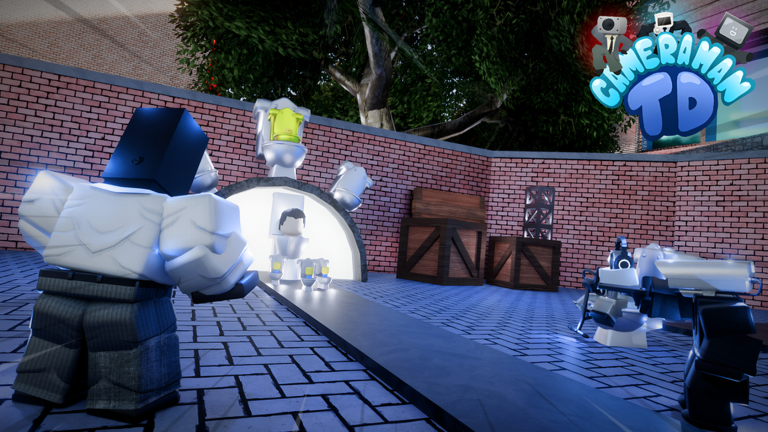
OverviewCameraman Tower Defense is a Roblox game where you place units like cameramen and speakermen along a path to stop waves of invading toilets. Up to 15 players can join a single match and work together to defend.
What is on this page
Contents
Getting into your first match
Step
Everything you do before a match begins in the lobby. Once you are happy with your lineup, step onto the platform for the map you want and wait for the match to start. After the match loads, you will vote on difficulty — pick Easy while you are still learning.
- Open your units go to the Units section in the lobby and add the units you want to bring into battle.
- Choose a platform stand on the platform for the map you want, such as Toilet City, to queue for that match.
- Vote for difficulty when the vote appears, choose Easy so you have a fair chance of finishing all 20 waves.
- Use prep time before the first wave arrives, place your units during the preparation time.
- Watch the range circle each unit shows a circle when you place it; make sure the path runs through as much of that circle as possible.
- Check coverage once the wave starts, watch whether your units are actually hitting enemies and adjust if anything slips through.
Where to place units
TipsPlacement is the most important skill in this game.
- Target path bends — the inside of a curve keeps enemies inside your unit's range circle far longer than a straight section does.
- Cover every segment — make sure no stretch of road sits outside everyone's range circles.
- Fill gaps first — if something is slipping through, add a unit past the gap before spending on upgrades.
Two separate currencies
TableKnowing what each one does stops you from waiting to spend when you should be acting.
| Lobby coins | earned from clearing matches; used to pull new units from crates in the lobby. |
| In-match cash | builds up as you clear waves; used only for placing and upgrading units during a match. |
| Spending rule | in a match, put your cash into placement and upgrades rather than holding onto it. |
Upgrading units mid-match
CheckThe stat card for each unit shows what the upgrade actually improves, so check it before committing.
- Enemies tank through your full range look at upgrading attack power or reducing cooldown on your main damage dealer.
- Only high-health enemies survive prioritise upgrades that increase damage or attack speed.
- You have uncovered road spend cash on a new unit to fill the gap instead of upgrading something already working fine.
- Arrow notation on a stat card (for example 10 → 50) shows the value at max upgrade, not the value you get right now.
Earning coins faster
TipsCoins only accumulate when you finish a match.
- Repeat Easy until you can clear all 20 waves without losing units to gaps in your coverage.
- Check the reward screen after each match to see exactly how many coins the clear paid out.
- Claim the one-time 200-coin bonus available for joining the group, leaving a thumbs up, and adding the game to your favourites.
 NewMaps
50 coins
UpgradedTitanSpeakerman
50 coins
Engineer
50 coins
NewMaps
50 coins
UpgradedTitanSpeakerman
50 coins
Engineer
50 coins
Pulling units from crates
SummaryThe lobby's crate area is where you spend coins on new units. The Basic Crate costs 100 coins for one pull or 900 coins for ten pulls at once.
- Single pull 100 coins.
- Ten-pull 900 coins total; saves 100 coins compared to ten singles.
Co-op strategy for larger lobbies
TipsUp to 15 players can join a single match, which means you can divide the path into clear zones.
- Assign a front-stopper — one or two players focus on hitting enemies near the start of the path.
- Assign a cleanup role — at least one player places units toward the end to catch anything that breaks through the front.
- Agree on zones early — decide which player covers which segment of the path before the first wave hits.
Auto Skip and difficulty progression
WarnAuto Skip shortens the wait between waves, which removes the time you would normally use to adjust placement or buy upgrades.
Glossary
Glossary- Wave
- A group of enemies that rushes the path together; the wave number tells you how far into the match you are.
- Unit
- A friendly character you place beside the path to attack incoming enemies automatically.
- Range
- The distance a unit's attacks can reach, shown on screen as a circle around it when you are placing or selecting it.
- Cooldown
- The wait time between one attack and the next; a lower cooldown means the unit attacks more frequently.
- DPS
- A rough measure of damage per second that helps compare units; also consider range and whether the unit hits multiple enemies at once.
- Auto Skip
- A setting that cuts the waiting time between waves.
- Cameraman
- One of the placeable units in the game and the character the title is named after.
Common questions
FAQHow many players can join one match?
Up to 15 players can be in the same match at once.
Where do I enter redeem codes?
Find the code entry field inside the game itself and type the code there. Each code can only be used once per account and expires after a set time, so check that a code is still valid before you try it.
What does the arrow notation on a unit's stat card mean?
A display like 10 → 50 shows the stat's starting value on the left and its fully upgraded value on the right. The higher number is not what you get immediately — it is the maximum after all upgrades are purchased.
What should I do if a trade request appears in the lobby?
A trade request means another player wants to swap units with you. If you are not interested, just select No to dismiss it. If you open the trade screen by accident, you can press Decline to back out before anything is finalised.
Is Easy mode capped at 20 waves?
Yes, Easy is a 20-wave mode.
Game updates can change what is on this page. If you spot something, get in touch and let us know.
