
Moto Trackday Project Guide: Starting the engine and basic controls
About
OverviewMoto Trackday Project is a motorcycle racing game built around realistic physics, where your throttle timing, braking, and cornering lines matter as much as raw speed. This guide walks you through starting the engine for the first time, mastering the controls, and improving your lap times — whether you are brand new or looking to shave seconds off your best run.
What is on this page
Contents
Starting the engine and basic controls
Step
When you load in, your bike sits still and silent until you press F to start the engine. Once you hear it running, you are ready to move. Get familiar with all the controls before you push for speed.
- Start the engine press F and listen for the engine sound before you try to move.
- Steer and throttle use W, A, S, D to move the bike forward, backward, and side to side.
- Change camera tap V to cycle through camera angles until you find one that feels right.
- Shift gears press Q to shift down and E to shift up; gear timing changes how fast you accelerate.
- Choose your mode press M to switch between semi-auto and manual so you can pick what suits you.
- Look back hold X to glance behind you on the track.
Braking options and when to use each
Table
The game gives you two distinct brakes, and they behave very differently. Knowing which to reach for in a given situation will stop you from spinning out or losing time.
| Handbrake (Shift) | lighter braking force that helps you flick the bike through tight corners quickly. |
| Parking Brake (P) | strong stop used when you want the bike completely still or locked in place. |
Improving your lap times
Tips
The physics engine models speed, gravity, and cornering load realistically, so sloppy inputs punish you immediately. Repeating the same course is the fastest way to build the muscle memory you need.
- Run the same track multiple times so you can memorise where hazards and fast sections are.
- Use the handbrake lightly at corner entry to rotate the bike.
Cinematic mode and camera options
Step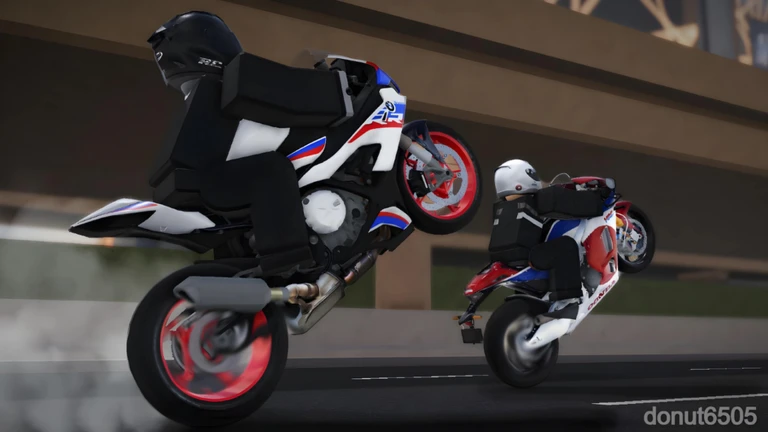
Beyond the riding cameras you cycle with V, there is a full cinematic mode built into the game. It gives you fine control over how the footage looks, which is useful both for recording and for replaying your own lines.
- Enter cinematic mode press Shift and C together to activate the free camera.
- Adjust playback speed scroll the mouse wheel up or down to speed up or slow down camera movement.
- Change field of view hold Shift while scrolling to widen or narrow the shot.
- Change focus distance hold CapsLock while scrolling to pull the focal point closer or further away.
- Toggle depth-of-field blur press F to switch the DoF blur effect on or off.
What to check when something feels wrong
Check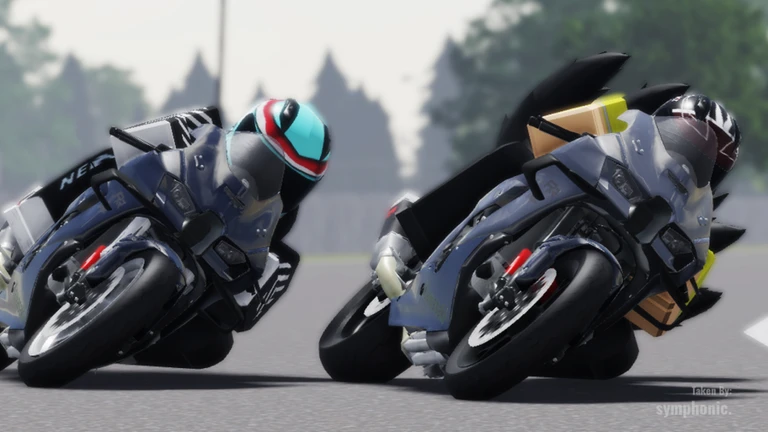
If your bike will not move or behaves strangely, go through this list before assuming something is broken. The physics are demanding, and small input errors cause big problems.
- Is the engine running? Press F if you have not already, and confirm you hear the engine.
- Is a gear selected? In manual mode, press Q or E to engage a gear before expecting the bike to pull away.
- Is the handbrake still held? Make sure you are not accidentally holding Shift.
- Is the bike leaning at an extreme angle? If so, the physics have flagged a real input problem ease off and reset.
Game status
WarnThe developers describe Moto Trackday Project as a work in progress, meaning content, bike behaviour, and courses can all change. That also means occasional bugs are part of the deal right now.
Glossary
Glossary- Handbrake
- The lighter brake on Shift that helps rotate the bike through corners without fully stopping it.
- Parking Brake
- The P-key brake that locks the bike in place, used when you need a full stop.
- Semi / Auto mode
- The M-key toggle that lets the game handle gear changes for you, as opposed to manual mode where you shift with Q and E.
- Cinematic mode
- A free camera you enter with Shift and C that lets you adjust speed, field of view, and focus distance for recording or reviewing your ride.
- DoF (Depth of Field)
- A blur effect in cinematic mode that simulates a camera lens focus, toggled with F.
- Time attack
- Running a course repeatedly with the goal of setting your fastest possible lap time.
Common questions
FAQI loaded in but the bike will not move — what do I do?
Press F to start the engine and wait until you hear it running. If you are in manual mode, also press Q or E to select a gear. Check that you are not holding Shift, which would keep the handbrake on.
What is the difference between the handbrake and the parking brake?
The handbrake on Shift is light and meant for flicking through corners fast. The parking brake on P is much stronger and is best for coming to a full stop or holding the bike still.
Where do I report a bug?
The game's own page links to in-game guidelines on the Roblox DevForum. When you report, describe exactly what you were doing when the bug happened so the developers can reproduce it.
Game updates can change what is on this page. If you spot something, get in touch and let us know.
