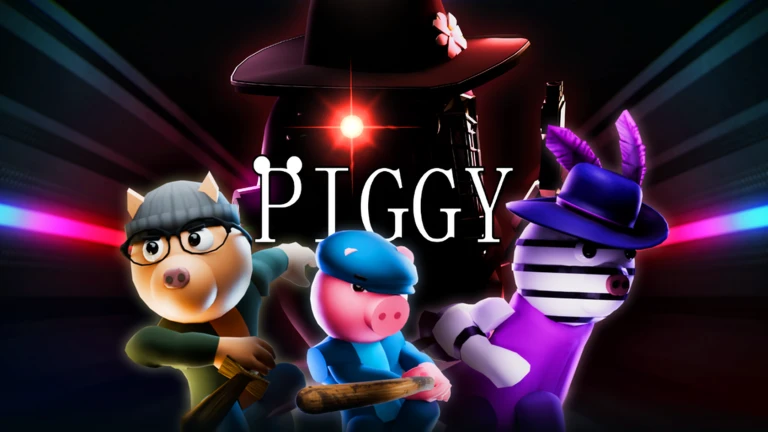
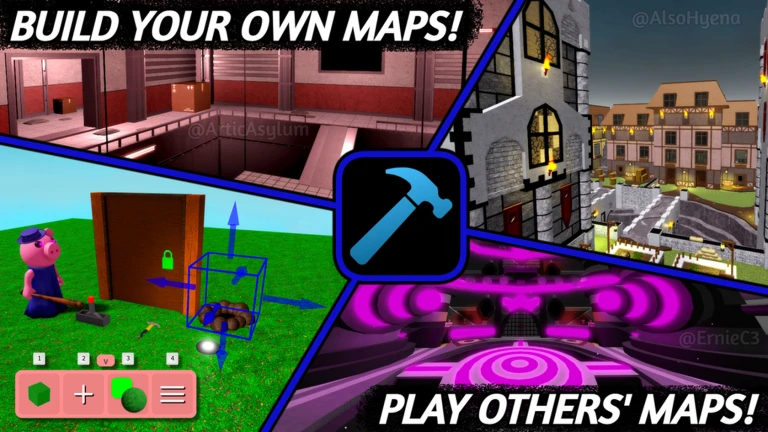
Piggy is a horror escape game on Roblox where survivors collect items, solve puzzles, and reach the exit before the infected catches them. The story spans two books, each with twelve chapters. This guide covers the core rules, how each game mode works, what to do when you're stuck, and how to make the most of multiplayer and Build Mode.
In shortEvery round is a race to collect the right items and escape before Piggy catches you or the timer runs out.
At the start of a round, players vote on a map and a game mode. Survivors must find and use items scattered around the map to unlock doors and eventually reach the exit. You can only carry one item at a time, so drop what you've already used and pick up the next one. The infected wins if all survivors are caught or the timer hits zero.
Role Survivor or Piggy (plus Traitor or Tagger in their respective modes)
Goal (Survivor) complete tasks, collect items, and escape
Goal (Piggy) catch every survivor or run the clock down
Item limit one item at a time; drop finished items immediately
Item types progression items open doors and advance the map; quest items solve secrets and side objectives
In shortKnowing your platform's controls from the start saves you from fumbling with items or traps mid-chase.
Piggy supports mouse-and-keyboard, controller, and mobile touch. The actions you need most as a survivor are picking up items and crouching to place traps.
Pick up / Use item (PC)
click
Pick up / Use item (Mobile)
tap
Pick up / Use item (Controller)
Right Trigger
Crouch / Place trap (PC)
CTRL
Crouch / Place trap (Mobile)
tap
Crouch / Place trap (Controller)
B (Xbox)
03Live and upcoming eventsEvents
Events running now or coming soon. They have fixed dates, so check them first.
Live now –
Frightful Carnival
The Carnival map gets a spooky and exciting new look for the season!
Around the scary rides will be hidden a secret tha…
Live now –
Fright Night Part II
The final rewards for Fright Night release on October 17th, but the haunts are just beginning...
Live now –
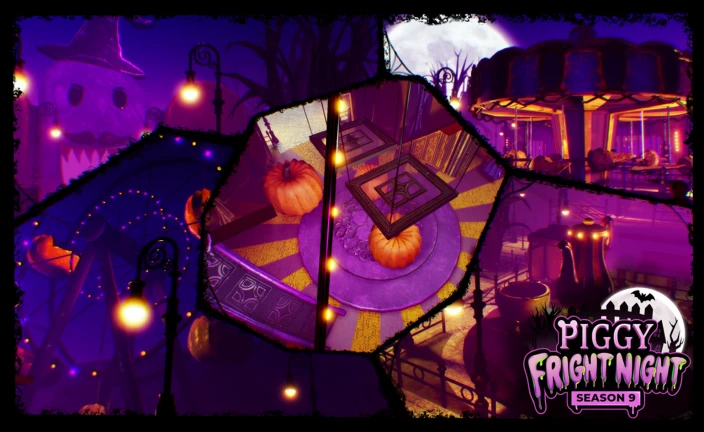
Fright Night - Season 9
Beware the dead of night, for you're in for a fright on October 1st!
In shortThere are four modes in Piggy, and the right choice depends on your experience level.
Bot mode uses a computer to control Piggy. Player mode uses a human to control Piggy. Player + Bot mode has two Piggies active at once. Traitor mode adds a hidden saboteur among the survivors.
Bot mode a computer controls Piggy
Player mode a human controls Piggy
Player + Bot two Piggies are active at once
Traitor mode one survivor secretly works against the group
05
Key item categories and how to use them
Tips
In shortMatching each item to the correct coloured door or mechanism is the core skill every survivor needs.
Items fall into three broad groups: progression items that open the path forward, quest items that unlock secrets, and offensive items that slow Piggy down.
Tips worth knowing
Keys come in many colours — green, red, blue, orange, yellow, purple, white, pink, grey, and more — and each one opens only the door that matches its colour.
Keycards work the same way as keys but in four colours: green, red, blue, and orange.
Gears come in green, red, and white; they are used on mechanical puzzles rather than doors.
Some items are consumable and disappear after one use.
The gun and ammo are offensive items that temporarily stun Piggy.
06
Getting unstuck when a run goes wrong
Check
In shortMost failed runs come down to a missing item, a bad search route, or no traps laid — each one has a straightforward fix.
If you keep failing the same map, work through this list before changing anything drastic. Item placement can vary each run. Check every floor and any hidden rooms before concluding an item doesn't exist. If you joined a server mid-game, leave and rejoin — you'll land in a fresh server at the start of a new round.
Can't find a needed itemsearch hidden rooms and every floor; items do not always spawn in the same spot
Exit won't opencheck your inventory and confirm every required item has been used
Round already in progress when you joinleave and rejoin to connect to a fresh server
Stuck? Try a video
ROBLOX PIGGY @ the MALL! Chapter 10 FGTeeV Multiplayer Escape (The Secret is Out)
ROBLOX PIGGY Chapter 12: The Plant! FGTeeV Multiplayer Escape (The End)
PIGGY in SPACE! FGTeeV Builds Custom Minecraft Creeper Map (NEW BUILD MODE)
In shortSeveral chapters have branching endings, and each ending awards its own separate badge.
Book 1's final chapter, Plant, has three distinct endings: a bad ending, a good ending, and a true ending. Book 2's Chapter 6, Factory, and Book 2's final chapter, Lab, also each have multiple endings.
Tips worth knowing
Plant — Chapter 12 of Book 1 has a bad ending, a good ending, and a true ending, each with its own badge.
Factory — Book 2, Chapter 6 offers a Savior Ending and a Survivor Ending.
Lab — Book 2, Chapter 12 has five distinct endings: Tigry-Savior, Tigry-Survivor, Willow-Survivor, Willow-Savior, and a Hidden Ending.
08
Working together in multiplayer
Tips
In shortSplitting responsibilities between players makes escaping significantly easier than everyone doing the same thing.
Piggy supports up to six players in a round. Build Mode is completely free and lets you design and share custom maps with other players. Private servers require Robux but let you play exclusively with friends.
Tips worth knowing
Build Mode is completely free and lets you design and share custom maps with other players.
Private servers require Robux but give you a controlled environment with only invited friends.
09
What you need to buy and what you don't
Warn
In shortEvery chapter and mode is playable without spending anything — the only paywalled feature is the private server.
All chapters are completable without spending Robux. Paid items are cosmetic skins and similar extras. The one exception is private servers, which do require Robux.
Worth watching out for
All chapters are free to attemptno purchase unlocks a chapter that is otherwise blocked.
Paid cosmetics change how your character looks, not how the game plays.
Build Mode is freedesign and publish maps at no cost.
Private servers are the only feature that costs Robux.
Glossary
Glossary
Piggy
The infected character who chases survivors; controlled by a bot, a human player, or both depending on the mode.
Chapter
One of the game's individual story maps, each with its own layout and set of tasks to complete.
Book
A collection of twelve chapters that form one arc of Piggy's story; Book 1 and Book 2 each contain twelve chapters.
Inventory
The screen where you check which item you're currently holding; you can only carry one at a time.
Trap
A placeable object that temporarily slows or stops Piggy when placed in its path.
Progression item
An item used to open doors or advance through the map, such as keys, keycards, and gears.
Quest item
An item used to solve a specific secret or side objective rather than to advance the main path.
Consumable item
An item that disappears from your inventory the moment you use it, as opposed to non-consumable items that can be used more than once.
Bot mode
A game mode where a computer controls Piggy.
Traitor mode
A mode where one survivor secretly plays against the group, adding deception to the usual escape challenge.
Build Mode
A free feature that lets players design their own maps and share them with others.
Private server
A Robux-purchased server that limits the session to invited friends only.
Ending
The outcome of a chapter; some chapters such as Plant and Lab have multiple endings, each awarding a separate badge.
Common questions
FAQ
How do I manage items when I can only hold one at a time?
Drop an item the moment you've finished using it, then pick up the next one you need.
Can I complete the whole game without spending Robux?
Yes — every chapter and every mode is available without any purchase. Paid options cover cosmetic skins and private servers, neither of which affects your ability to escape or win a round.
How do I unlock all three endings in Plant?
Plant, the final chapter of Book 1, has a bad ending, a good ending, and a true ending, each tied to different actions taken during the run.
How do I stun Piggy?
Find the gun and ammo somewhere on the map and use them to stun Piggy temporarily.
Can I play Piggy alone?
Yes, you can play solo. Rounds support up to six players, but there is no minimum, so you can jump in by yourself and let the bot control Piggy.
Updated Oct 3, 2026
Game updates can change what is on this page. If you spot something, get in touch and let us know.

 Live now
–
Live now
–


 Live now
–
Live now
–
 Live now
–
Live now
–