
Catalog Avatar Creator Guide: Getting started for the first time
About
OverviewCatalog Avatar Creator lets you try on any item from the Roblox catalog — accessories, hats, hair combos, bundles, animation packs, and more — completely free. Nothing locks behind a timer or a skill check; the whole point is to build outfits at your own pace.
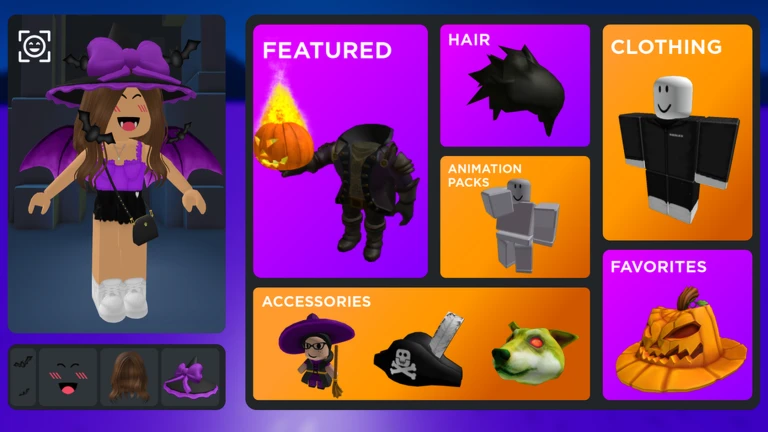
What is on this page
Contents
Getting started for the first time
Step
There are no controls to learn and nothing to lose. Once you load in, the category list is the first thing you'll want to find — it covers hats, hair, bundles, animations, and more.
- Search the game find Catalog Avatar Creator from the Roblox home screen or app and join it
- Open the category list choose one type to start with, such as bundles or hats
- Tap an item to try it on the preview updates immediately, so you can move through items quickly
- Save your outfit use the save feature to store your look so you can come back to it later
- Browse community outfits open the browse section to see over 50 million outfits other players have shared
Building a stronger outfit
Tips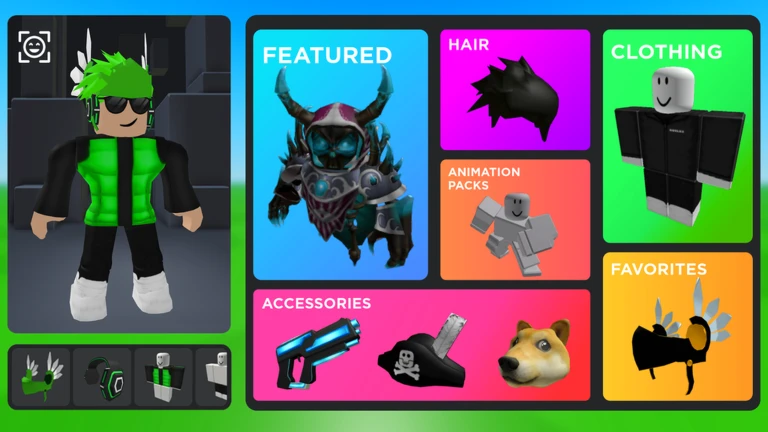
A bundle sets your body shape, skin, and face all at once. Accessories attach at different positions — face, neck, shoulder, waist, back — which means several can be worn at the same time. Animation packs change how your character walks, runs, and poses. Try an animation pack in the preview before you decide on it.
- Pick your bundle first so your base look is sorted before you start adding accessories
- Layer accessories from different attachment points — mixing a hat, a pair of wings, and a face item, for example
- Preview animation packs while wearing your outfit so you can see how the whole thing moves together
- Use multiple save slots for different themes so switching is instant
What costs Robux and what does not
Table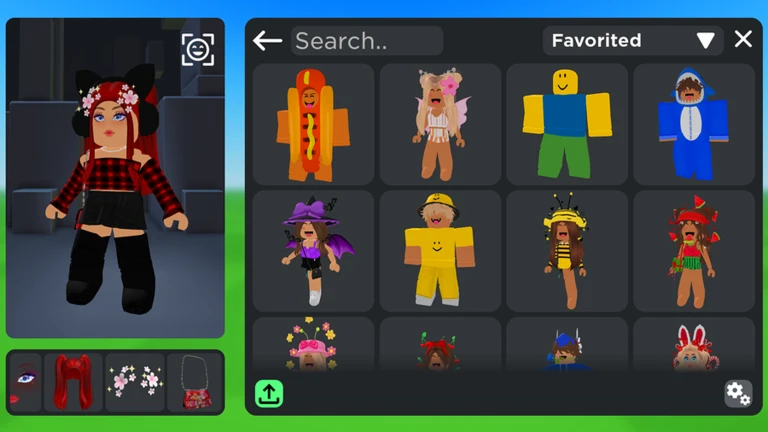
You can preview any item — including expensive limiteds — without spending anything. Robux is only needed if you decide to buy an item and add it to your Roblox inventory. Items you buy inside the game go straight into your inventory and work in every other Roblox game. The catalog also includes items priced at 0 Robux.
| Try on any item | free, no Robux needed |
| Save outfits in-game | free, no Robux needed |
| Browse 50M+ community outfits | free, no Robux needed |
| Buy an item into your inventory | costs Robux (or 0 Robux for free items) |
| Use a purchased item in other games | included once bought, no extra cost |
Fixing common problems
CheckBecause there's no combat or scoring, problems here are almost always technical.
- Items loading slowly switch to a Wi-Fi connection and wait a moment
- Try-on not updating on screen leave the game and rejoin
- Saved outfit has disappeared confirm you are logged in to your Roblox account, since saves don't persist without a login
- Purchased item not showing in inventory wait a few minutes, then restart the Roblox app and check again
- Community outfits taking a long time to open the collection is huge, so give it a moment
Spending Robux safely
WarnThe main risks are tapping the confirm button too fast or falling for scams outside the game.
 /redeem DAPPER
/redeem MASCOT
Mascot Wink Face
/redeem DAPPER
/redeem MASCOT
Mascot Wink Face
Getting more out of community outfits
Tips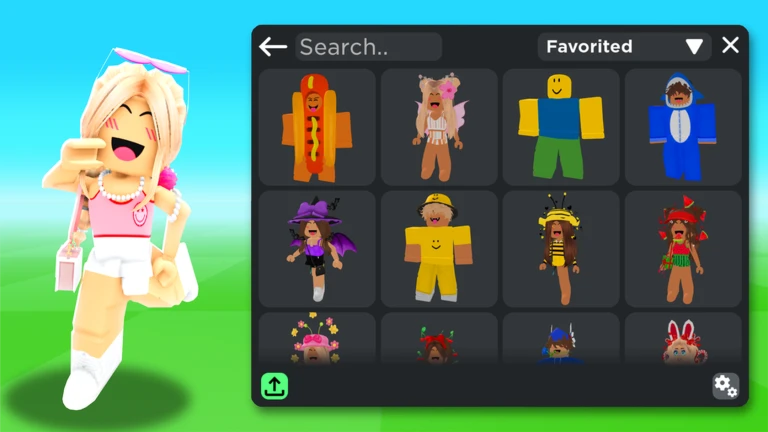
The browse section gives you access to more than 50 million outfits. Because you can see exactly which items make up any community outfit, you can spot items you didn't know existed and try them on immediately.
- Find a community outfit you like and identify which one or two items you would swap for something else
- Use the outfit's item list to discover accessories or bundles you haven't seen before
- Save the adjusted version in its own slot
Glossary
Glossary- Bundle
- A single package that sets your character's body shape, skin tone, and face all at once, and is typically used as the base for an outfit.
- Animation pack
- A set of items that changes how your character moves — including walking, running, jumping, and idle poses.
- Accessory
- Any decorative item that attaches to a specific point on your character, such as a hat, wings, glasses, or a necklace.
- Catalog
- The full database of items available on Roblox, created by both Roblox and community developers, which you can browse and try on inside this game.
- Inventory
- The account-wide storage on Roblox that holds every item you have purchased or obtained, usable across all games.
- Try-on / Preview
- The free feature that lets you see any item on your avatar without buying it.
- Robux
- Roblox's paid currency, needed only when you want to permanently buy an item into your inventory — not for trying things on.
- Community outfit
- An avatar look that another player built and made public; the game has over 50 million of these to browse.
Common questions
FAQDoes trying on an item use any Robux?
No — previewing any item is completely free no matter how many times you do it. Robux only comes into play when you choose to buy an item and add it permanently to your Roblox inventory.
If I buy something inside the game, can I use it elsewhere on Roblox?
Yes. Anything you purchase inside Catalog Avatar Creator is added to your Roblox inventory, and inventory items work in every other Roblox game. Trying something on does not add it to your inventory — you need to complete the purchase for that.
Are there any items I can get without spending Robux?
The Roblox marketplace includes items priced at 0 Robux. When you try on something in-game and find it's free, you can add it to your inventory at no cost.
How do I see outfits made by other players?
Open the browse section inside the game to scroll through community-created outfits — there are over 50 million available. You can see the individual items that make up any outfit, which makes it easy to try on pieces you spot in looks you admire.
Game updates can change what is on this page. If you spot something, get in touch and let us know.
